12-23
Troubleshoot a problem
12
Action Yes No
Step 7
1)Make sure that the printer is not overheating.
Note
-
Allow the printer to cool down after a long print job.
-
Observe the recommended ambient temperature for the
printer. For more information, see “Selecting a location for
the printer” on P.3-2.
2)Printthedocument.
Is the printer printing slow?
GContact customer
support.
The problem is
solved.
8.5 Print quality problems
Print quality is poor
❖
Blank or white pages
Note
-
Beforesolvingtheproblem,printthePrintQualityTestPages.Fromthecontrolpanel,navigateto
Settings
→
Troubleshooting
→
Print Quality Test Pages.
For non-touch-screen printer models, press
to navigate through the settings.
Action Yes No
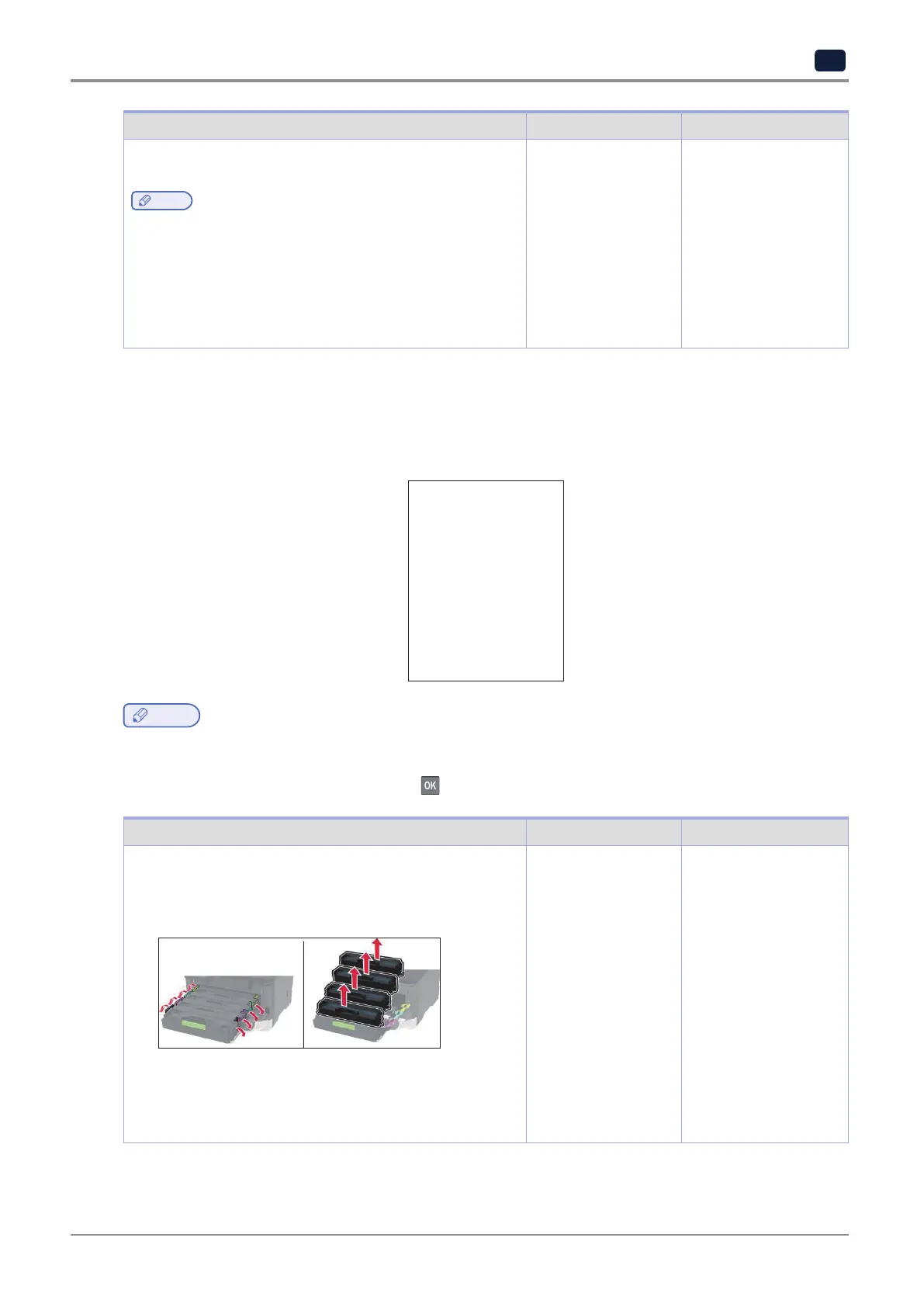
1)Openthefrontdoor,andthenfirmlypushitdown.
2)Pullouttheprintcartridgetray.
3)Remove,andtheninserttheprintcartridges.
4)Inserttheprintcartridgetray,andthenclosethedoor.
5)Printthedocument.
Is the printer printing blank or white pages?
Contact customer
support.
The problem is
solved.


 To Next Page