Learn about the printer
2-4
2
Using the control panel
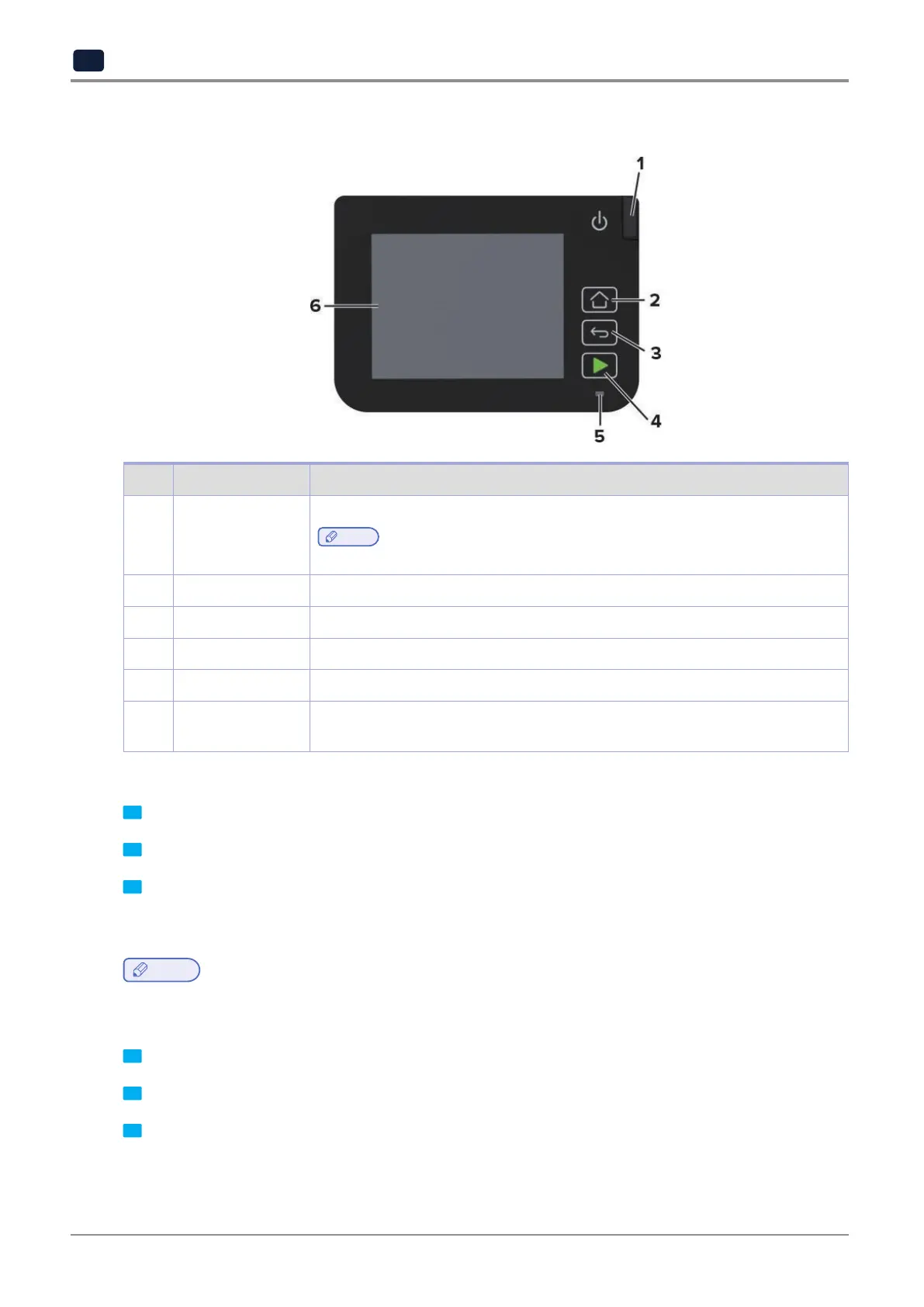
N0. Control panel part Function
1 Power button Turn on or turn off the printer.
Note
-
To turn off the printer, press and hold the power button for five seconds.
2 Home button Go to the home screen.
3 Back button Return to the previous screen.
4 Start button Start a job, depending on which mode is selected.
5 Indicator light Check the status of the printer.
6 Display
-
View printer messages and supply status.
-
Set up and operate the printer.
Customizing the home screen
1 Fromthecontrolpanel,touchSettings→Device→VisibleHomeScreenIcons.
2 Select the icons that you want to appear on the home screen.
3 Apply the changes.
Changing the language of the keyboard on the display
Note
-
You can only change the language of the keyboard in printer tasks that require alphanumeric input such as
e-mail or scan.
1 Touch the input field.
2 On the keyboard, touch and hold the language key.
3 Select a language.



 To Next Page