10-7
Use printer menus
10
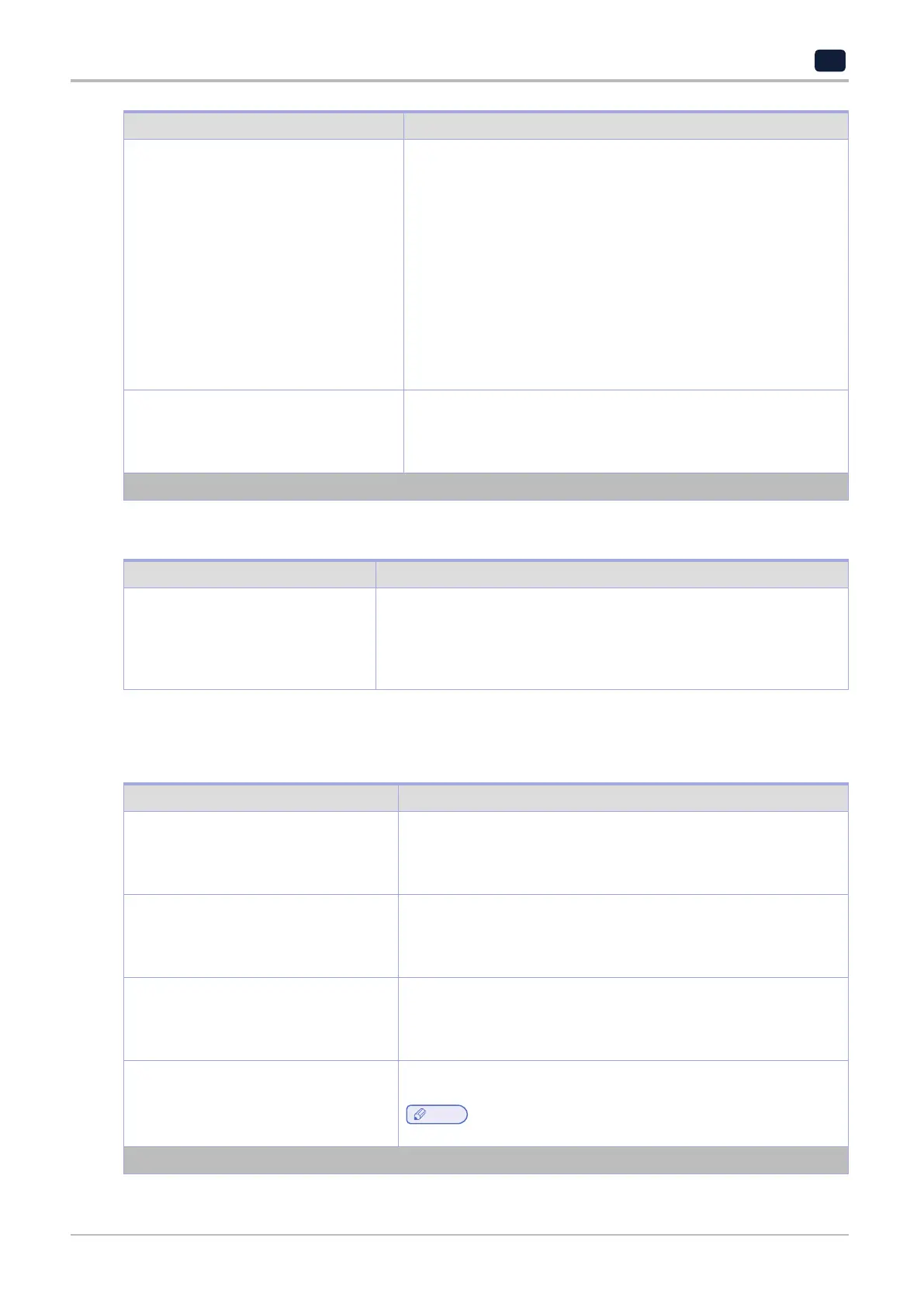
Menu item Description
Timeouts
Hibernate Timeout
Disabled
1 hour
2 hours
3 hours
6 hours
1 day
2 day
3 days*
1 week
2 week
1 month
Set the time before the printer turns off.
Timeouts
Hibernate Timeout on Connection
Hibernate
Do Not Hibernate*
Set Hibernate Timeout to turn off the printer while an active Ethernet
connection exists.
Note: An asterisk (*) next to a value indicates the factory default setting.
2.6 Restore Factory Defaults
Menu item Description
Restore Settings
Restore all settings
Restore printer settings
Restore network settings
Restore fax settings
Restore the printer factory default settings.
2.7 Maintenance
Config Menu
Menu item Description
USB Configuration
USB PnP
1*
2
Change the USB driver mode of the printer to improve its compatibility
with a personal computer.
USB Scan to Local
USB PnP
On*
Off
Set whether the USB device driver enumerates as a USB Simple
device (single interface) or as a USB Composite device (multiple
interfaces).
USB Configuration
USB Speed
Full
Auto*
Set the USB port to run at full speed and disable its high‑speed
capabilities.
Tray Configuration
Tray Linking
Automatic
Off*
Set the printer to link the trays that have the same paper type and
paper size settings.
Note
‑
This menu item is available only in some printer models.
Note: An asterisk (*) next to a value indicates the factory default setting.



 To Next Page