Set up, install, and configure
3-2
3
Selecting a location for the printer
-
Leave enough room to open trays, covers, and doors and to install hardware options.
-
Set up the printer near an electrical outlet.
CAUTION
: POTENTIAL INJURY
To avoid the risk of fire or electrical shock, connect the power cord to an appropriately rated and
properly grounded electrical outlet that is near the product and easily accessible.
CAUTION : SHOCK HAZARD
To avoid the risk of electrical shock, do not place or use this product near water or wet locations.
-
Make sure that airflow in the room meets the latest revision of the ASHRAE 62 standard or the CEN Technical
Committee 156 standard.
-
Provide a flat, sturdy, and stable surface.
-
Keep the printer:
• Clean,dry,andfreeofdust
• Awayfromstraystaplesandpaperclips
• Awayfromthedirectairflowofairconditioners,heaters,orventilators
• Freefromdirectsunlightandhumidityextremes
-
Observe the temperature range.
Operating temperature 10to32.2°C(50to90°F)
-
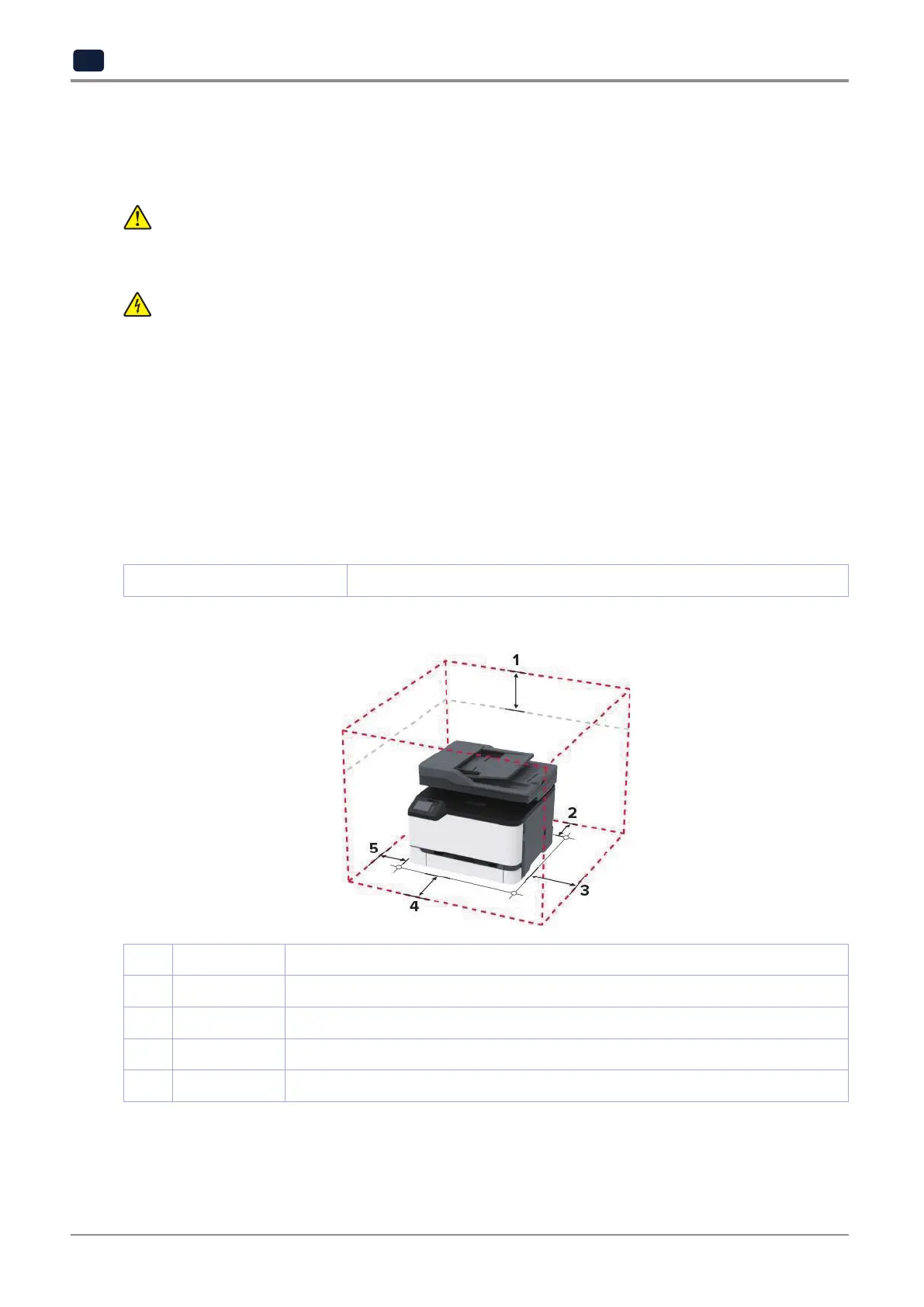
Allow the following recommended amount of space around the printer for proper ventilation:
1 Top 305mm(12in.)
2 Rear 102mm(4in.)
3 Right side 76mm(3in.)
4 Front 76mm(3in.)
5 Left side 76mm(3in.)



 To Next Page