Set up, install, and configure
3-4
3
1 Turn off the printer.
2 Unplug the power cord from the electrical outlet, and then from the printer.
3 Unpack the optional tray, and then remove all packing material.
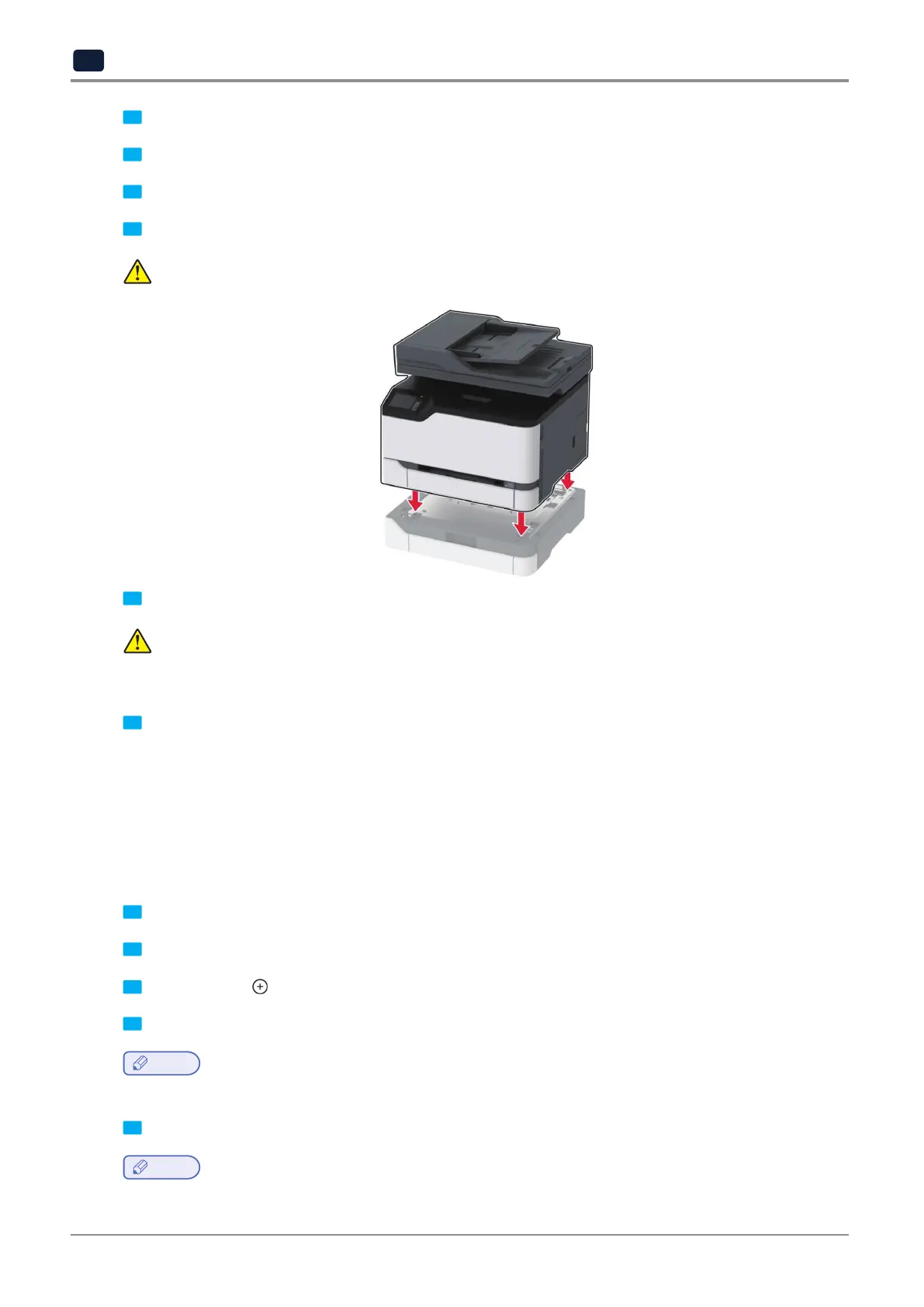
4 Align the printer with the optional tray, and then lower the printer into place.
CAUTION
:
POTENTIAL INJURY
lftheprinterweightisgreaterthan20kg(44lb),thenitmayrequiretwoormorepeopletoliftitsafely.
5 Connect the power cord to the printer, and then to the electrical outlet.
CAUTION
:
POTENTIAL INJURY
To avoid the risk of fire or electrical shock, connect the power cord to an appropriately rated and
properly grounded electrical outlet that is near the product and easily accessible.
6 Turn on the printer.
Addthetrayintheprintdrivertomakeitavailableforprintjobs.Formoreinformation,see“Addingavailableoptions
in the print driver” on P. 3-15.
Setting up and using the home screen applications
Creating a Cloud Connector profile
1 Fromthehomescreen,touchCloudConnector.
2 Select a cloud service provider.
3 Touch Create or
.
4 Typeauniqueprofilename.
Note
-
We recommend creating a PIN to protect the profile.
5 Touch OK, and then take note of the authorization code.
Note
-
The authorization code is valid only for 24 hours.



 To Next Page