Learn about the printer
2-2
2
Finding information about the printer
What are you looking for? Find it here
Initial setup instructions:
-
Connecting the printer
-
Installing the printer software
See the setup documentation that came with the printer
More setup and instructions for using the printer:
-
Selecting and storing paper and specialty media
-
Loading paper
-
Configuring printer settings
-
Viewing and printing documents and photos
-
Setting up and using the printer software
-
Configuring the printer on a network
-
Caring for and maintaining the printer
-
Troubleshooting and solving problems
Help using the printer software Help for Microsoft Windows or Macintosh operating
systems
-
Open a printer software program or
application, and then click Help.
Click
to view context-sensitive information.
Note
-
Help is automatically installed with the printer
software.
-
Depending on the operating system, the printer
software is located in the printer program folder or on
the desktop.
The latest supplemental information, updates, and
customer support:
-
Documentation
-
Driver downloads
-
Live chat support
-
E-mail support
-
Voice support
Note
-
Select your country or region, and then select your
product to view the appropriate support site.
Support contact information for your country or
region can be found on the website or on the printed
warranty that came with the printer.
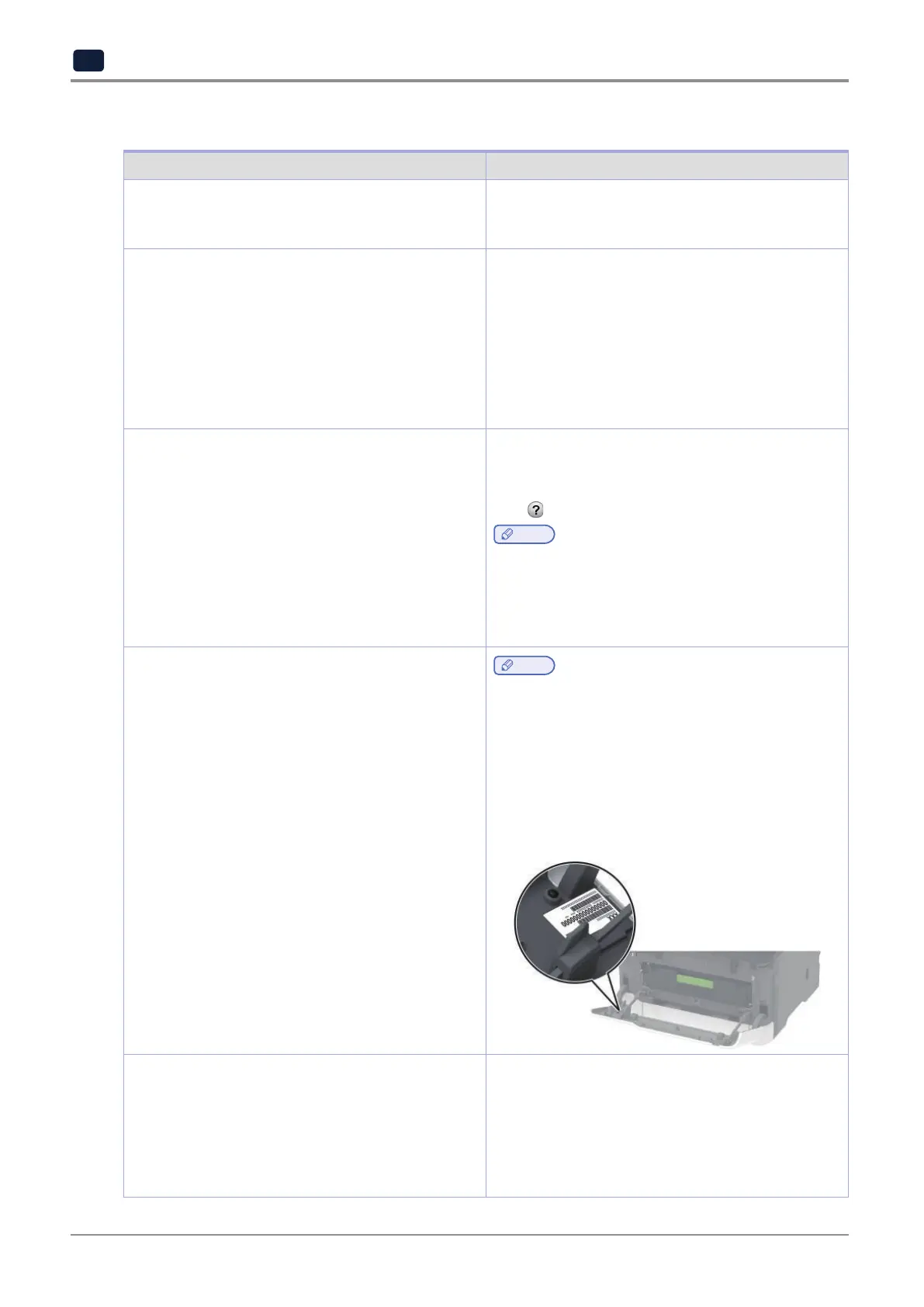
Have the following information ready when you con
tact customer support:
-
Place and date of purchase
-
Machine type and serial number
-
Safety information
-
Regulatory information
-
Warranty information
-
Environmental information
Warranty information varies by country or region:
-
In the U.S.
-
See the Statement of Limited Warranty
included with the printer,
-
In other countries and regions
-
See the printed
warranty that came with the printer.
Product Information Guide
-
See the documentation
that came with the printer



 To Next Page