12-9
Troubleshoot a problem
12
-
Donotusepaperthathasbeencutortrimmedbyhand.
-
Donotmixpapersizes,weights,ortypesinthesametray.
-
Make sure that the paper size and type are set correctly on the computer or printer control panel.
-
Store paper according to manufacturer recommendations.
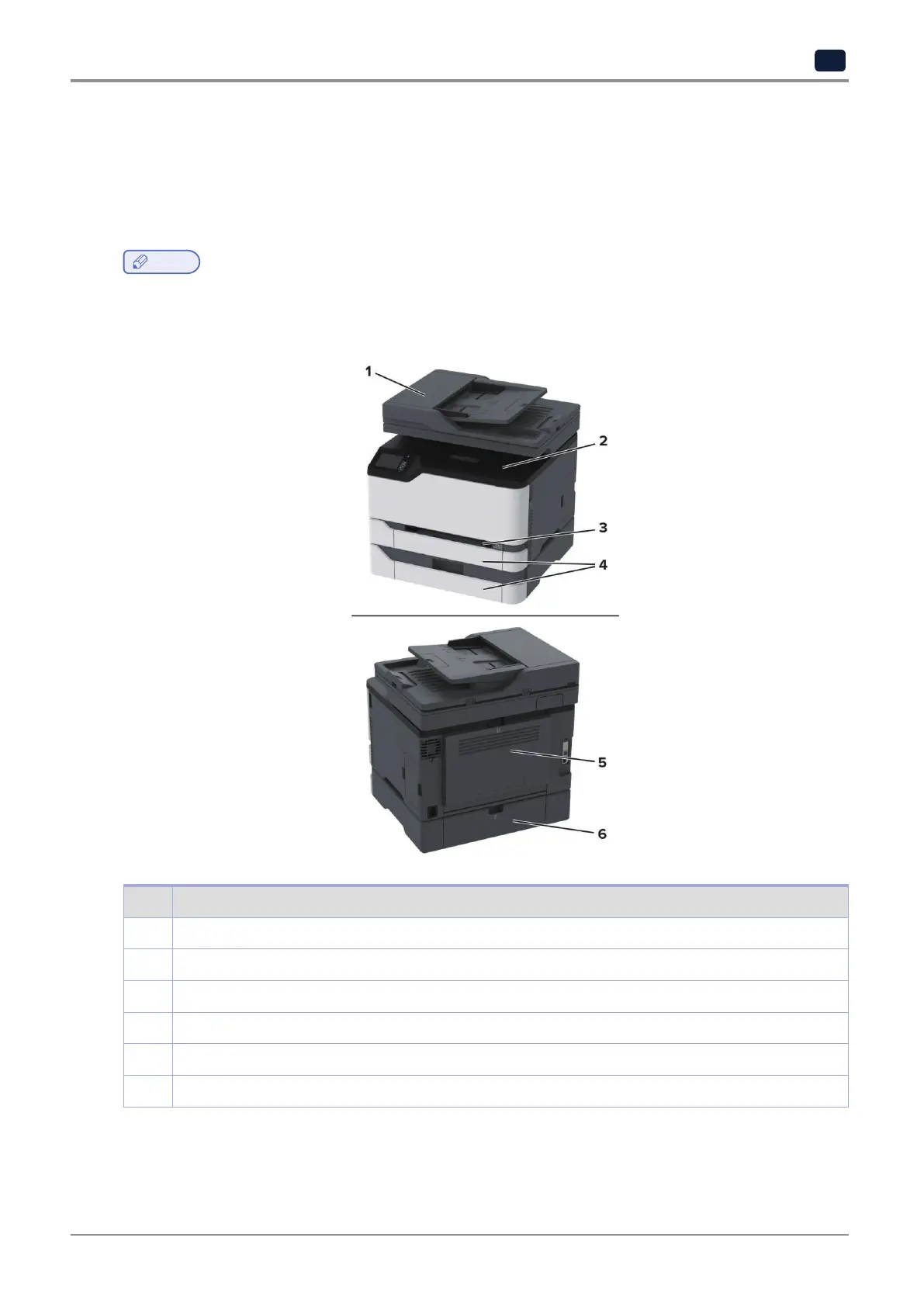
6.2 Identifying jam locations
Note
-
When Jam Assist is set to On, the printer might attempt to flush blank pages or pages with partial prints after
clearing the jam. Check your printed output for blank pages.
-
When Jam Recovery is set to On or Auto, the printer reprints jammed pages.
No. Jam locations
1 Automaticdocumentfeeder(ADF)
2 Standard bin
3 Manual feeder
4 Trays
5 DoorB
6 DoorE



 To Next Page