3-3
Set up, install, and configure
3
Attaching cables
CAUTION : SHOCK HAZARD
To avoid the risk of electrical shock, do not set up this product or make any electrical or cabling
connections,suchasthepowercord,faxfeature,ortelephone,duringalightningstorm.
CAUTION
:
POTENTIAL INJURY
To avoid the risk of fire or electrical shock, connect the power cord to an appropriately rated and
properly grounded electrical outlet that is near the product and easily accessible.
CAUTION
:
POTENTIAL INJURY
To avoid the risk of fire or electrical shock, use only the power cord provided with this product or the
manufacturer’s authorized replacement.
CAUTION
:
POTENTIAL INJURY
Toreducetheriskoffire,useonlya26AWGorlargertelecommunications(RJ-11)cordwhen
connectingthisproducttothepublicswitchedtelephonenetwork.ForusersinAustralia,thecord
must be approved by the Australian Communications and Media Authority.
Warning
Potential Damage:
-
To avoid loss of data or printer malfunction, do not touch the USB cable, any wireless network adapter,
or the printer in the areas shown while actively printing.
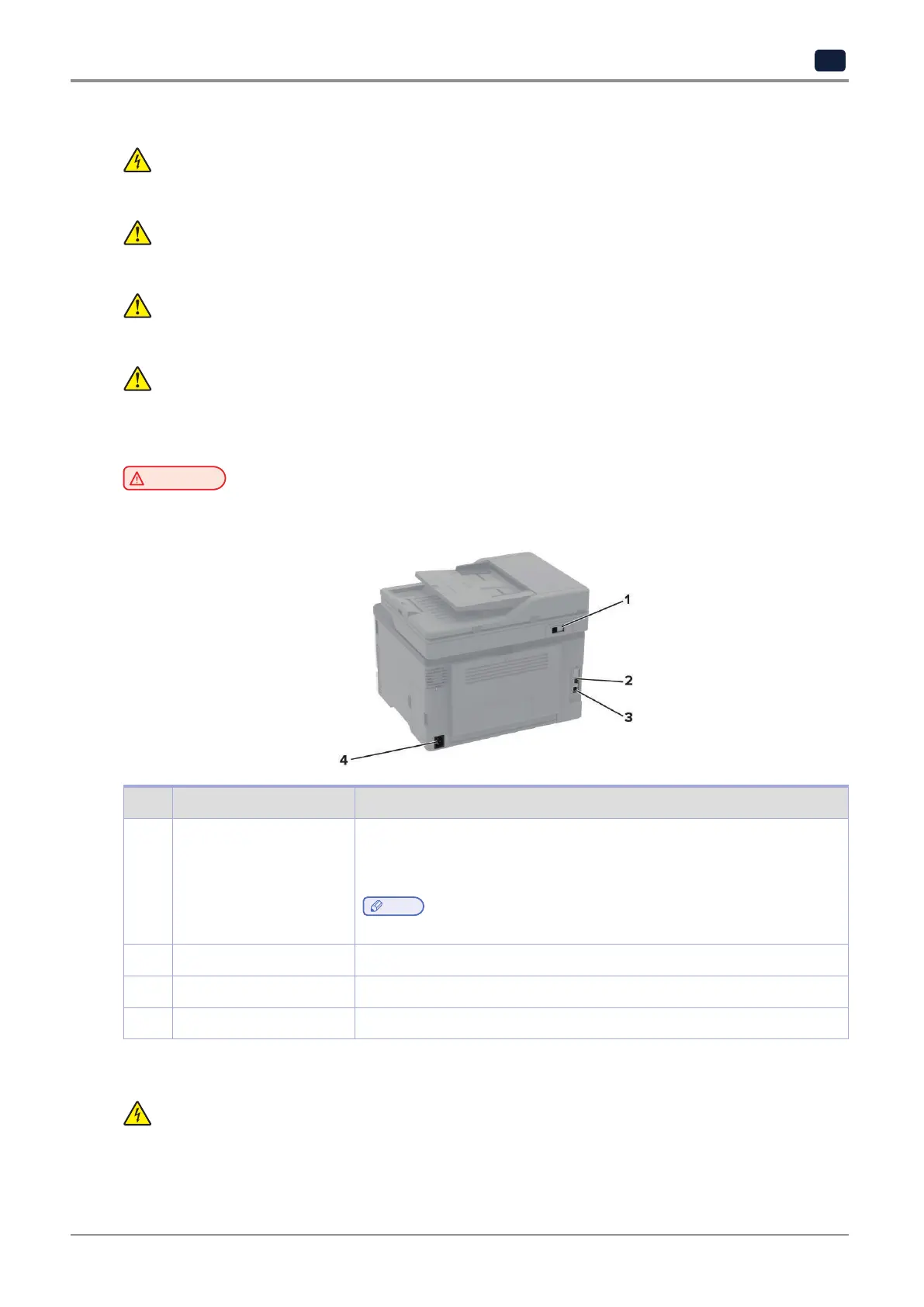
No. Printer port Function
1 LINE port Connect the printer to an active telephone line through a standard wall jack
(RJ-11),DSLfilter,orVoIPadapter,oranyotheradapterthatallowsyouto
accessthetelephonelinetosendandreceivefaxes.
Note
-
Toenablemanualfax,useacordedfaxsplitter.
2 Ethernet port Connect the printer to a network.
3 USB printer port Connect the printer to a computer.
4 Power cord socket Connect the printer to a properly grounded electrical outlet.
Installing optional trays
CAUTION : SHOCK HAZARD
To avoid the risk of electrical shock, if you are accessing the controller board or installing optional
hardware or memory devices sometime after setting up the printer, then turn the printer off, and
unplug the power cord from the electrical outlet before continuing. If you have any other devices
attached to the printer, then turn them off as well, and unplug any cables going into the printer.



 To Next Page