12-8
Troubleshoot a problem
12
6. Clearing jams
6.1 Avoiding jams
Load paper properly
-
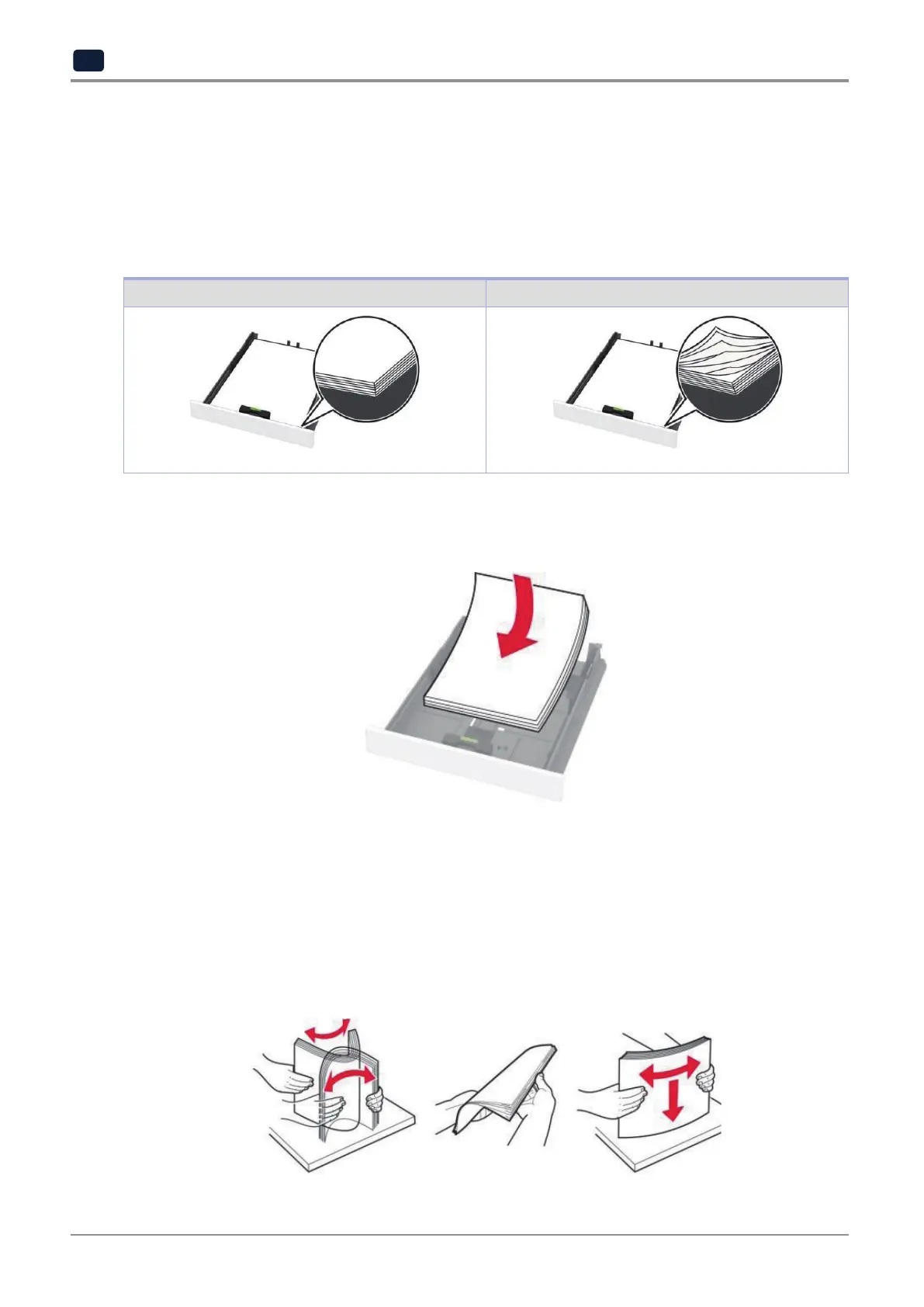
Make sure that the paper lies flat in the tray.
Correct loading of paper Incorrect loading of paper
-
Donotloadorremoveatraywhiletheprinterisprinting.
-
Donotloadtoomuchpaper.Makesurethatthestackheightisbelowthemaximumpaperfillindicator.
-
Donotslidepaperintothetray.Loadpaperasshownintheillustration.
-
Make sure that the paper guides are positioned correctly and are not pressing tightly against the paper or
envelopes.
-
Push the tray firmly into the printer after loading paper.
Use recommended paper
-
Useonlyrecommendedpaperorspecialtymedia.
-
Donotloadpaperthatiswrinkled,creased,damp,bent,orcurled.
-
Flex, fan, and align the paper edges before loading.



 To Next Page