Use printer menus
10-22
10
6. Fax
6.1 Fax Defaults
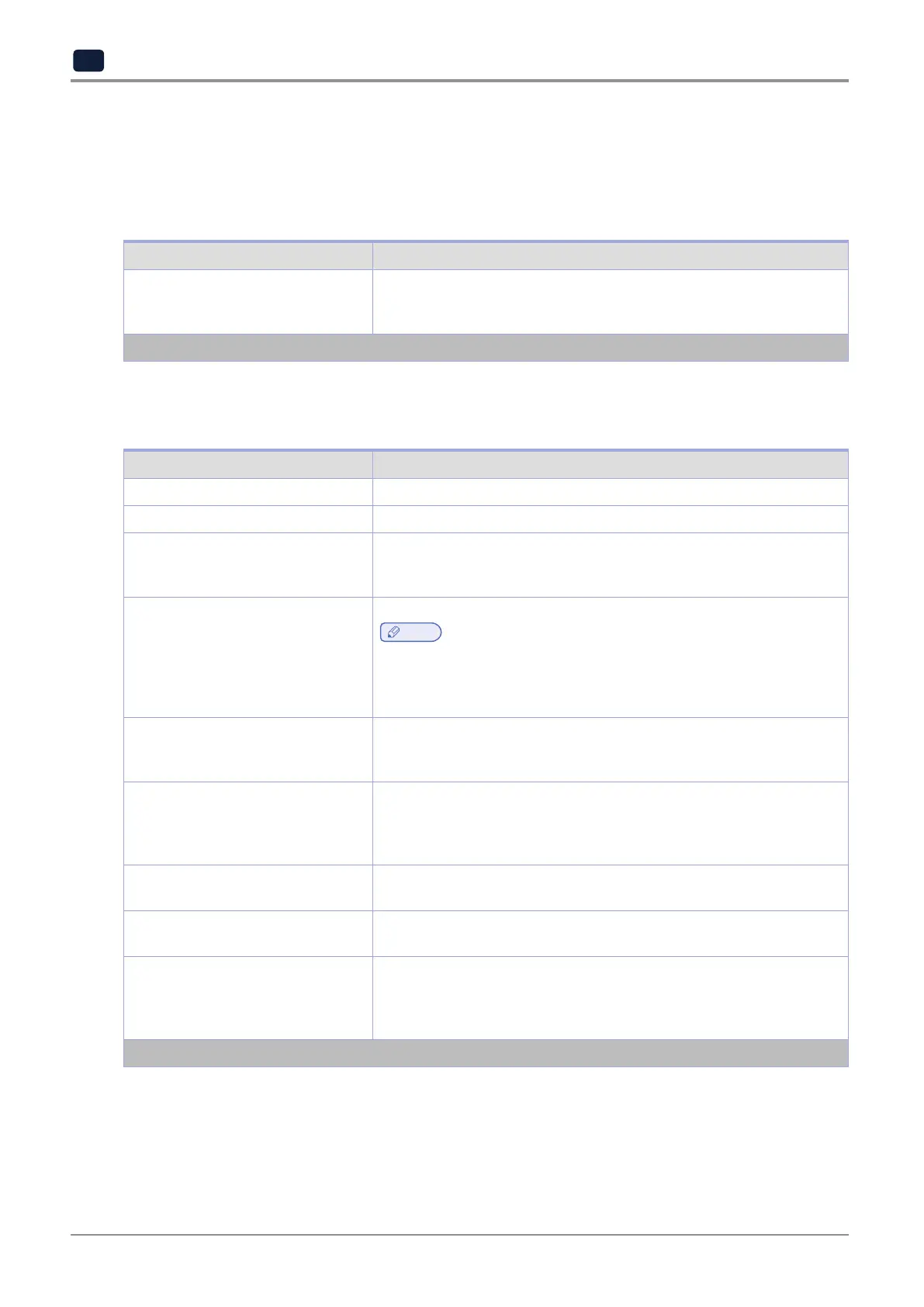
Fax Mode
Menu Item Description
Fax Mode
Fax*
Disabled
Select a fax mode.
Note: An asterisk (*) next to a value indicates the factory default setting.
Fax Setup
General Fax Settings
Menu Item Description
Fax Name Identify your fax machine.
Fax Number Identify your fax number.
Fax ID
Fax Name
Fax Number*
Notify fax recipients of your fax name or fax number.
Memory Use
All receive
Mostly receive
Equal*
Mostly send
All send
Set the amount of internal printer memory allocated for faxing.
Note
‑
This menu item prevents memory buffer conditions and failed faxes.
Cancel Faxes
Allow*
Don't Allow
Cancel outgoing faxes before they are transmitted, or cancel incoming
faxes before they finish printing.
Fax Number Masking
Off*
From Left
From Right
Specify the format for masking an outgoing fax number.
Digits to Mask
0‑58 (0*)
Specify the number of digits to mask in an outgoing fax number.
Optimize Fax Compatibil Configure the printer fax functionality for optimal compatibility with other
fax machines.
Fax Transport
Analog*
etherFAX
None
Set the fax transport method.
Note: An asterisk (*) next to a value indicates the factory default setting.



 To Next Page