12-37
Troubleshoot a problem
12
Action Yes No
Step 1
1)Dependingonyouroperatingsystem,specifythepaper
type from the Printing Preferences or Print dialog.
Note
-
Make sure that the setting matches the paper loaded.
-
You can also change the setting on the printer control
panel.Navigateto:
Settings→Paper→TrayConfiguration→PaperSize/Type
2)Printthedocument.
Does toner easily rub off?
Go to step 2. The problem is
solved.
Step 2
1)Checkifthepaperweightissupported.
Note
-
If paper weight is not supported, then load a supported
one.
2)Printthedocument.
Does toner easily rub off?
Go to step 3. The problem is
solved.
Step 3
1)Loadpaperfromafreshpackage.
Note
-
Paper absorbs moisture due to high humidity. Store paper
in its original wrapper until you are ready to use it.
2)Printthedocument.
Does toner easily rub off?
Contact customer
support.
The problem is
solved.
❖
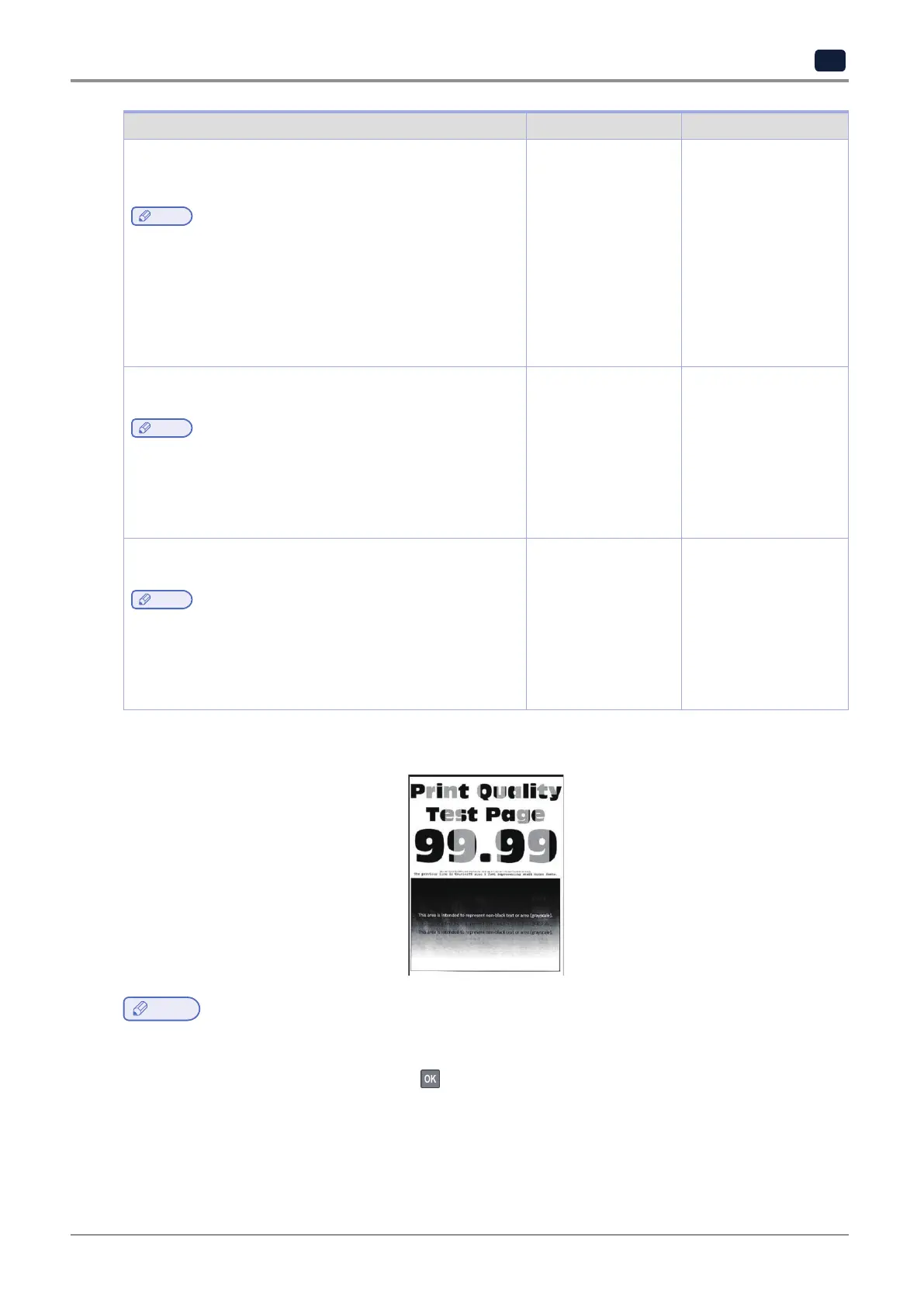
Uneven print density
Note
-
Beforesolvingtheproblem,printthePrintQualityTestPages.Fromthecontrolpanel,navigateto
Settings
→
Troubleshooting
→
Print Quality Test Pages.
For non-touch-screen printer models, press
to navigate through the settings.



 To Next Page