10.2 Display and control menu
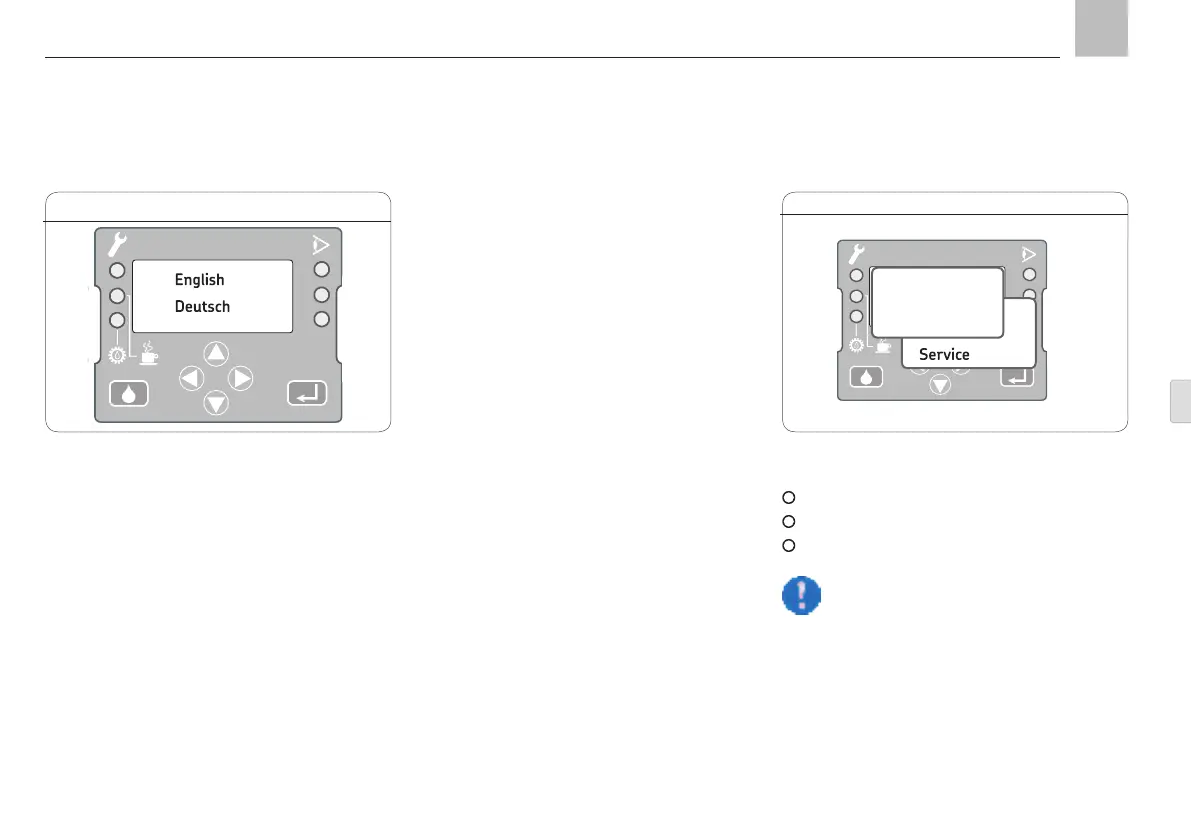
The control unit's display has three rows of eight
characters each. Only three options are shown
in menu windows containing more than three
available choices. Press the <up/down> arrow
keys to access further options.
Configuring a setting on the device involves
consecutively opening multiple menu windows.
The current device setting is then shown on a
black background.
Not all possible options are displayed in the
settings. Only settings that are available and
permitted for the selected device type (ProFlex
or MonoFlex) and the current device settings
are shown.
The first menu level shows language selection.
The language that is currently selected flashes.
Upon confirmation, the main menu will be dis-
played in the selected language.
10.2.1 Main menu
The main menu shows the following options:
Device-specific information
Device configuration
Status information
Note!
The Service menu selection is pass-
word-protected and can only be
accessed by SKF employees.
10. KFGL control unit
Control screen KGFL, Fig. 19
1
2
3
Main menu KGFL, Fig. 20
KFGL
Info
Config
Status
Page 83
EN


 To Next Page