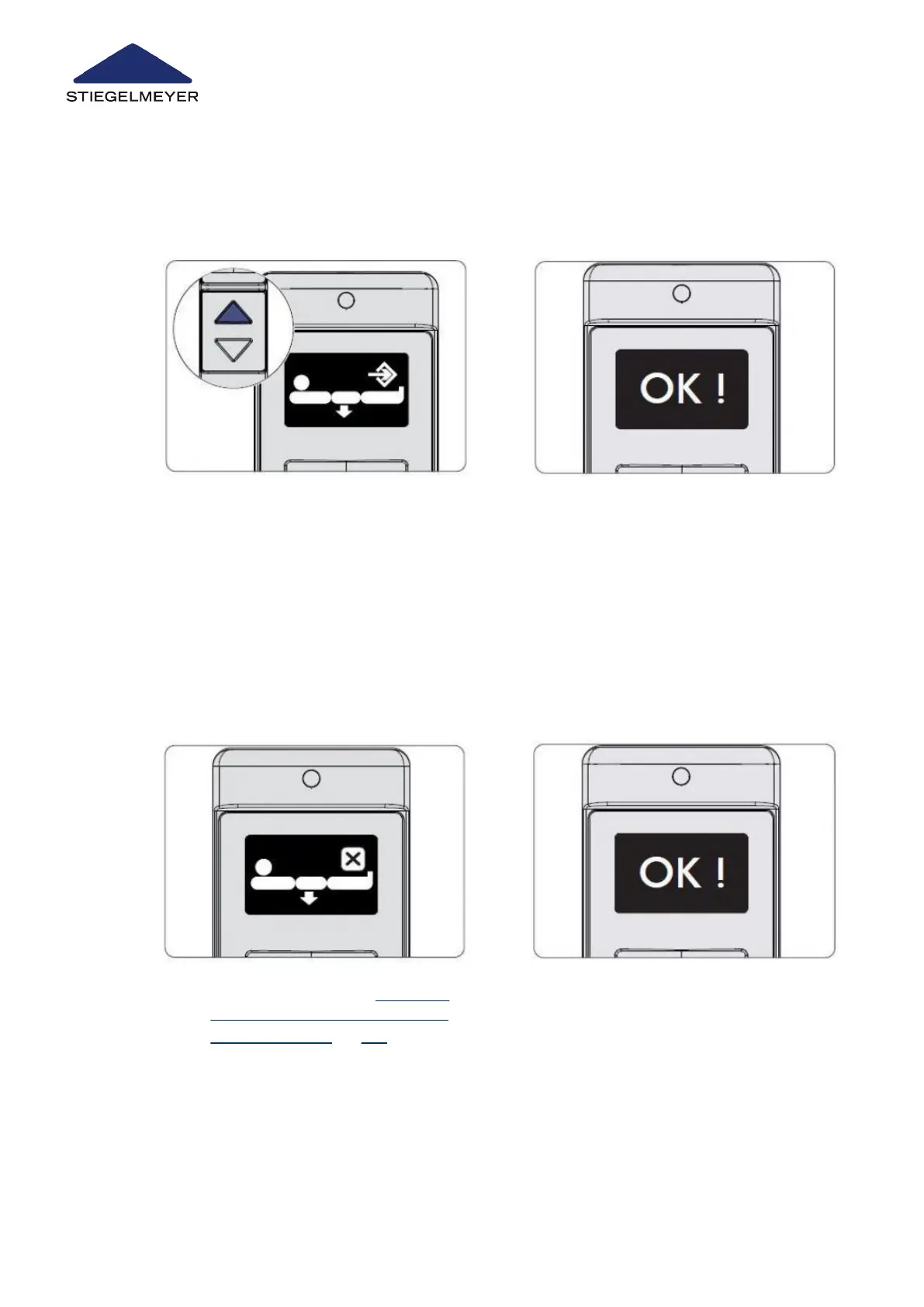
11.3.2 Deleting the minimum mattress base height setting (on the LCD handset)
4 The OK ! shown on the display con-
firms the change to the technician
control level. Let go of the UP and
DOWN buttons.
5 Select the minimum mattress height
function by pressing the toggle switch.
6 Press the UP button twice. After
pressing the button for the first time,
the symbol for the minimum mattress
base height appears.
7 After pressing the button for the sec-
ond time, the OK ! displayed indicates
the successful pre-setting of the mat-
tress base height restriction. The sym-
bol for the minimum mattress base
height is then displayed again.
1 Repeat steps 2 - 5, see Setting the
minimum mattress base height (on
the LCD handset) » 102. The mini-
mum mattress base height symbol
will appear on the display. Press the
DOWN button. The mattress base
height symbol will appear and the
status message X will be displayed
for the deleted function.
2 Press the DOWN button. After pressing
the button for the third time, the OK !
displayed indicates the successful de-
letion of the mattress base height re-
striction.
Special bed adaptations
103 Instruction Manual



 To Next Page