ATTENTION
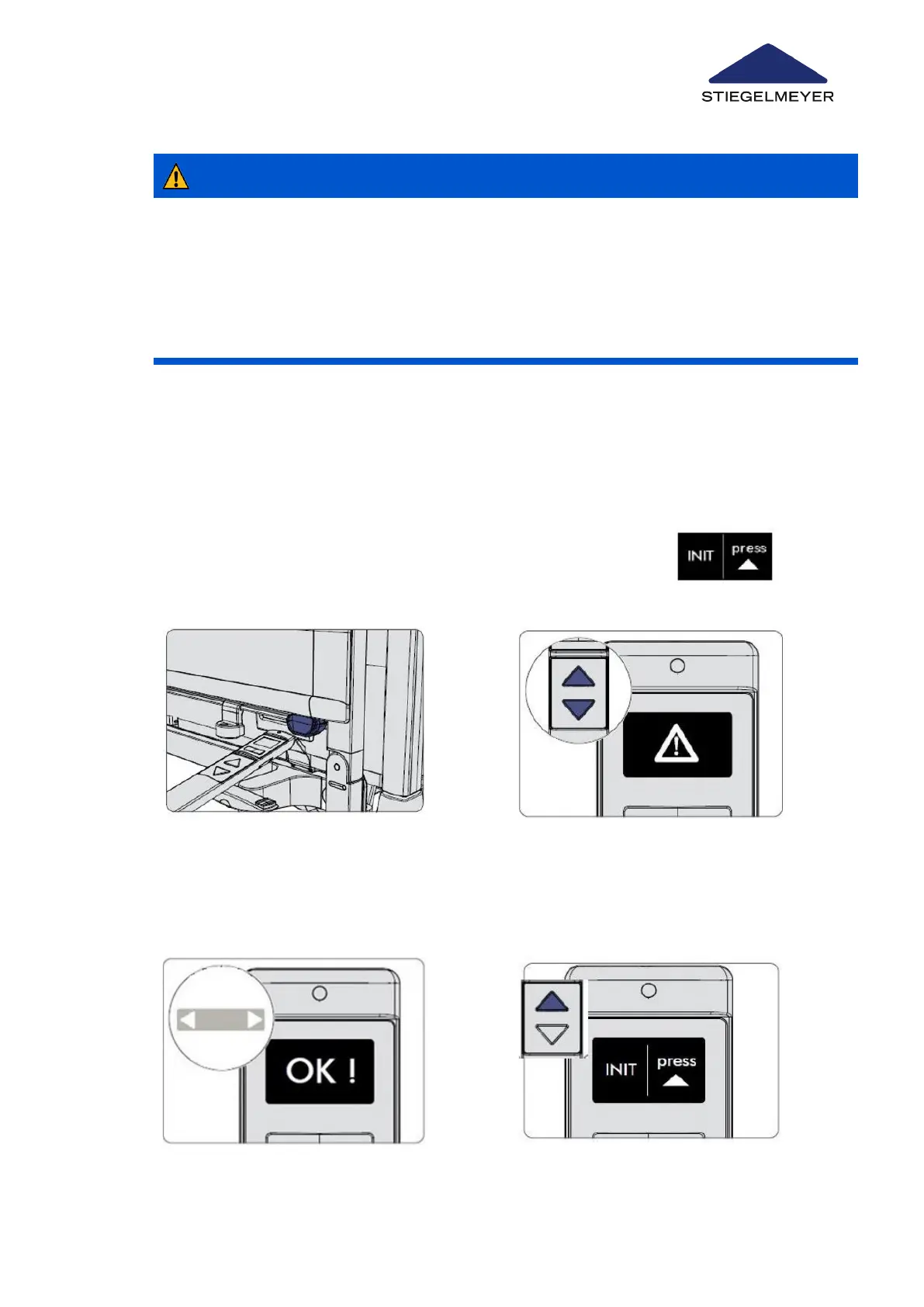
14.8.1 On the LCD handset
Risk of malfunctions
Failure to heed this warning may result in a malfunction!
•
The initialisation procedure must only be carried out by technical personnel (technician
control level on the LCD handset).
Depending on the control devices available, an initialisation is possible in different ways:
1
Plug the mains cable from the control into the electric socket. If “INIT” appears
immediately, go to step 5. Otherwise continue with step 2.
2 Press the UP and DOWN buttons simulta-
neously and at the same time hold the top
end of the LCD handset briefly (for about ½
second) against the magnetic unlocking
key.
3 Keep both the UP and DOWN buttons
pressed for a further 5 seconds while the
flashing warning triangle symbol and then
OK is displayed!
Replacement of electrical components
Instruction Manual 124



 To Next Page