CAUTION
9.11.1 Activation on LCD handset
The “ Easy Care” control level can only be activated from the patient level!
care tasks have been completed, the system automatically returns to the first level after 2 mi-
nutes. Alternatively, this can be switched over manually. Previously set function locks for indi-
vidual adjustments are retained.
Risk of injury
Failure to heed this warning may result in injuries to patients due to unintentional activation
of bed adjustments that may pose a risk, e.g. the Trendelenburg position!
•
Only medical staff are authorised to operate the “Easy Care” function!
•
Ensure that patients do not have access to the handset while the Easy Care function is
activated, as all bed adjustments are unlocked for use.
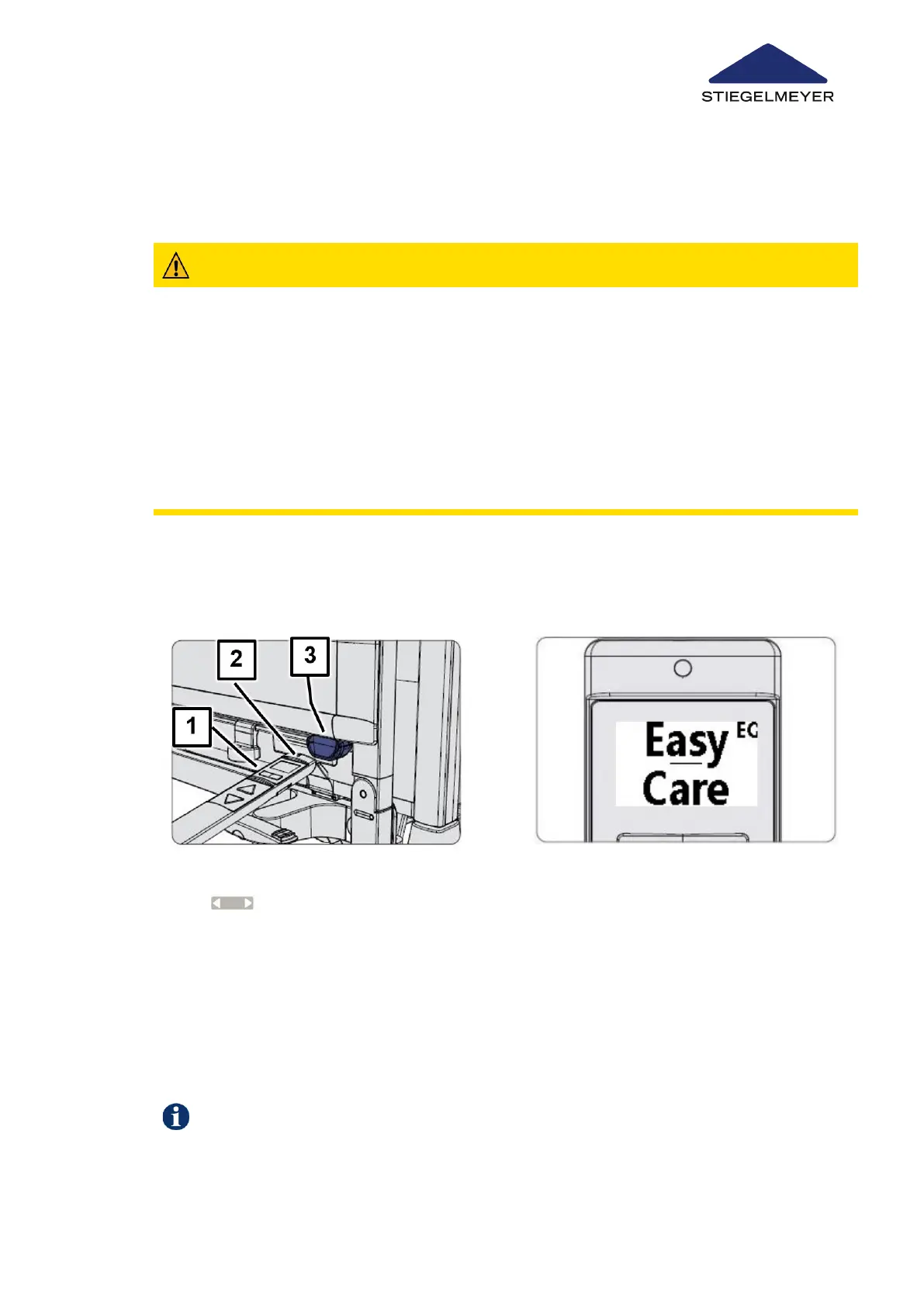
1 Press and hold both toggle switches
[1] at the same time, then
hold the top end of the handset [2]
briefly (for about ½ second) against
the orange magnetic unlocking key
[3].
2 To indicate that the control level has
been activated:
•
a short tone is emitted,
•
the backlit LCD display flashes
continuously
•
and the “Easy Care” display briefly
appears
Use/routine
Instruction Manual 84



 To Next Page