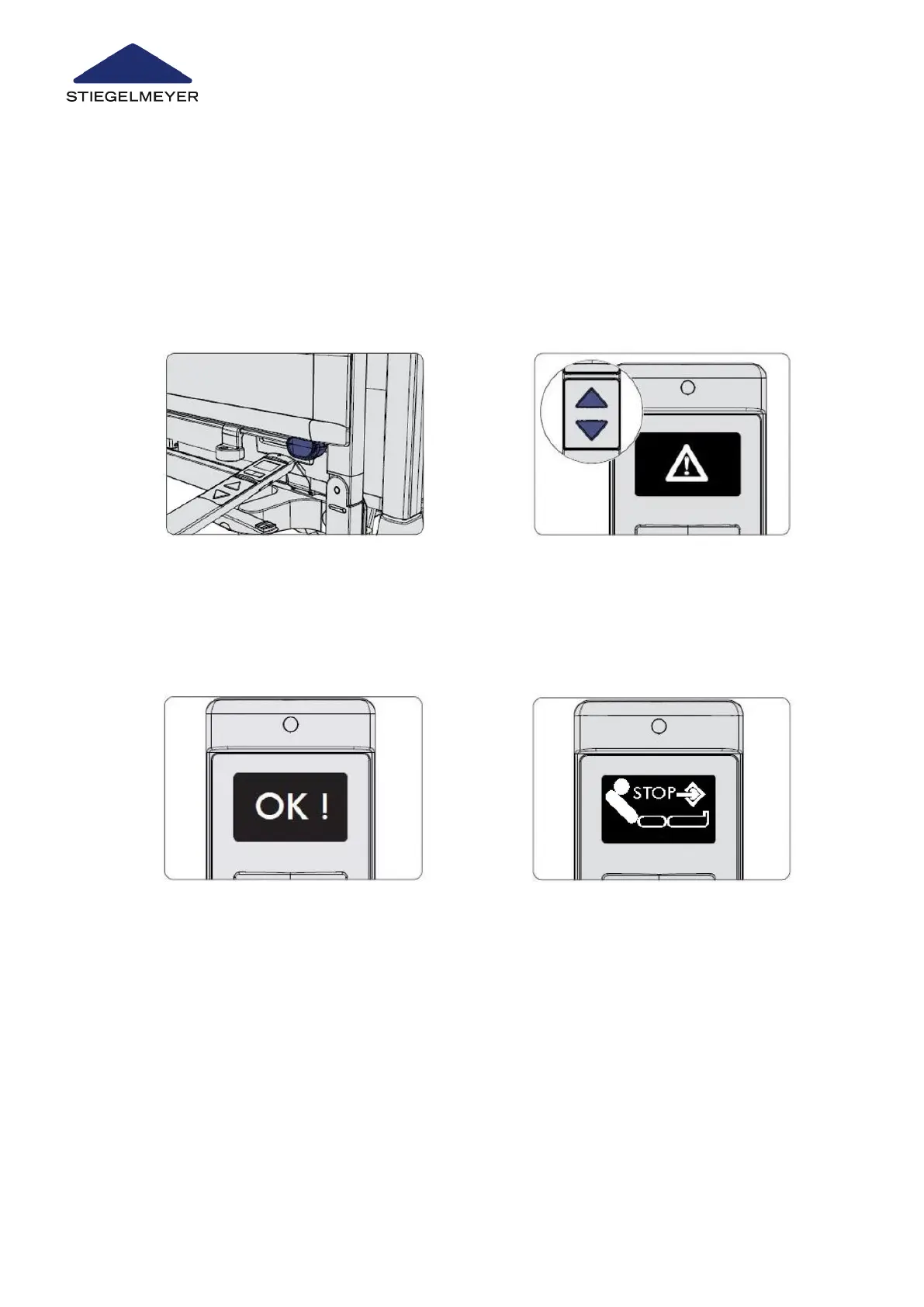
11.4.1 On the LCD handset
Defining an intermediate stopping position must only be done by technical staff or through
qualified medical staff who have been trained by the operator to do so.
1 Set the backrest to the position that you wish to define as the intermediate stopping position.
2 Press the UP and DOWN buttons si-
multaneously and at the same time
hold the top end of the handset briefly
(approx. ½ second) against the or-
ange magnetic unlocking key at the
foot end of the bed.
3 Keep both the UP and DOWN buttons
pressed for a further 5 seconds while
the warning triangle symbol is dis-
played.
4 The OK ! shown on the display con-
firms the change to the technician
control level. Let go of the UP and
DOWN buttons.
5 Select the intermediate stopping posi-
tion function for the backrest by press-
ing the toggle switch
Special bed adaptations
105 Instruction Manual



 To Next Page