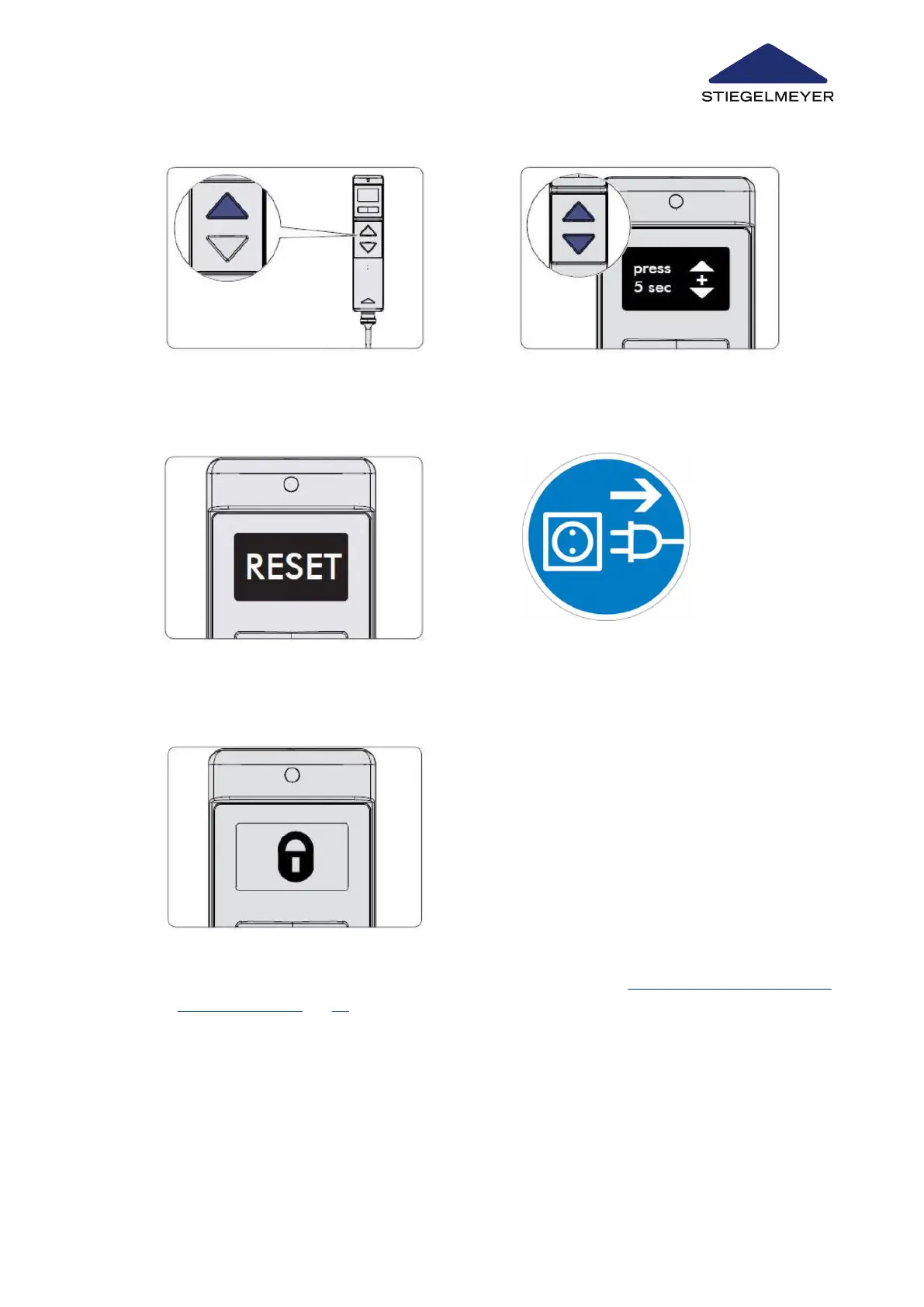
5 Press the UP button to confirm that you wish
to select the RESET function and to continue
the procedure. The display changes.
6 Press the UP and DOWN buttons at the
same time for 5 seconds.
7 The display changes again to the RESET sym-
bol. Keep both buttons pressed until the dis-
play changes from RESET to OK !
8 Unplug the bed from the power socket for
about 30 seconds and then plug it in again.
9 The padlock symbol is displayed. The RESET is now successfully completed. You can now un-
lock the functions you wish to release for the patient, see chapter Locking/unlocking electric ad-
justment functions » 69.
Replacement of electrical components
Instruction Manual 128



 To Next Page