Operation 5
Driving
• Fingertip; see the chapter entitled Actuating
the drive direction switch, fingertip.
NOTE
The drive direction can also b
e changed during
travel. Your foot can remain o
n the accelerator
pedal. The truck decelerat
es and is then
accelerated again in the op
posite direction
(reversing).
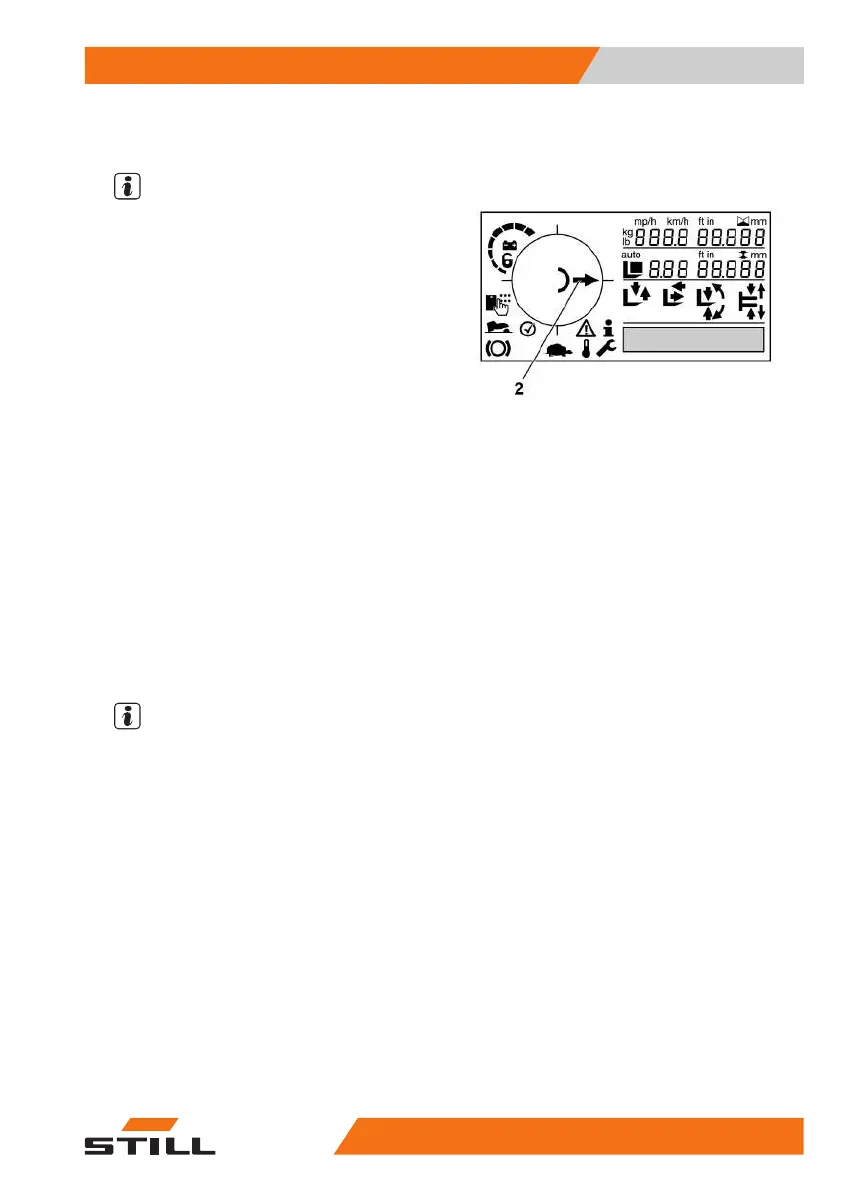
After actuating the drive direction switch, the
drive direction is shown on the display and
operating unit (2).
Neutral position
If the truck is stopped for an extended period,
select the neutral position to prevent the truck
from suddenly starting if the accelerator pedal
is pressed inadvertently.
– Lightly actuate the dri
ve direction switch for
the drive direction opp
ositetothecurrent
direction.
The drive direction indicator on the display and
operating unit changes to show the "neutral
position" symbol.
– Actuate the drive direction switch again to
select a drive direction.
NOTE
When the driver leaves the seat, the direction
switch is set to neutral. To drive, the direction
switch must be actuated again.
50
988078001 [EN] 91



 To Next Page