5 Operation
Driving
1
X
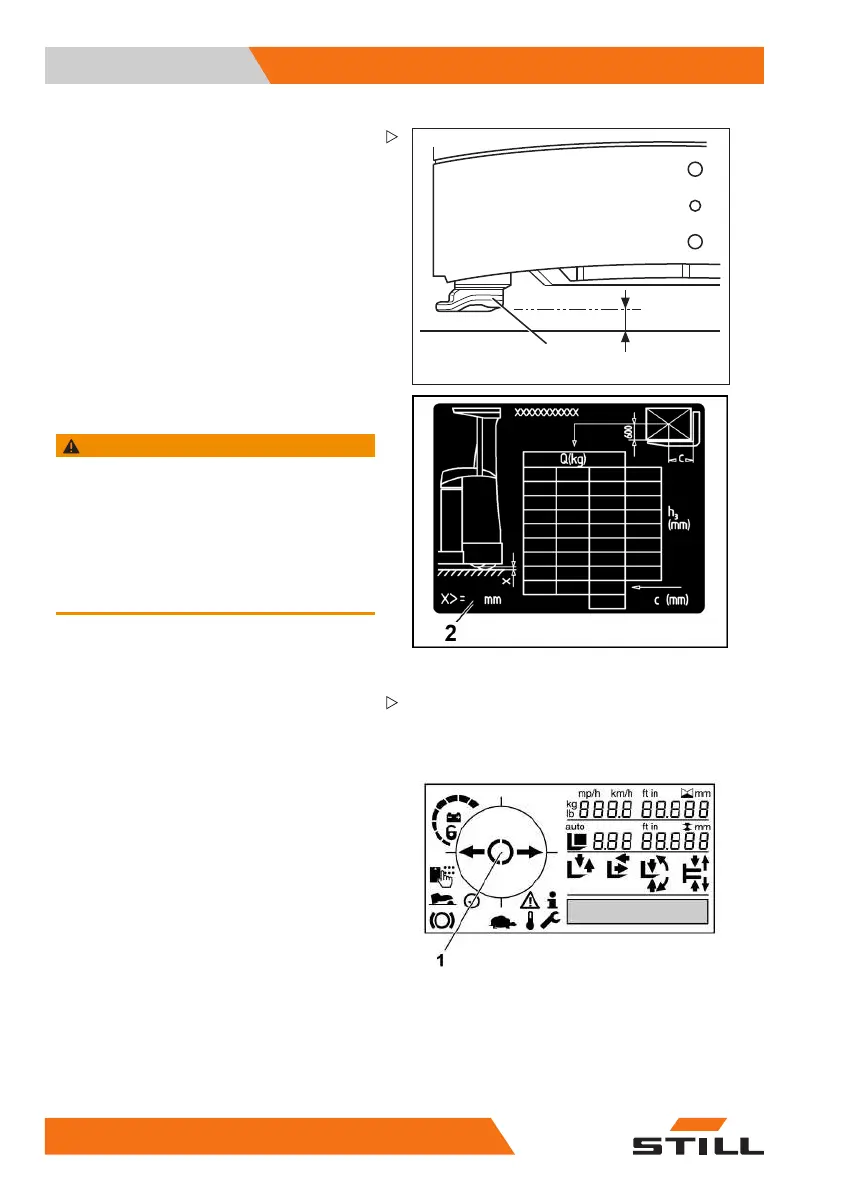
Side chassis supports
Side chassis supports (1) on the rear left and
right of the truck support the truck if it tips to
the side.
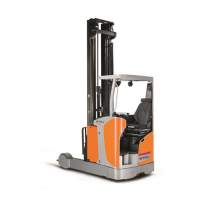
The permissible distance "X" for the ground
clearance of the chassis supports (2) is noted
on the load capacity diagram on the truck. It
must be observed at all times.
The size of this distance depends on following
factors:
• Height of the lift mast
• Load capacity of the truck
• Size of the battery tray
WARNING
Risk of accident due to limited residual load capa-
city of the truck.
The side chassis supports have an important
impact on the residual load capacity of the truck.
– If the truck frequently bottoms out, check the
support distance "X" regularly and have it
adjusted by the authorised service centre if
necessary.
Selecting the drive direction
The desired drive direction of the truck must
be selected using the drive direction switch
before attempting to drive. When the truck is
switched on, there is initially no drive direction
selected. The drive direction indicator on the
display and operating unit shows the "neutral
position" symbol (1).
Actuation of the drive direction switch depends
on which operating devices are fitted on the
truck.
Possible equipment variants include:
• Joystick 4Plus, refer to the chapter entitled
"Actuating the drive direction switch, joy-
stick 4Plus"
90
50988078001 [EN]



 To Next Page