Operation 5
Cab operation (variant)
No.
Operating device
Function
1 Heating system rocker
switch (door), 2-stage
Selection of two heating levels for the warm air heating system
in the door
2
Ventilation fan rocker
switch, 2-stage
Selection of two blower speeds
3 Heating system rocker
switch (footwell), 2-stage
Selection of two heating levels for the warm air heating system
under the steering wheel
4 Heating system rocker
switch (head area),
2-stage
Selection of two heating levels for the warm air heating system
in the overhead guard post
5
Screen heating rocker
switch, tap mode
Tapping the rocker switch starts the heating phase, which
switches off automatically after a few minutes
6 Intercom system rocker
switch
Activates the intercom system
7
Intercom system volume
controller
Controls the volume of the intercom system
8 Intercom button While speaking, the operator must keep the intercom button
pressed down
The operator switches on the function by
pressing the upper half of the relevant rocker
switch. Pressing the lower half of the switch
switches off the function in question. There
may, however, be a slight delay between the
switch being pressed and the function being
switched off.
1
Cab interior lighting (variant)
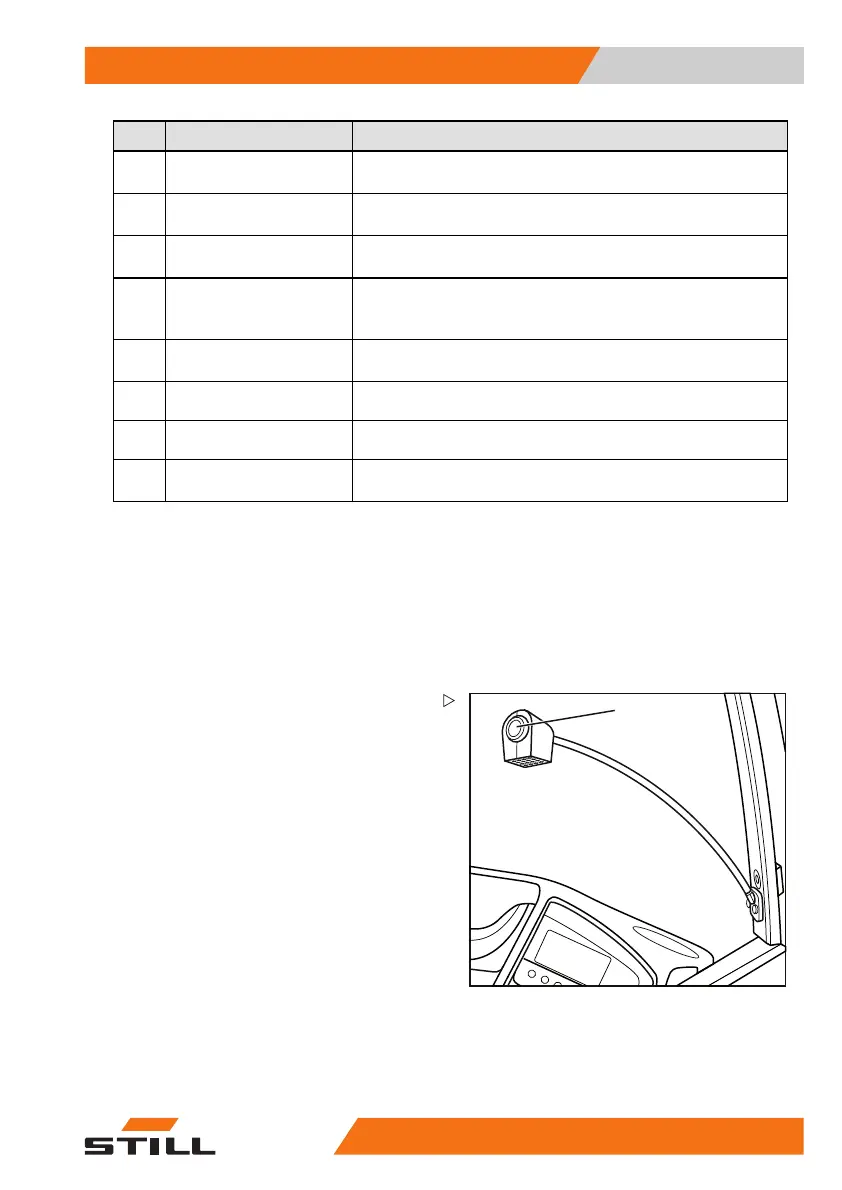
For better illumination of the cab, the truck can
be equipped with a pivoting interior light.
– Press s
witch (1) to switch on the cab light.
– Adjust the reflector until the working area is
optimally illuminated.
50
988078001 [EN] 173



 To Next Page