92
GANTRY/STAGE
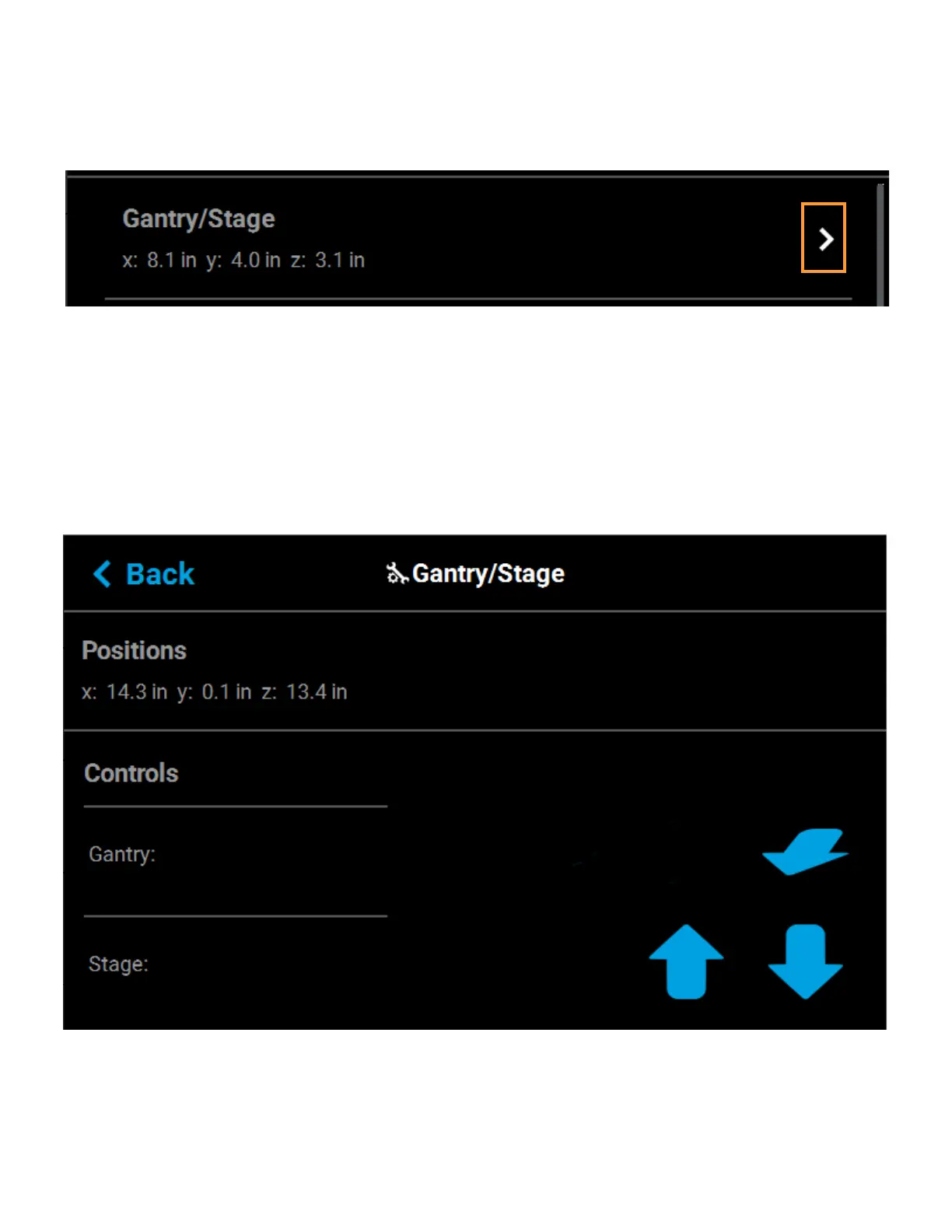
Position information for the X, Y and Z axes is displayed within the Gantry/Stage row. Pressing anywhere within
the Gantry/Stage row will open the Gantry/Stage page.
Figure 4-64: X, Y, Z Position
The single directional arrow button within the Gantry: section allows you to move the head in the X and Y axis.
Pressing the Front Arrow button moves the head assembly to the front of the gantry.
The two directional arrow buttons within the Stage: section allow you to move the platen (Z) up or down.
• Up: pressing the Up Arrow button moves the Z stage to the mid-Z position.
• Down: pressing the Down Arrow button moves the Z stage to the lower-Z position.
The information displayed within the Positions portion of the page will update to reflect X, Y, and Z positioning
changes made using the directional arrow buttons.
Figure 4-65: Gantry/Stage Page














 To Next Page