186
RIGHT AND LEFT SIDE OVEN BLOWERS
Required Tools
• 2.5 mm hex wrench
• 3 mm hex wrench
Removing the Oven Blower
1. Power OFF the printer. See “Powering Off” on page 169.
2. Remove the rear panel. See “Removing the Rear Panel” on page 170.
3. Remove the side panels. See “Right and Left Side Panels” on page 171.
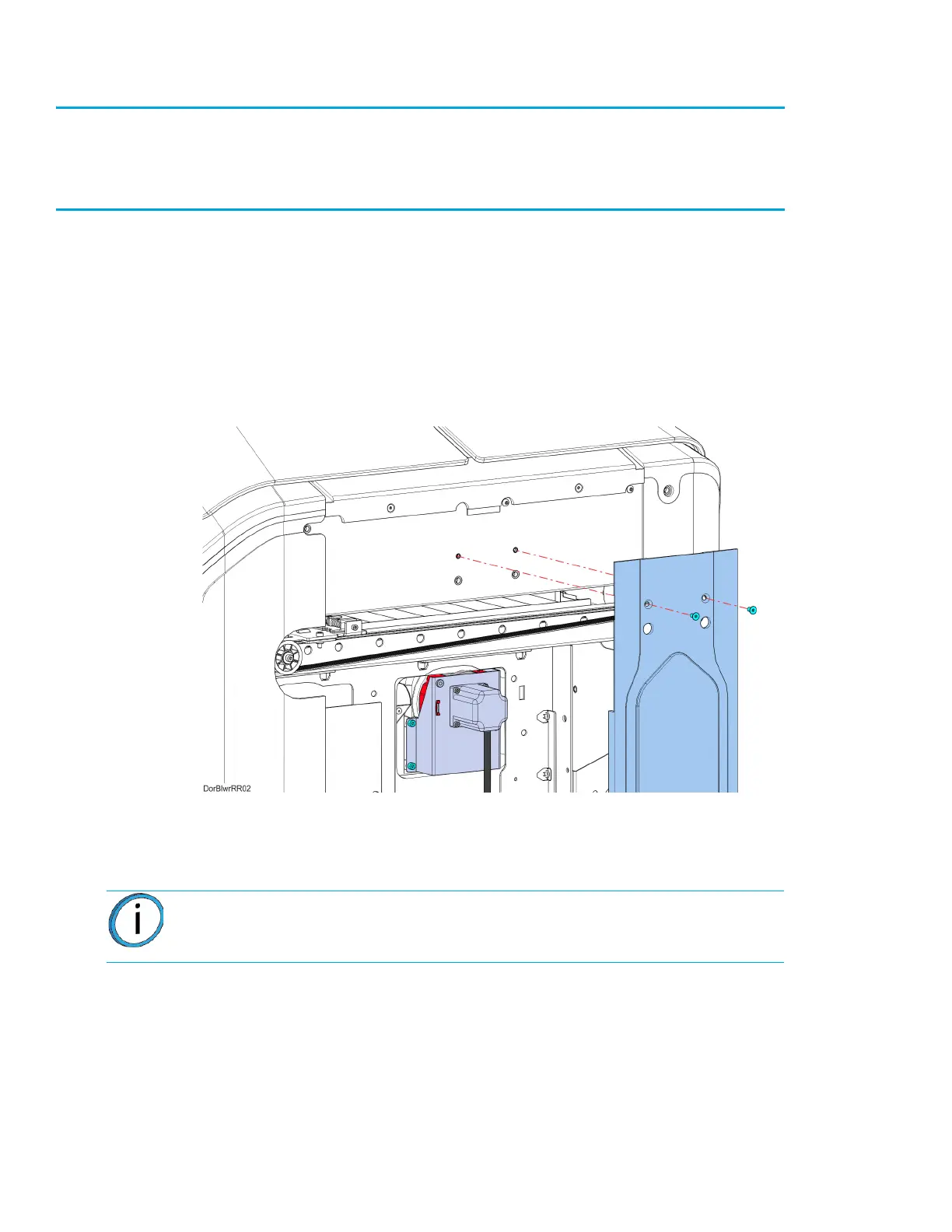
4. Right-side oven blower only: Using a 2.5 mm hex wrench, remove the mounting screws (2)
that secure the center side bezel and remove it from the printer.
Figure 7-28: Center Side Bezel Mounting Screw Locations
5. Disconnect the oven blower motor connector from the I/O board (J39 - right blower, J37 - left
blower).
Note: Take note of the wire routing configuration for ease of installation.














 To Next Page