185
Installing the Touchscreen Display
1. Reconnect the touch extender cable and the display cable to the back of the touchscreen display.
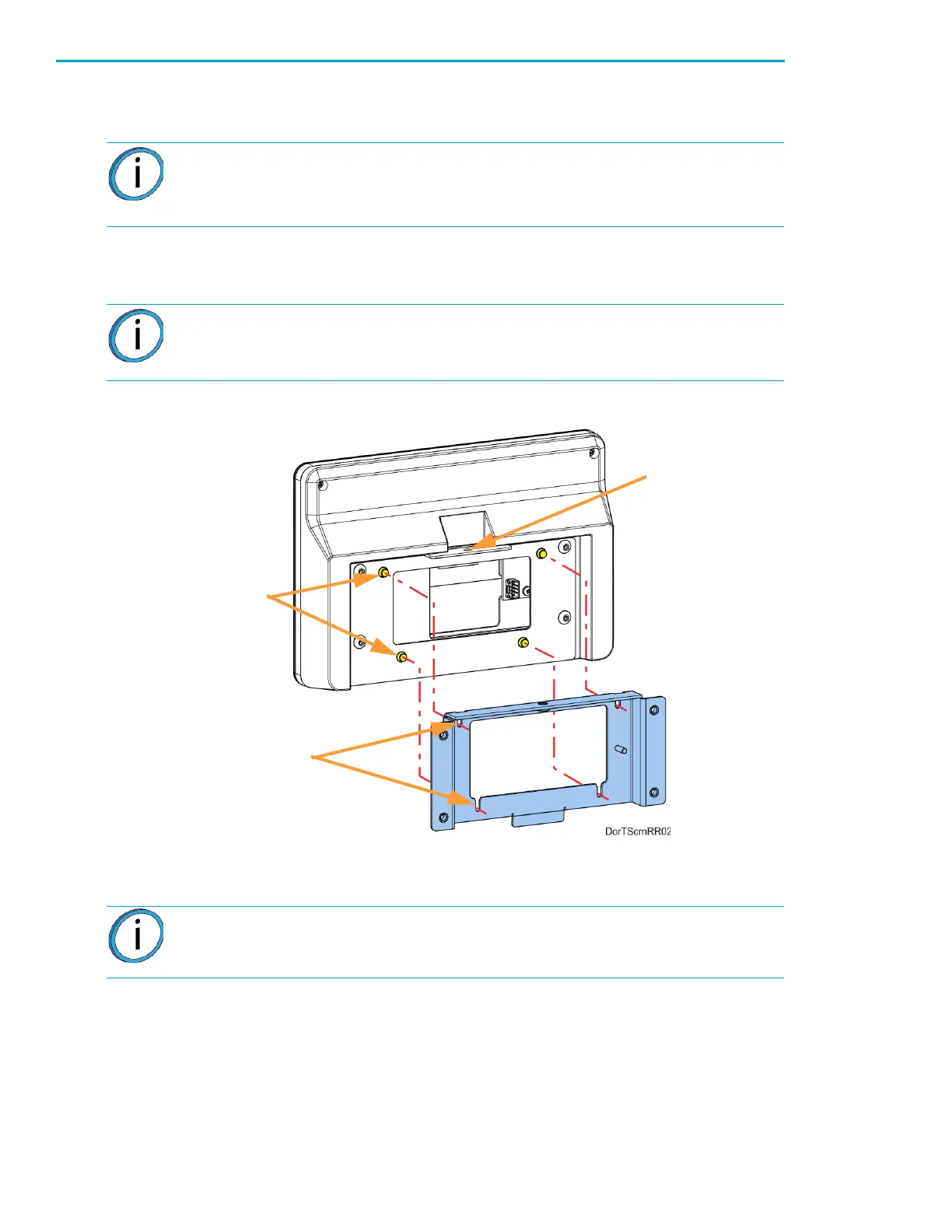
2. Align the touchscreen’s standoff fasteners (4) with the corresponding slots in the mounting plate
and gently press it down until it is fully seated. See Figure 7-27.
Figure 7-27: Mounting Plate Slots and Alignment
3. Use a 3 mm hex wrench to reinstall the touchscreen mounting screw (1). See Figure 7-26.
Note: Orient the shiny side of the connector away from the display.
The flat display cable connector is fragile. Simultaneously push both corners of
the connector straight in, without rocking back and forth.
Note: If all four of the standoff fasteners are not properly installed, the mounting
screw holes on top of the brackets will not align.
Note: Touchscreen calibration should be performed after proper touchscreen
operation is confirmed. See “Touchscreen Calibration” on page 154.
Mounting
Standoff
Fasteners
Mounting














 To Next Page