188
OVEN DOOR GASKET
Required Tools
• Screwdriver or similar instrument
Removing the Oven Door Gasket
1. Power OFF the printer. See “Powering Off” on page 169.
2. Open the oven door.
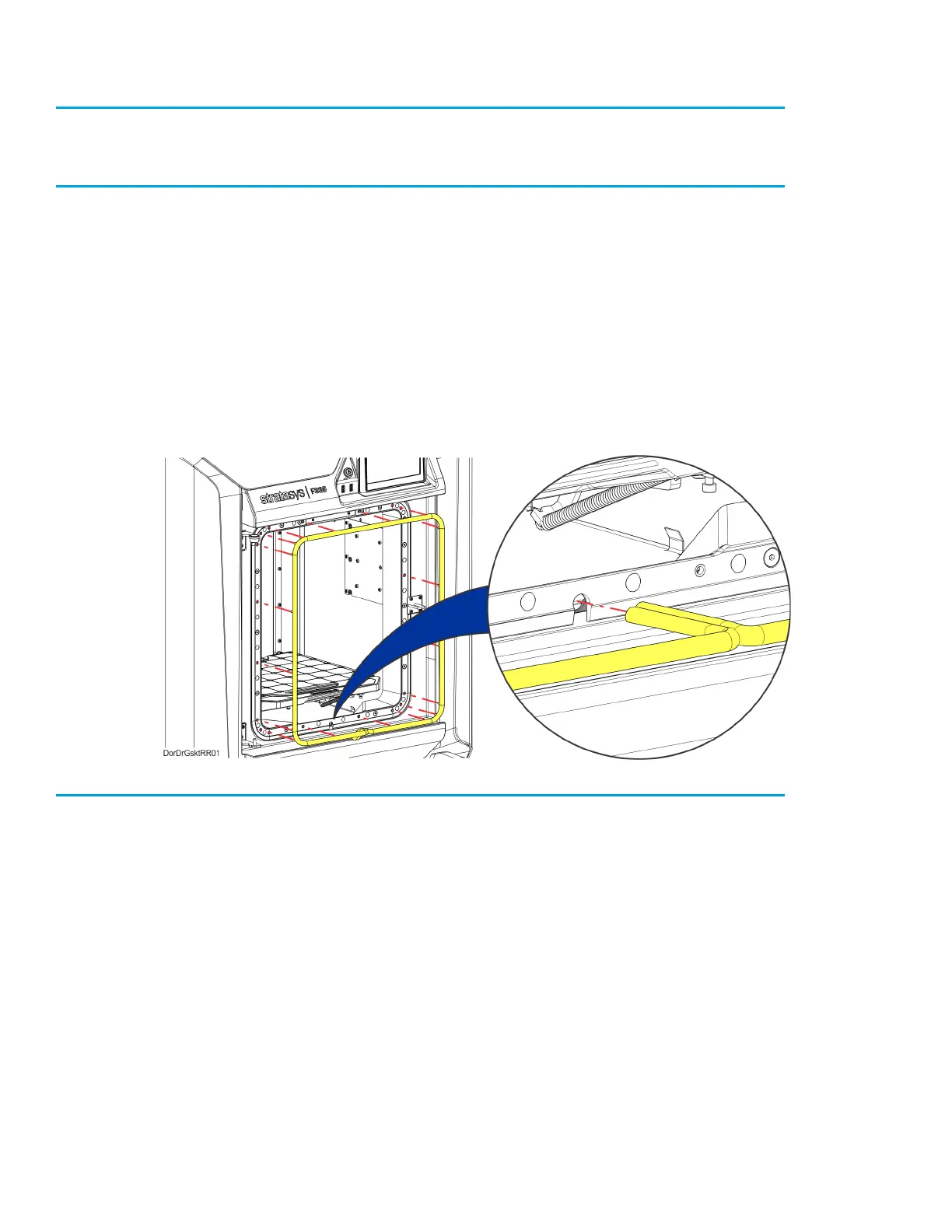
3. Extract the gasket pins out of the holes around the entrance to the oven enclosure.
See Figure 7-30.
4. Pull the ends of the gasket out of the hole below the entrance to the oven enclosure.
See Figure 7-30.
5. Remove the oven gasket from the printer.
Figure 7-30: Oven Door Gasket Detail (door removed for clarity)
Installing the Oven Door Gasket
1. Insert the gasket pins into the holes around the perimeter of the entrance to the oven enclosure.
2. Use a screwdriver or similar instrument to poke the ends of the gasket into the hole below the
entrance to the oven enclosure.
3. Close the oven door.














 To Next Page