177
MATERIAL BAYS
Required Tools
• 2.5 mm hex wrench
• 3 mm hex wrench
Removing the Material Bay
1. Unload material. See “Unloading Material” on page 113.
2. Open the material bay drawer.
3. Unlatch and open the material bay lid.
4. Remove the existing material spool from the material bay.
5. Place the used material spool into an airtight bag and seal it.
6. Close the material bay lid.
7. Close the material bay drawer.
8. Power OFF the printer. See “Powering Off” on page 169.
9. Remove the rear panel. See “Removing the Rear Panel” on page 170.
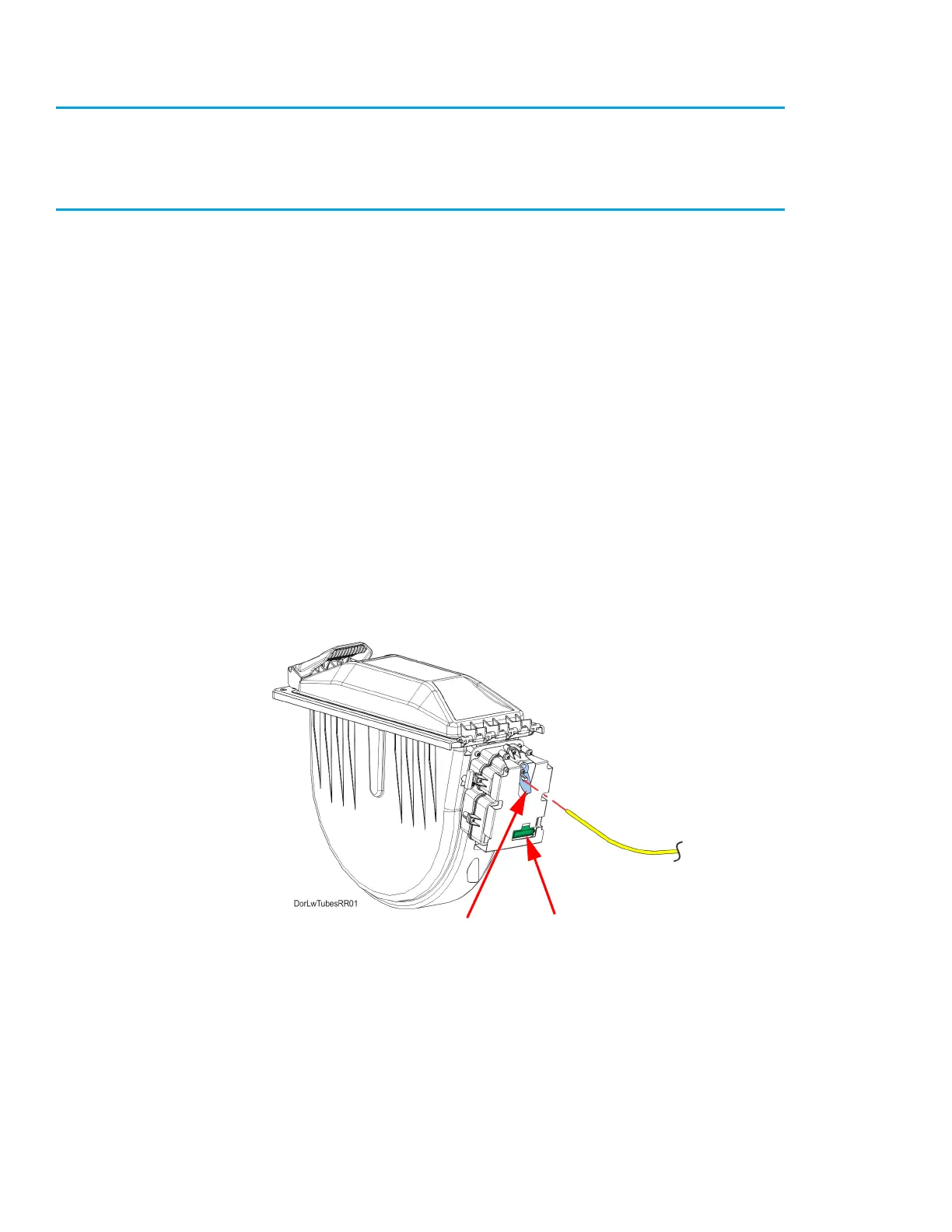
10. From the rear of the corresponding material bay, press and hold the locking tab to release the
material tube.
11. Disconnect the material tube from the material bay and release the locking tab. See Figure 7-18.
Figure 7-18: Disconnecting material tube
12. Disconnect the cable from the material drive controller board connector. See Figure 7-18.
Locking Tab Material drive
controller board
connector














 To Next Page