66
MATERIAL STATUS ICONS
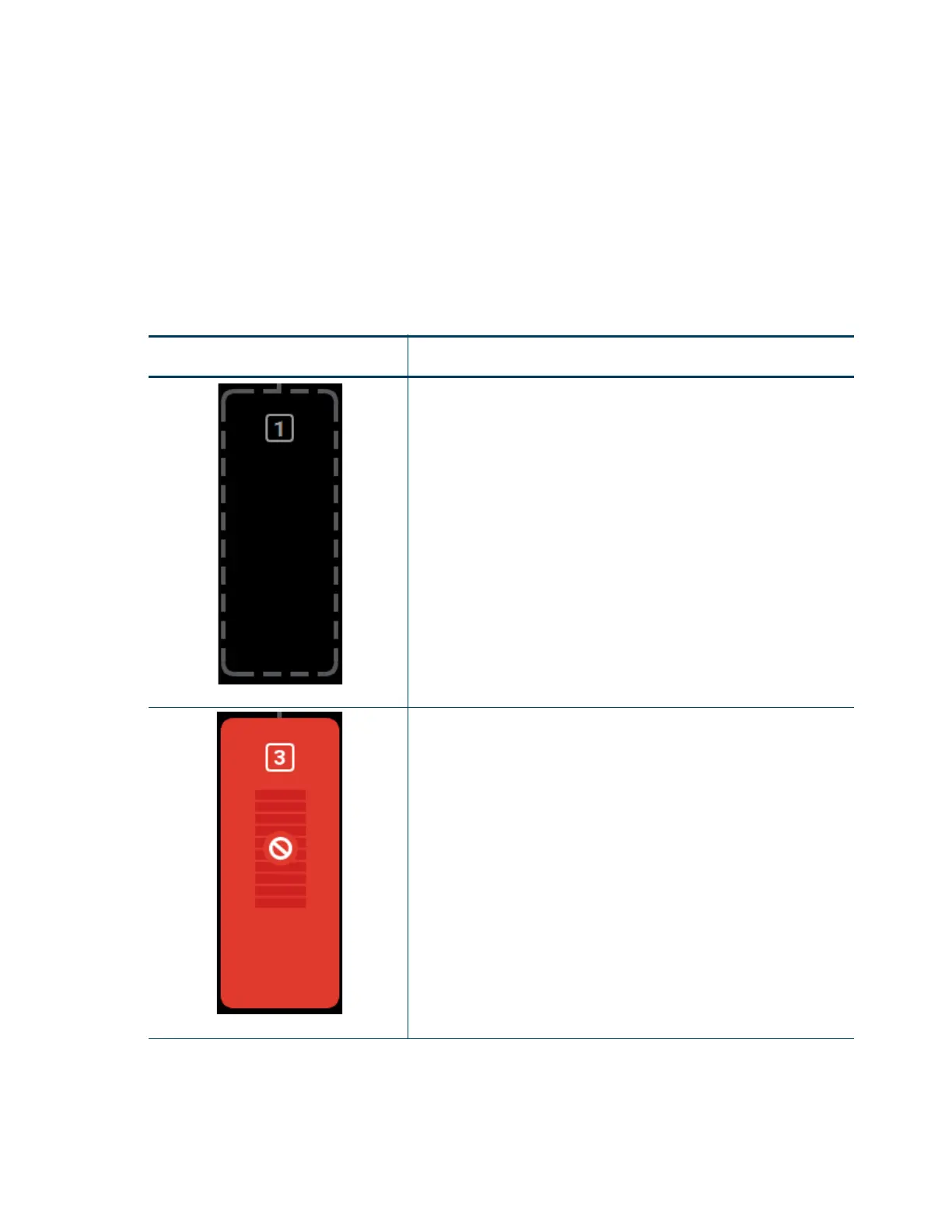
The Material Status Icons within the Materials page represent the model and support material spools installed/
inserted in the printer. Either two or four icons will be displayed depending on your printer’s configuration. Each
icon displays a number corresponding to the material bay (1-4 for F270 and F370 models and 1-2 for F170
models), colored bars indicating the color of the material currently installed in that bay, the name of the material
currently installed in that bay, and a percentage indicating the current volume of material on that material spool.
Touching one of these icons on the screen, unless otherwise indicated in Table 4-7, will open that material’s
Material Details page. Various graphics will be displayed within the center of the Material Status Icons,
depending on the state of the material bay. The Material Status Icons can appear in the following states (color
usage, highlighting, and descriptions apply to all icons):
Table 4-7: Material Status Icons - Icon States
Icon State Description
Empty Bay (gray dashed border)
Indicates that a material spool is not loaded in the corresponding
material bay, the material bay is empty.
User action required to insert spool. See “Loading Material” on
page 108 and “Material Spool Installation” on page 109 for instructions.
Touching the icon in this state will not display the material’s Material
Details page.
Unusable (semi-solid red)
Indicates that an error occurred when checking the data on the material
spool’s memory chip. The material spool is unusable.
User action required to remove the material spool and replace it with a
valid spool. See “Removing Material Spools” on page 114 and “Material
Spool Installation” on page 109 for instructions.
Touching the icon in this state will not display the material’s Material
Details page.














 To Next Page