95
NETWORK
Within the Network page you can configure your printer’s network connection, options include Static, Dynamic
(default), or Wi-Fi. The network type selected will determine the rows and configurable settings displayed within
the Network page.
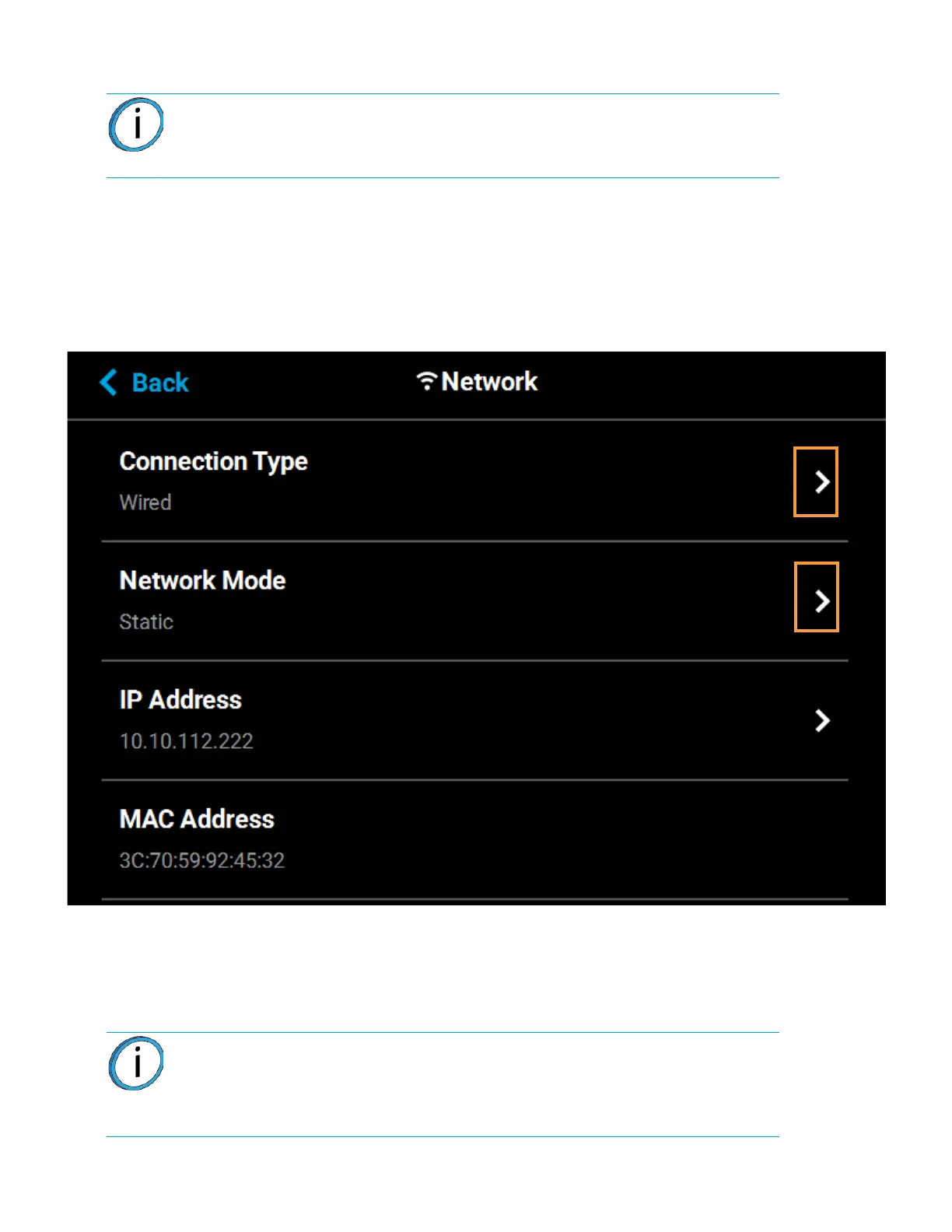
To access the Network page, press the Network button within the Tools page; a screen similar to the following
will be displayed.
Figure 4-73: Network Page
Pressing anywhere within the Connection Type row will allow you to select between a wired (Static or Dynamic)
or wireless (Wi-Fi) network; Wired is selected by default. Use the Wired and Wireless radio buttons to select a
connection type. After selecting a connection type press the Back button to exit and return to the Network page;
the selected connection type will be indicated within the Connection Type row (see
Figure 4-75 and Figure 4-76 as a reference).
Note: Your printer was configured for your network as a part of its initial
installation and setup (see “Configuring the Network” on page 14). The
information within this section is provided to help you understand the
functionality of the Network portion of the Settings page.
Note: The Wireless connection type option will only be displayed if a Wi-Fi
dongle has been installed and the printer’s Wifi setting is set to On (see “Wifi” on
page 87 for details). If a dongle has not been installed, or if a dongle has been
installed but the printer’s Wifi setting is set to Off, this row will be hidden from
view and you will not have the option of configuring a Wi-Fi network.














 To Next Page