155
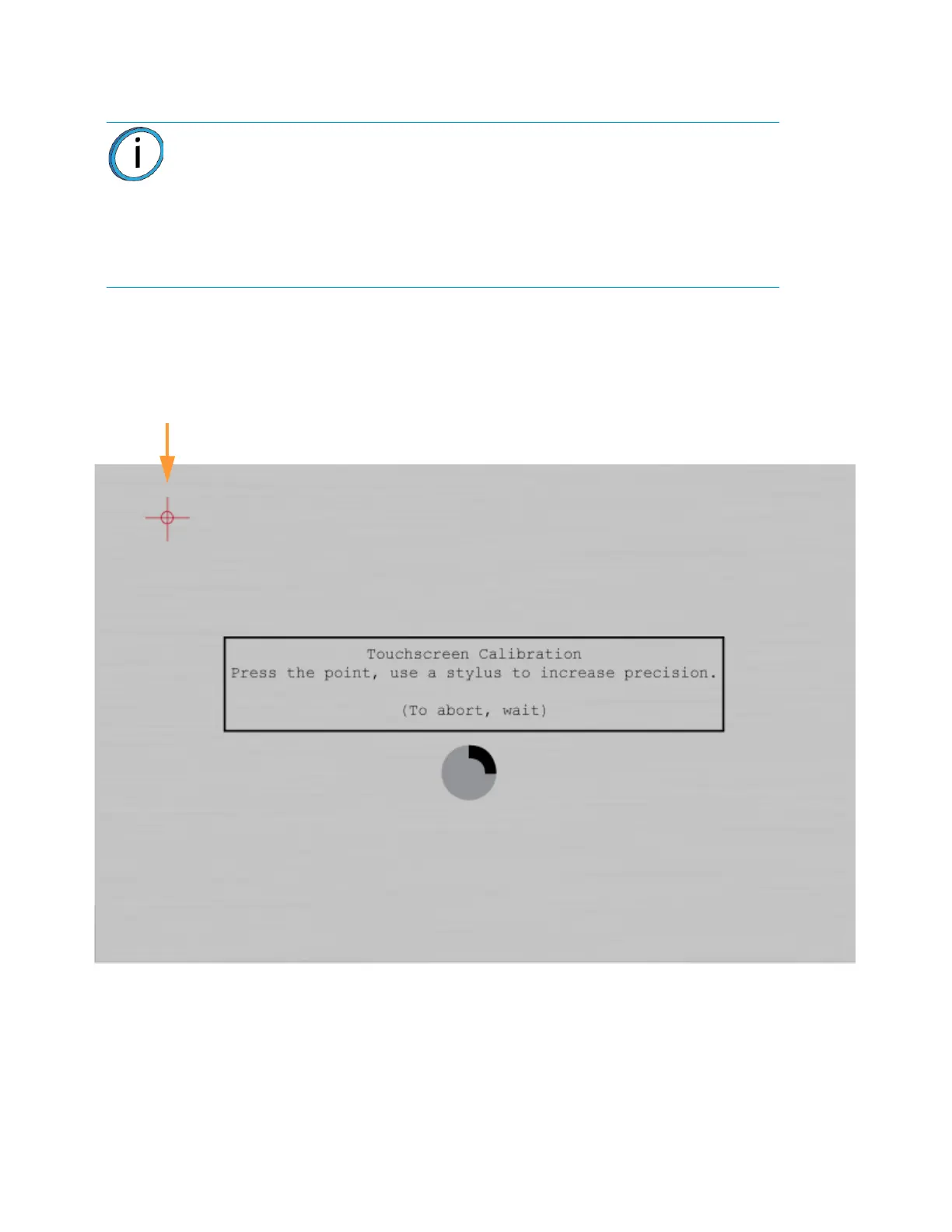
4. A dialog is displayed with instructions for recalibrating the touchscreen. Using a stylus, touch the
screen in the center of the calibration point displayed. Repeat this process for the remaining
calibration points (1 point for each of the 4 corners of the screen).
5. Once finished, your calibration settings will be saved and the dialog will close. You will be
returned to the Calibration page.
Figure 6-21: Touchscreen Calibration Procedure
Note: The graphic displayed within the center of the dialog represents the time
remaining before the touchscreen calibration times out. The black portion will fill
the perimeter of the gray circle in a clockwise direction. You must touch the
calibration point displayed within the screen before the black portion of the
graphic completes a full circle. The timer will reset for each of the 4 calibration
points displayed. If you wish to exit the page without calibrating the screen
simply wait until the black portion of the graphic completes a full circle; the dialog
will close and you will be returned to the Calibration page.














 To Next Page