53
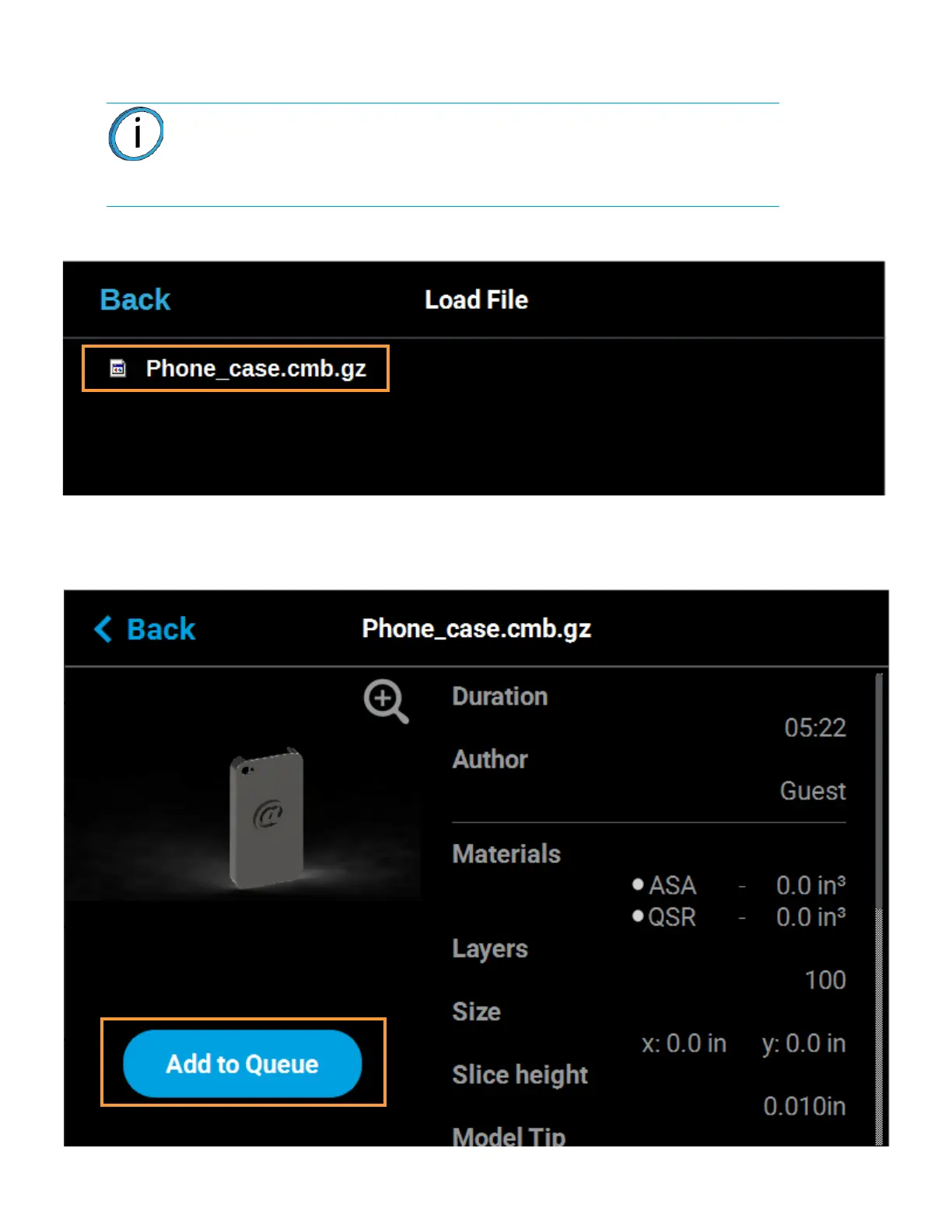
5. The Load File page will display the contents of the USB flash drive. Locate the desired job and
select it by touching its row on the screen; doing so will open its Job Details page.
Figure 4-17: Select File to Load
6. Within the Job Details page press the Add to Queue button; this will load the job into the Job
Queue.
Figure 4-18: Add File to Queue
Note: If any USB port contain a flash drive, individual folder graphics will be
displayed on the screen representing each flash drive and its contents.
Touching the folder graphic on the screen will drill down into the folder and
display its contents. If a single flash drive is installed the job file(s) located on the
flash drive will be displayed in individual rows.





 To Next Page