DOC-34014 Rev. C 6–25
Objet24 User Guide
8. Inspectthewiper.
Ifthewiperisscratched,tornorworn,orifyoucannotcleanit
completely,replaceit.
a. WiththeM3hex(Allen
®
)key,loosen(butdonotremove)thescrew
securingthewiper.
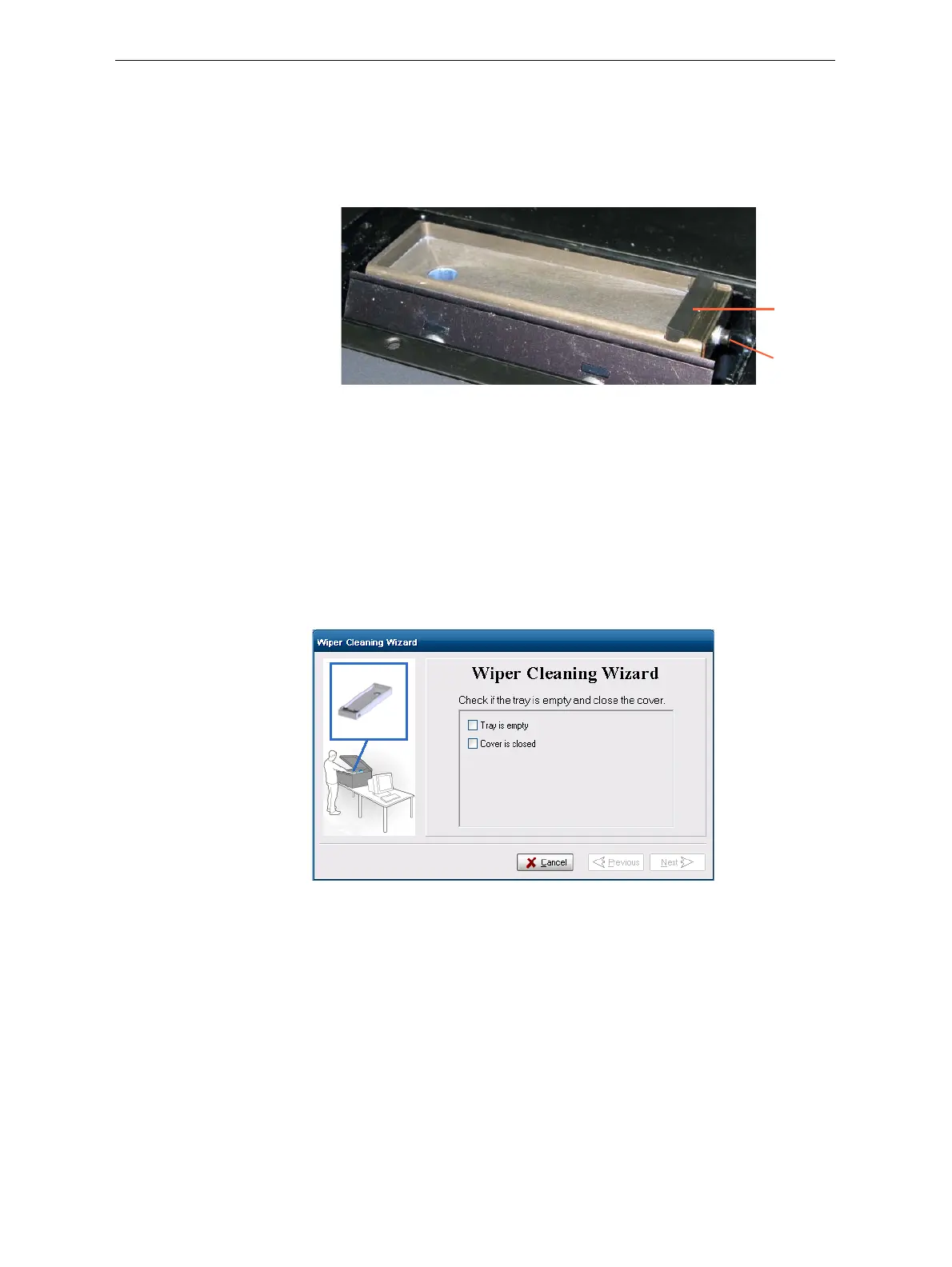
Figure 6-31: Wiper and excess-material drain
b. Graspthewiperunitandremoveit.
Note:Do not remove the grease.
c. Insertthenewwiper,makingsurethatitislevel,andtightenthe
securingscrew.
9. Inthewizardscreen(seefigure 6‐30),confirmthatthewiperbladeis
clean,andclick
Next.
10. Removealltoolsandcleaningmaterialsfromtheprinter,andclosethe
cover.
11. Confirmthisinthewizardscreen,andclick
Next.
Figure 6-32: Confirmation screen
12. ClickDonetoclosethewizard.
Wiper
Securing
screw













 To Next Page