Operating & Maintaining the Objet24 3D Printer
6–36
DOC-34014 Rev. C
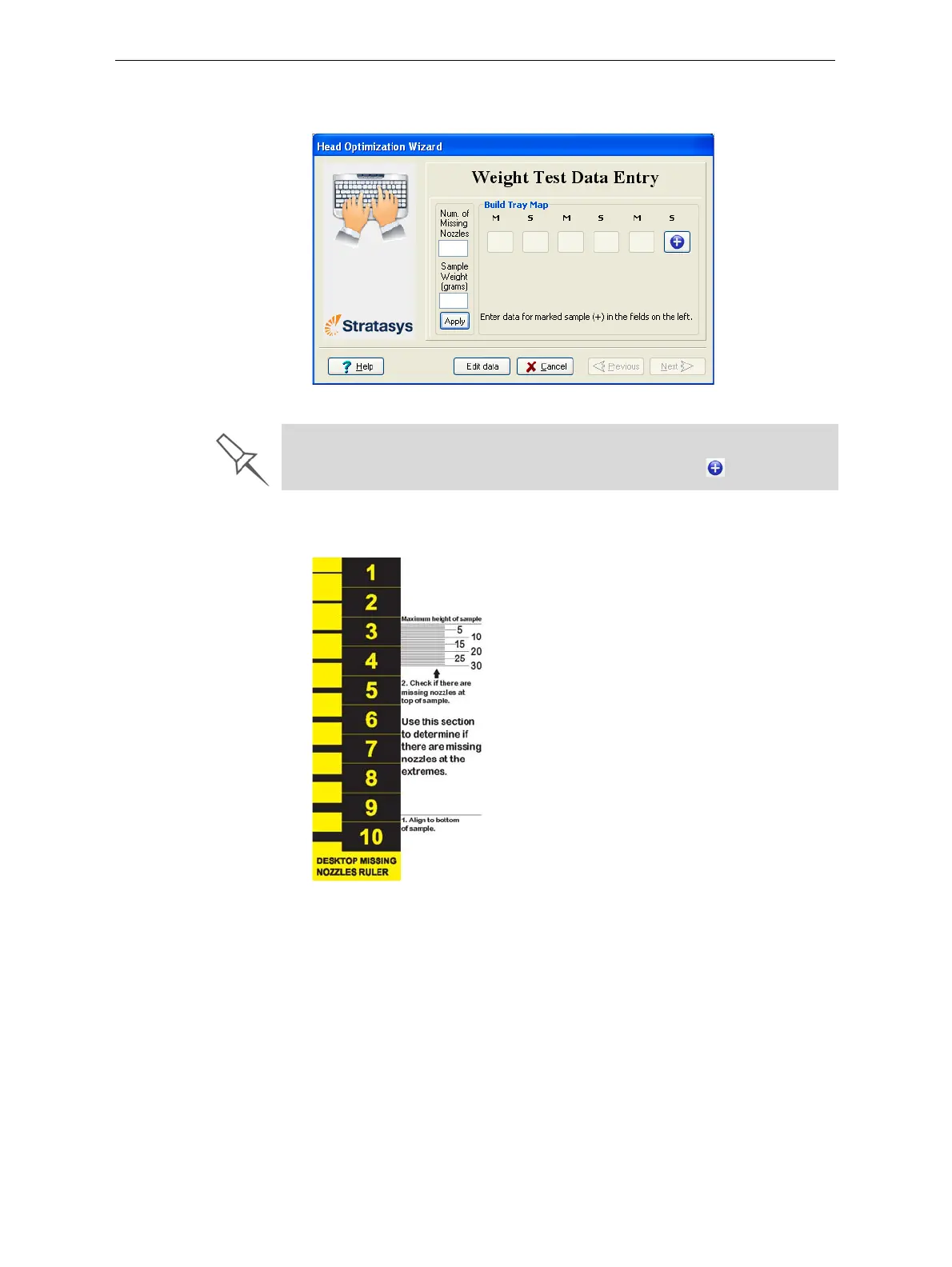
15. Whenthefollowingscreenappears,opentheprintercovertoinspect
theprintedsamples.
Figure 6-54: Data-entry screen
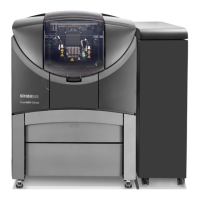
16. UsingtheMissingNozzlesruler,determinethenumberofclogged
(“missing”)nozzles.
Figure 6-55: Missing Nozzles ruler
The layout of the data entry screen matches the printed samples on the
build tray. You enter the data for the sample indicated by in the screen.




 To Next Page