DOC-34014 Rev. C 6–41
Objet24 User Guide
TheHeadOptimizationwizardguidesyouthroughtheprocedureof
replacingaprinthead,andadjustsprintercomponentstoenableyouto
performit.Onlyreplaceaprintheadwiththeaidofthewizard.Theentire
proceduretakesabout2.5hours,andconsistsofthefollowingphases:
A. Identifyingthehead(s)
needingreplacement.
ThisisnormallydonebytheHeadOptimizationwizard.Otherwise,
evidenceofphysicaldamagetotheheadsurfaceoramalfunction
messageindicateswhichheadneedsreplacing.
B. Preparingtheprintblockforheadreplacement.
Thisisdoneautomaticallywhenyourunthewizard.
C. Removingthedefectiveprinthead.
D. Installinga
newprinthead.
E. Optimizingtheprintheads(doneautomaticallybythewizard).
F. Performingheadalignment.
To replace a print head:
1. Prepare—
• replacementprinthead(s)
• isopropanol(IPA—isopropylalcohol)orethanol(ethylalcohol)
• disposablecleaninggloves(suppliedwiththeprinthead;oruse
anyclean,powder‐freeprotectivegloves)
• asuppliedcleaningclothorequivalent
• thescalesuppliedforuseintheHeadOptimizationwizard(Weight
Test)
• theMissingNozzlesruler
Note: Make sure that you have these items and that the scale is calibrated
and charged before performing the head-replacement procedure.
2. StarttheHeadOptimizationwizardfromtheOptionsmenu(see
figure 6‐28onpage 23).
3. Intheopeningwizardscreen,click
Nexttobegin.
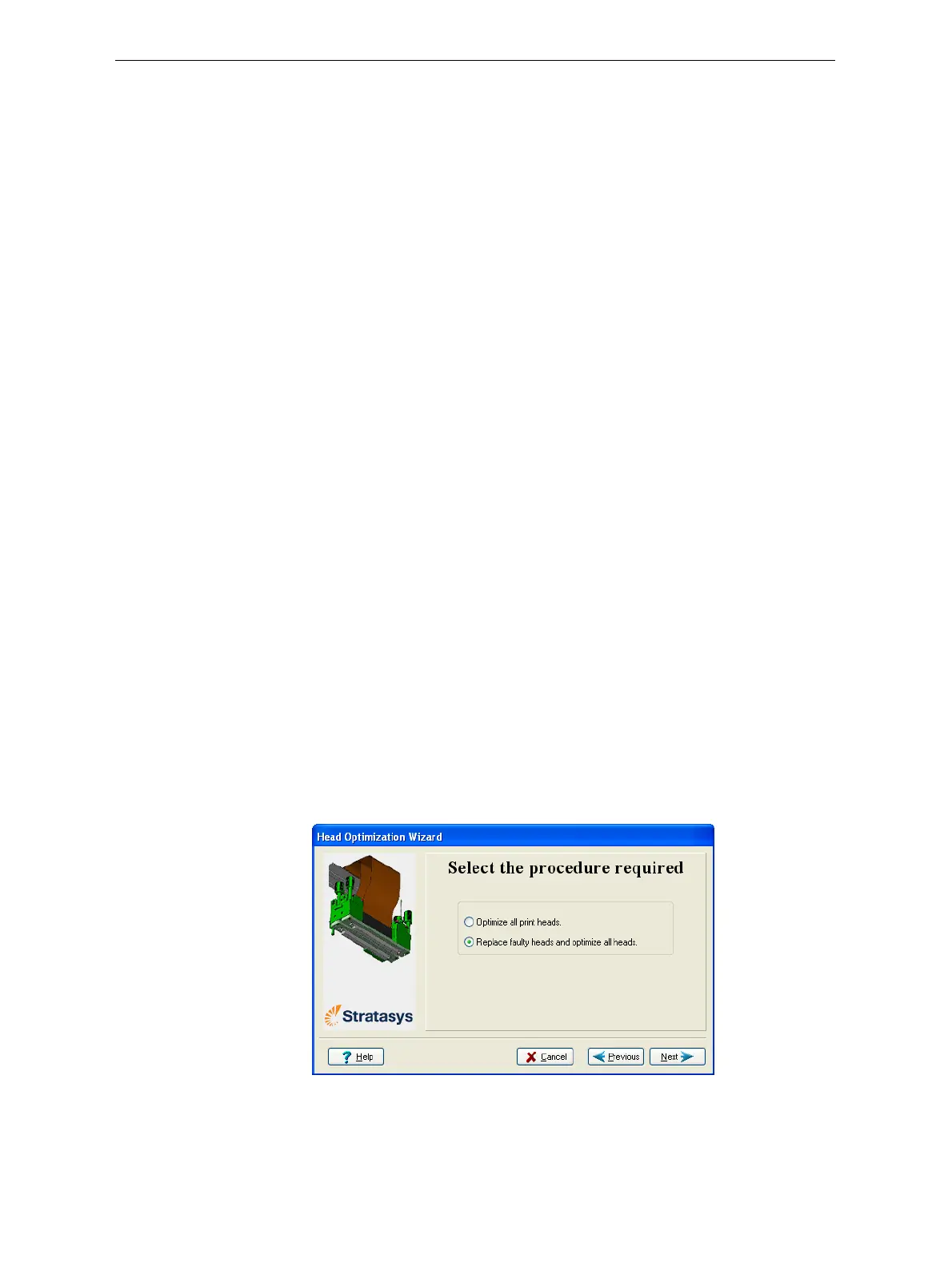
4. Inthefollowingscreen,selectReplacefaultyheads,andclick
Next.
Figure 6-62: Procedure selection screen




 To Next Page