SummaCut cutter User’s Manual
1.6
The following procedures mainly apply to the use of roll media. If you are using sheets,
there are two options:
For long sheets: roll up the sheet, so that the alignment is identical to the one of a roll.
For short sheets: the alignment is not so important. If the sheet is cut off
perpendicularly, it can be aligned to the front border.
Proper movement of the media will only occur if the media is driven by the two outer
pinch rollers, which are correctly located over two drive sleeves.
The pinch rollers are lowered or raised simultaneously by means of the pinch roller
lever arm, located on the right-hand side of the cutter. The pinch rollers must be lifted
to allow vinyl loading, during which the media is fed from the rear of the cutter to the
front. When raised, the pinch rollers can be moved manually to the left or the right
along the pinch roller shaft.
ATTENTION: Always make sure that the pinch rollers are fully raised before
sliding them to the left or right.
Always hold the
assembly at the side of the pinch roller to move it from left
to right. Do not reposition the pinch roller by holding the assembly at the
rear of the machine.
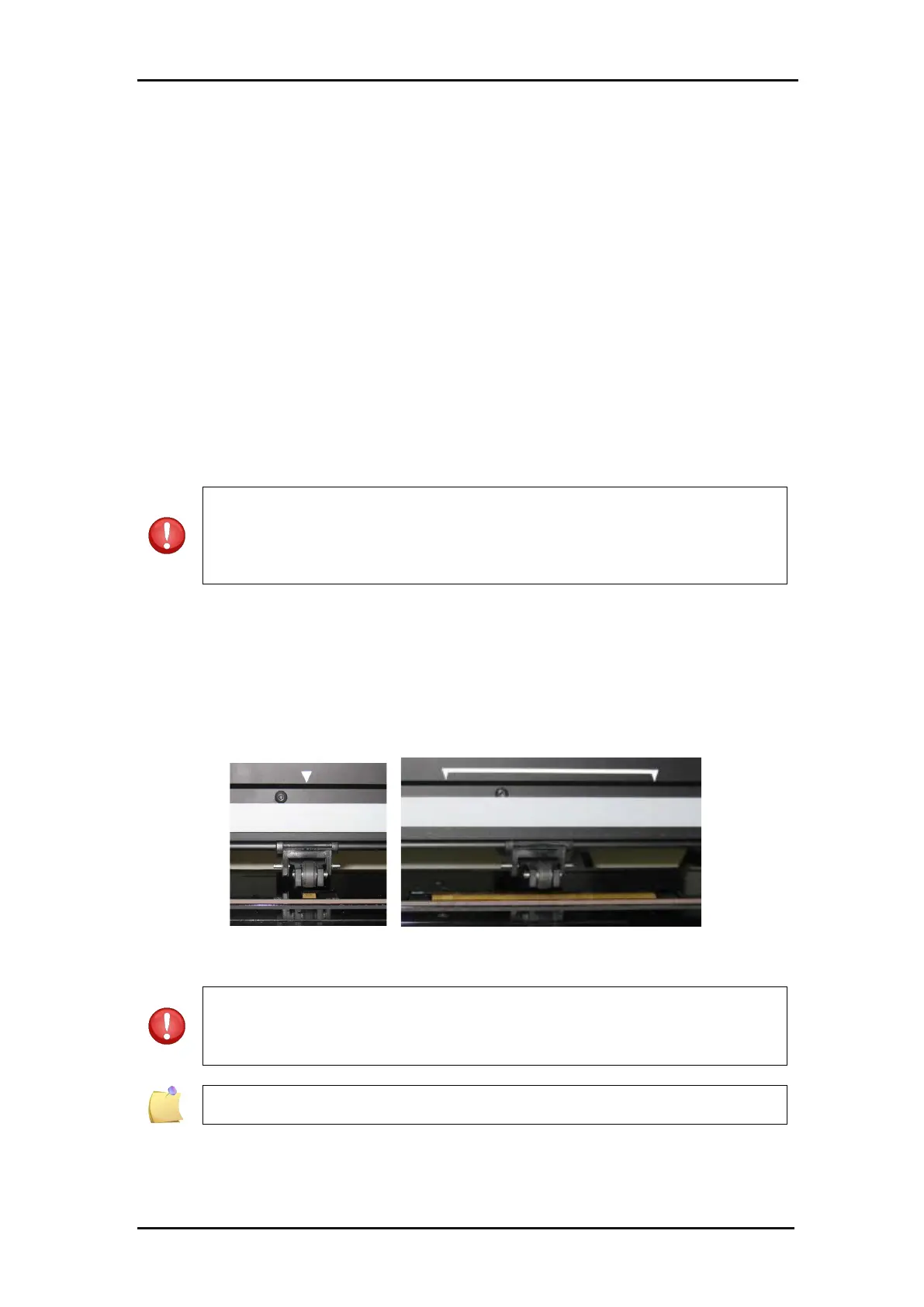
The pinch rollers MUST be positioned correctly and lowered onto the media before an
automatic load sequence is initiated. Make sure all the pinch rollers are positioned
above a drive sleeve. The outer left pinch roller should be positioned in one of the
detents (click position), situated right under a white triangular label. The outer right
pinch roller should be positioned somewhere over the long drive sleeve. Click
positions are located at the edges of the sleeve (area marked with a white triangular
label).
FIG 1-15
1-15 POSITION PINCH ROLLER
ATTENTION: Always leave the pinch rollers in the “up” position when the
cutter is not in use. Leaving the pinch rollers in the “down”
position for a
long time will result in a flat spot in the pinch rollers, which will seriously
[negatively] affect tracking performance and cutting quality.
NOTE: When the pinch rollers are raised during a job, the cutter will
immediately stop and move the carriage to the right side.







 To Next Page