SummaCut cutter User’s Manual
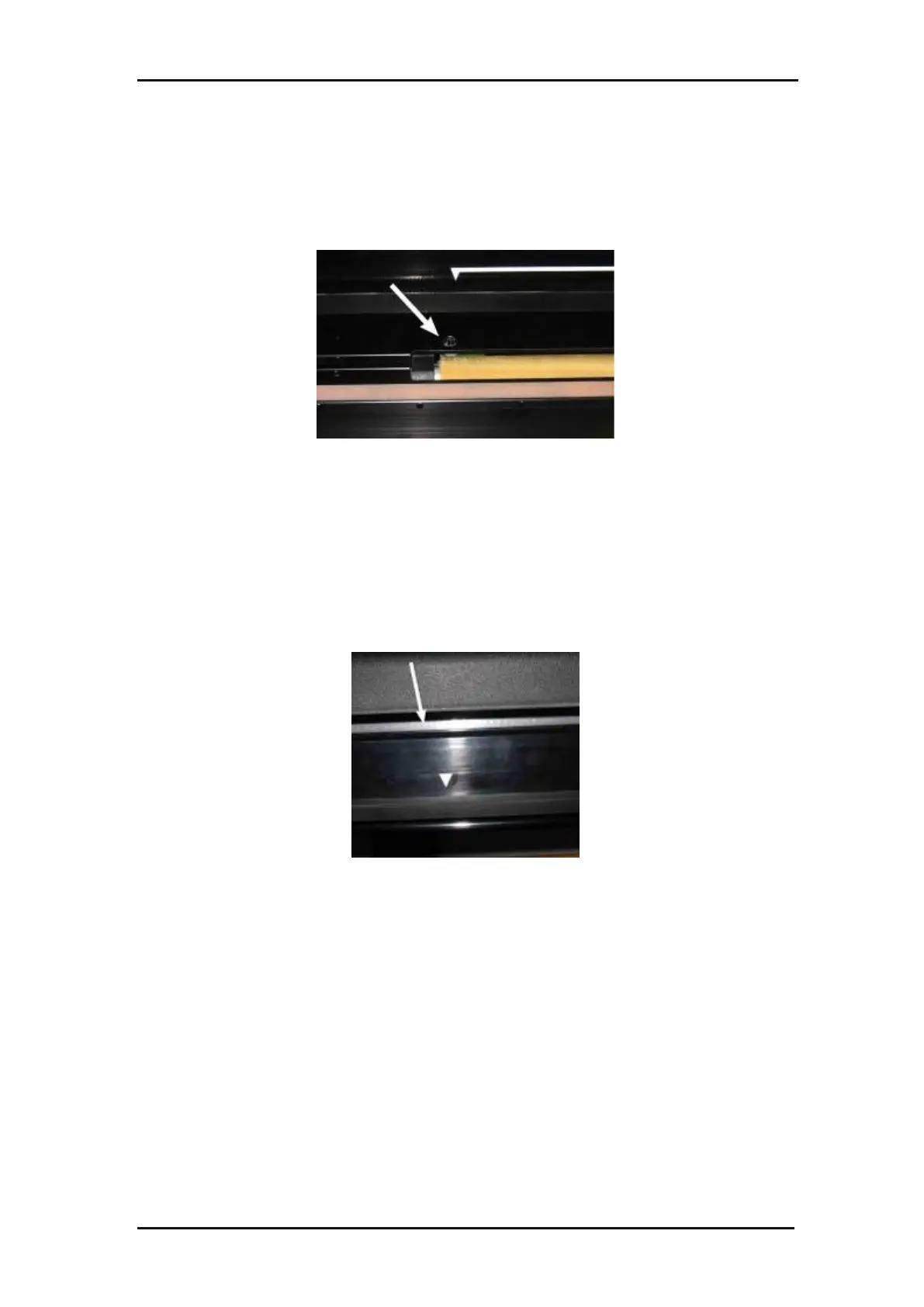
Cleaning the media sensor
Over time, the media sensor may become dirty with accumulated residue from the
media. This may cause the cutter to malfunction.
Clean the media sensor by wiping them out with cotton swabs.
FIG 5-2
5-2 MEDIA SENSOR SUMMACUT CUTTERS
Cleaning the Y-Guide Rail
There are 2 V-shaped areas on the Y-guide rail on which the tools carriage slides from
left to right. The areas are on the top and on the bottom of the front of the Y guiding.
Although the shape of the Y-guide rail may differ from model to model, the areas are
located in the same place at the top and bottom of the guiding.
The figure below shows the top of the Y guiding.
FIG 5-3
5-3 SLIDING SURFACES ON Y=GUIDE RAIL
Over time, there may be some accumulated residue on these sliding surfaces and on
the rollers of the tool carriage.
Cleaning the sliding surfaces of the Y-Guide rail:
Switch off the machine.
Take a soft cloth, dampened with isopropyl alcohol or mild detergent.
Clean the surfaces. When the tool carriage is in the way, push it gently to the left or
right.







 To Next Page