SummaCut cutter User’s Manual
Installing the drag knife
Remove the aluminum piece from the plastic knife holder (5) by turning the knurled
adjustment knob (3) counter clockwise until the aluminum piece comes out of the
holder.
Insert the conical, non-cutting end of the knife into the opening in the narrow end of
the holder. Gently push the knife all the way in.
Turn the holder upside down and tap it lightly on a solid surface to ensure the knife
is completely inserted.
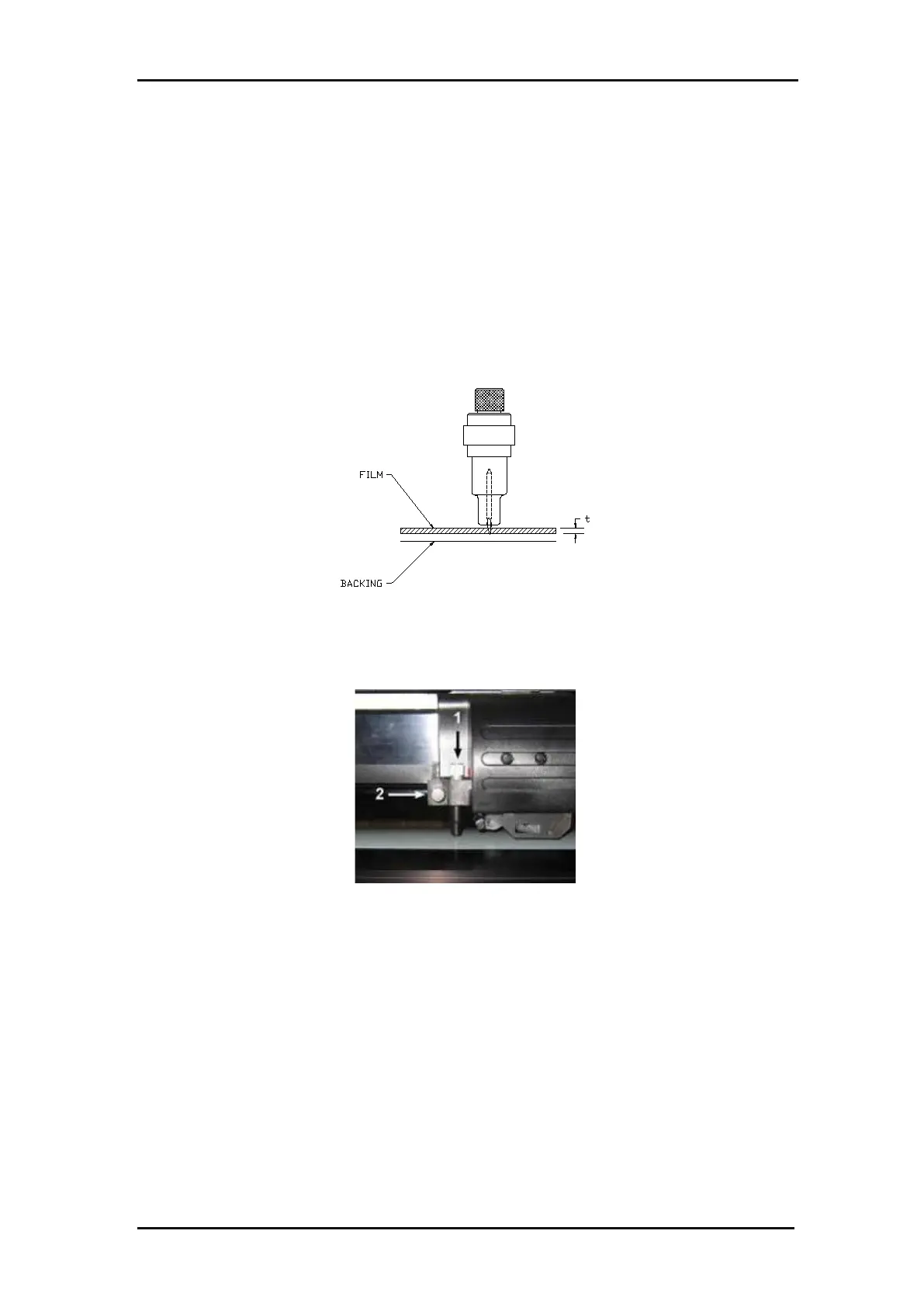
Slowly turn the knurled knob clockwise until the tip of the blade extends the
distance required for the desired cutting media (t), as shown in the figure below.
FIG 1-24
1-24 KNIFE LENGTH ADJUSTMENT
Insert the knife holder into the head clamp and push it all the way down (1).
FIG 1-25
1-25 DUAL CLAMP DRAG HEAD
Tighten the clamp screw (2).







 To Next Page