SummaCut cutter User’s Manual
Setup 1-19
1.6.2
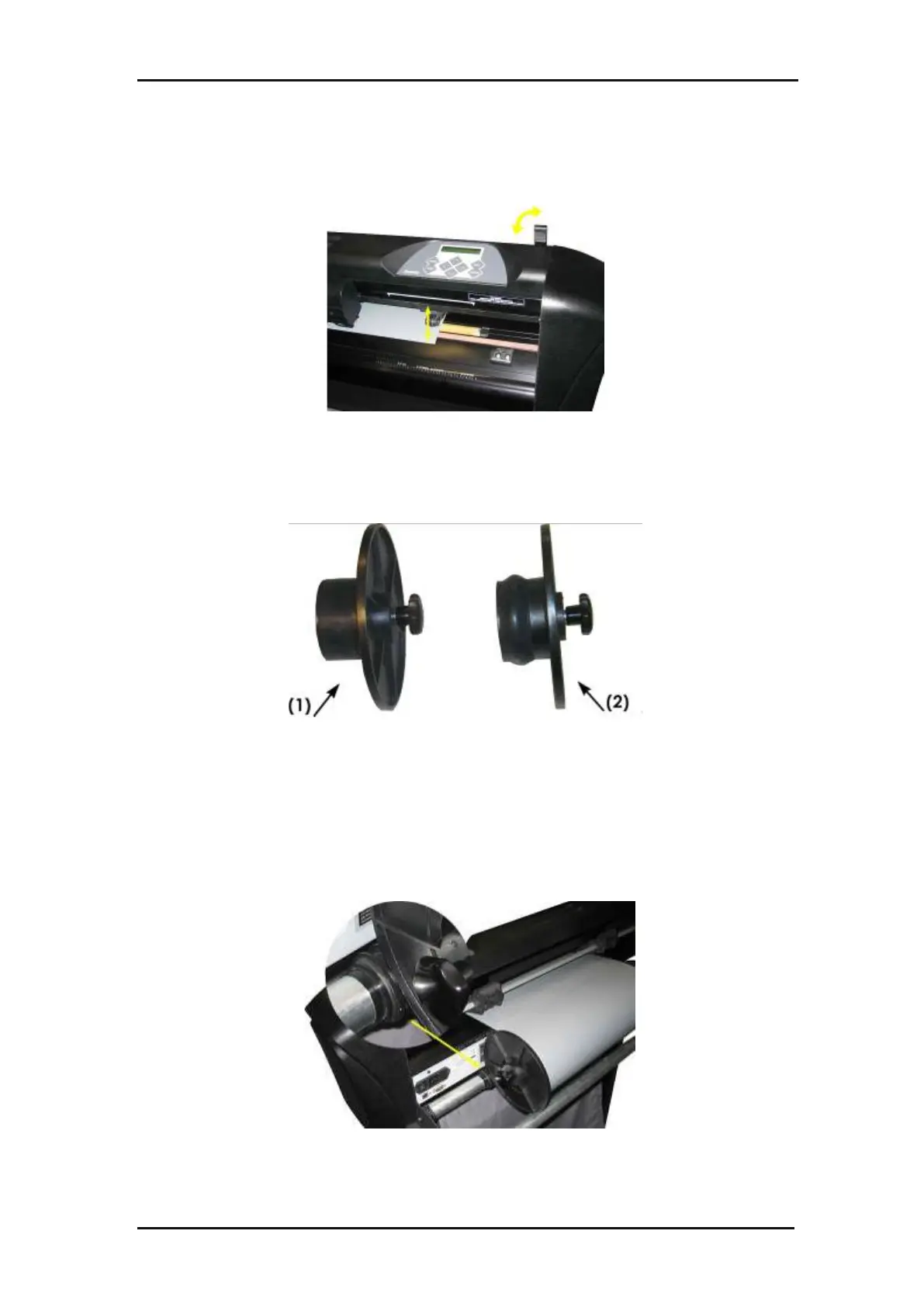
Raise the pinch rollers by means of the pinch roller lever arm, which is located at
the right-hand side of the cutter, next to the touch panel.
FIG 1-16
1-16 PINCH ROLLER LEVER
Loosen the knobs on the two media flanges. The following illustration shows a
loosened flange (1) and a tightened flange (2).
FIG 1-17
1-17 MEDIA FLANGES
Insert a loosened flange into one end of the media roll and tighten the knob. Verify
that the flange is secure. Then do the same at the other side of the roll.
Place the flange-equipped roll on the media supply rollers. Set the flanges inside
the groove of the flange guide. The flange guides can be moved laterally on the
roller.
FIG 1-18
1-18 POSITION MEDIA FLANGE CUTTER







 To Next Page