S CLASS™ cutter User’s Manual
Setup 1-22
Select ‘Use the following IP address’. Choose as subnet mask 255.255.255.0 and define a
unique address fort this network. Click OK. Close the net properties window.
The LAN parameters are now set. The WLAN parameters need to be set now. WLAN
parameters can be set with either the software delivered with the wireless device. These
parameters can also be set with Windows. The following procedure describes how this is
done for Windows XP and Windows Vista.
Setting WLAN parameters for Windows XP:
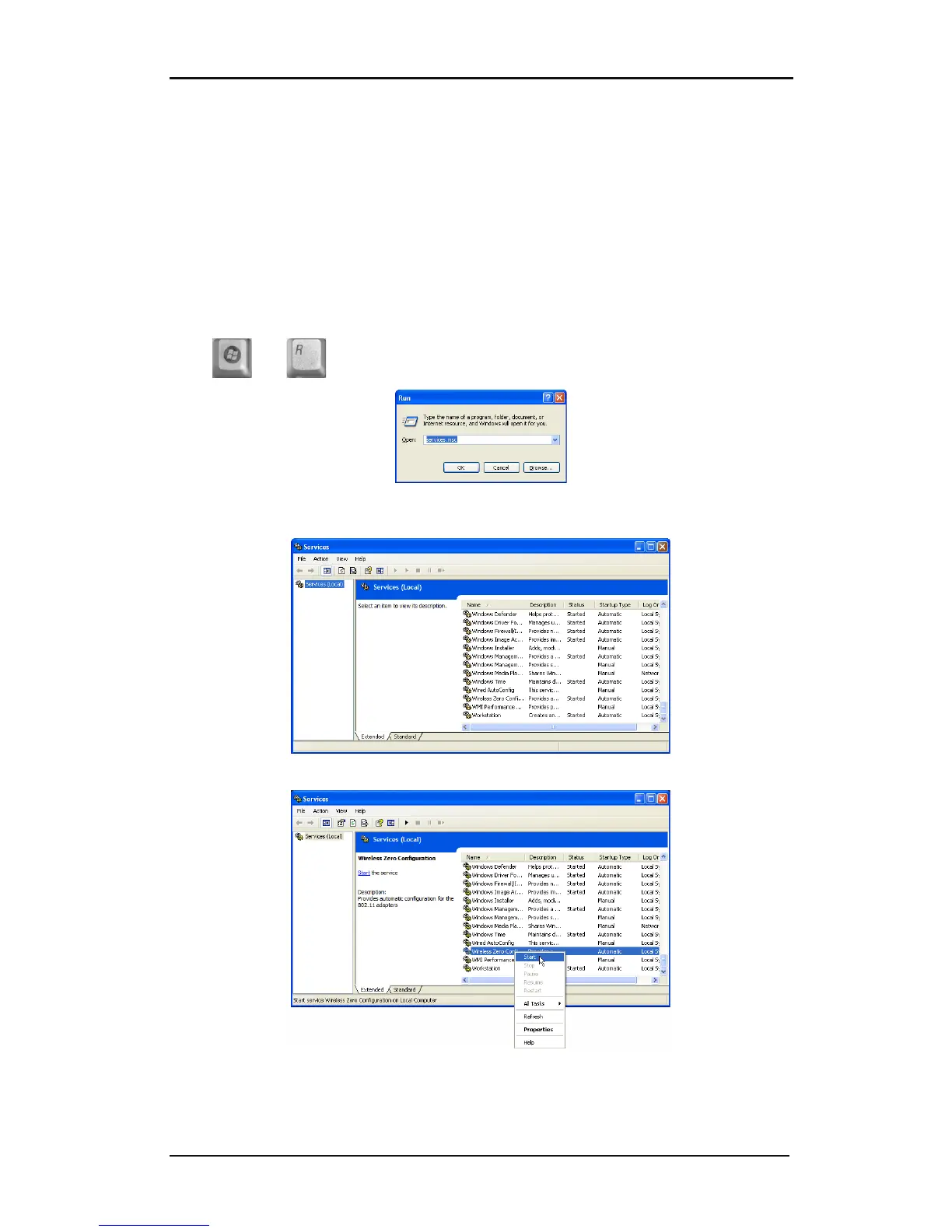
A pre-installed Windows service ‘Wireless zero configuration’ is needed for installation in XP.
First check if the service ‘Wireless zero configuration’ is started, if not start it.
Press and . A windows will open fill in services.msc and click OK.
In the new window scroll down to the Wireless zero configuration service. Check if is
started.
If it not started, then select it, right click and start it.
Close the services Window.
Go to the Network connection Window. If it was already closed, then open it again with the
run command and ncpa.cpl.










 To Next Page