S CLASS™ cutter User’s Manual
Setup 1-23
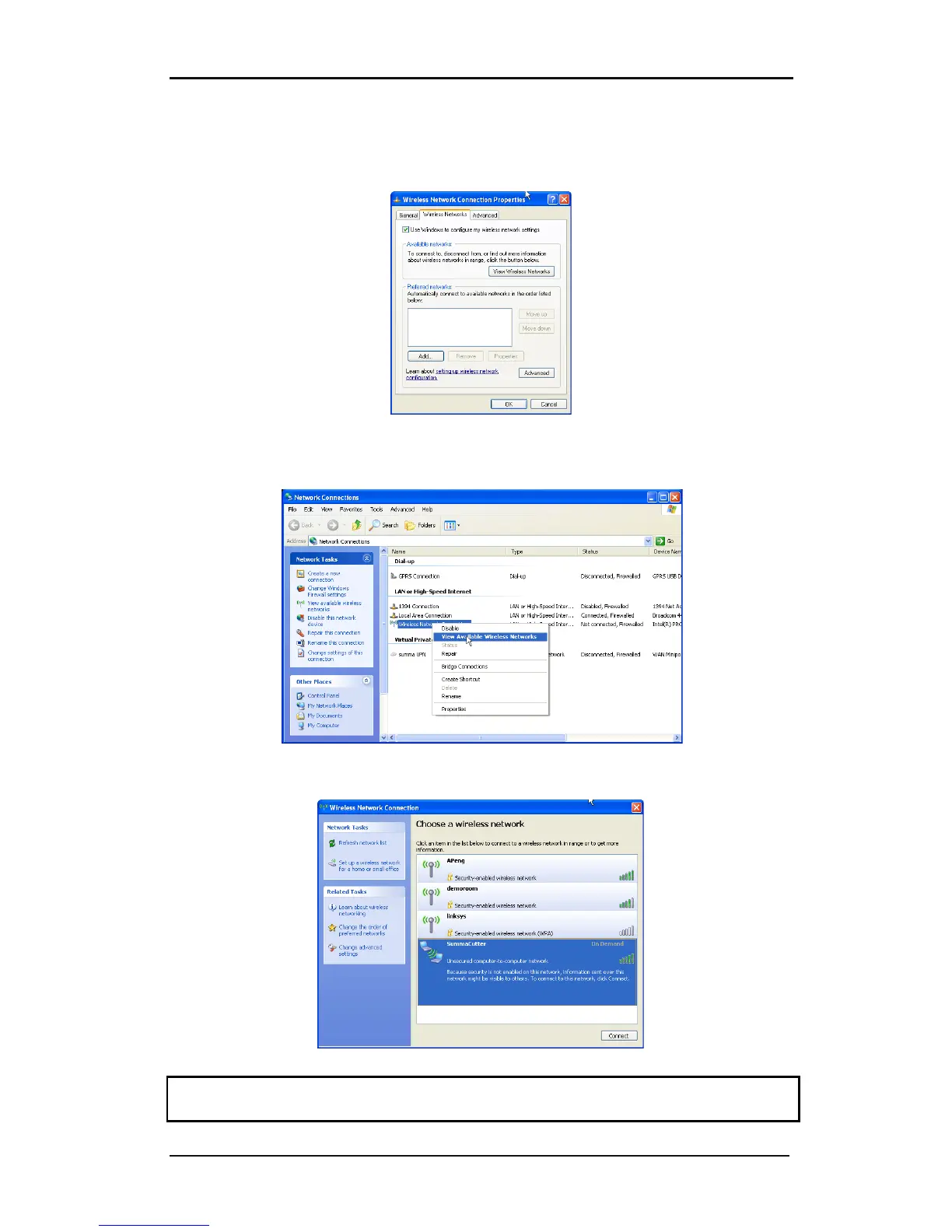
Right click the Wireless network and click on properties. Then click on Wireless Networks
(second tab). Make sure that the option ‘Use Windows to configure my wireless network
settings’ is checked. Click OK.
Go to the Network connection Window. If it was already closed, then open it again with the
run command and ncpa.cpl.
Right click the Wireless network and click on view available networks.
Choose the SummaCutter in the list and click on connect. If Windows give a security
warning, then ignore it.
CAUTION: The Wireless zero configuration can sometimes come into conflict with control
software of the wireless adapter of the computer. Make sure only one runs.










 To Next Page