S CLASS™ cutter User’s Manual
Setup 1-24
Setting WLAN parameters for Windows Vista:
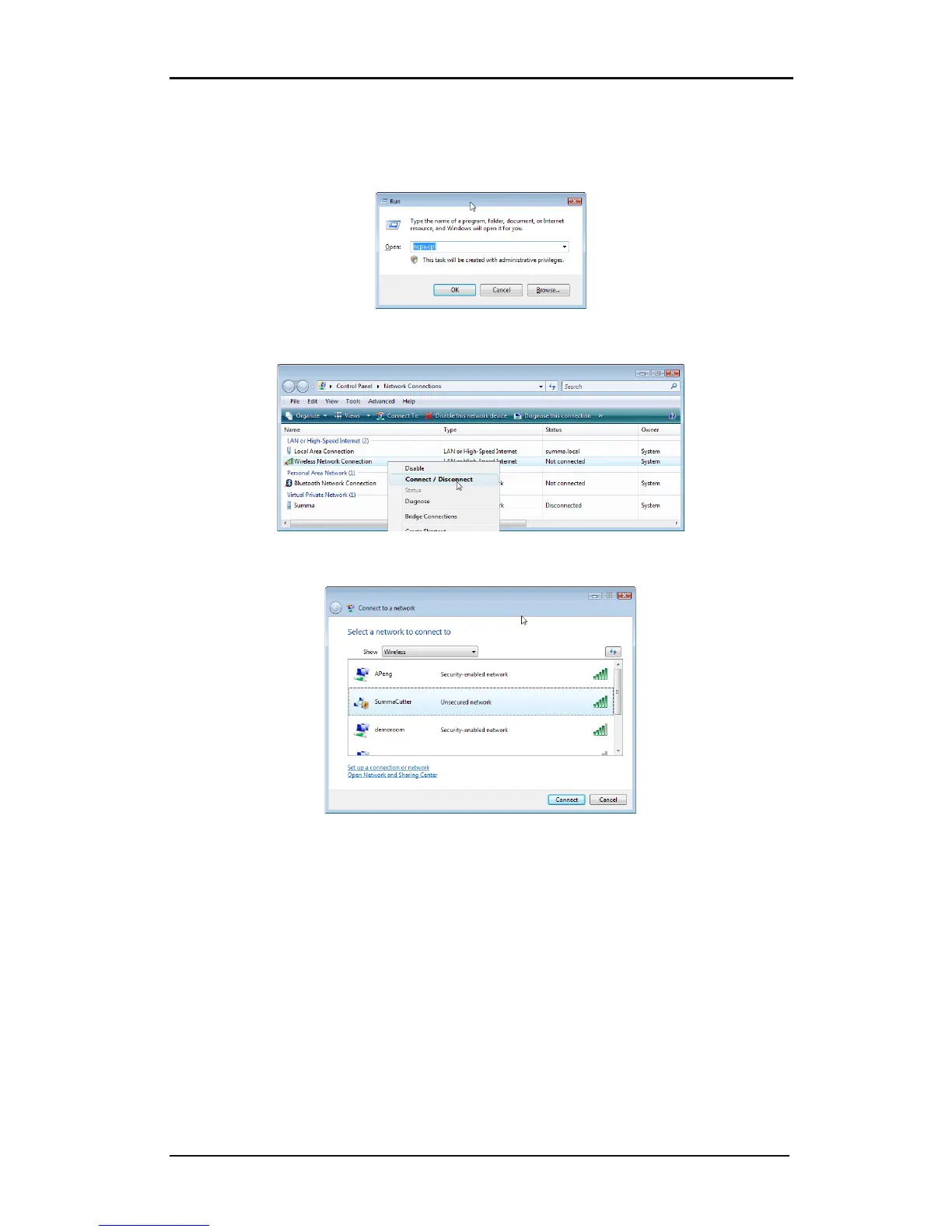
Go to the Network connection Window. If it was already closed, then open it again with the
run command and ncpa.cpl.
Right click the Wireless network and click on connect/disconnect.
A window with the available wireless networks will open. Choose SummaCutter in the list
and click on connect. If Windows give a security warning, then ignore it.










 To Next Page