2 MANUAL CONTROL OF THE INSTRUMENT
Control of the instrument has been developed in a fully interactive manner. The user can operate the
instrument by selecting the appropriate position from the screen Menu list. Thanks to that, the number
of the control keys of the instrument has been reduced to eight for ease of use and convenience.
2.1 CONTROL KEYS ON THE FRONT PANEL
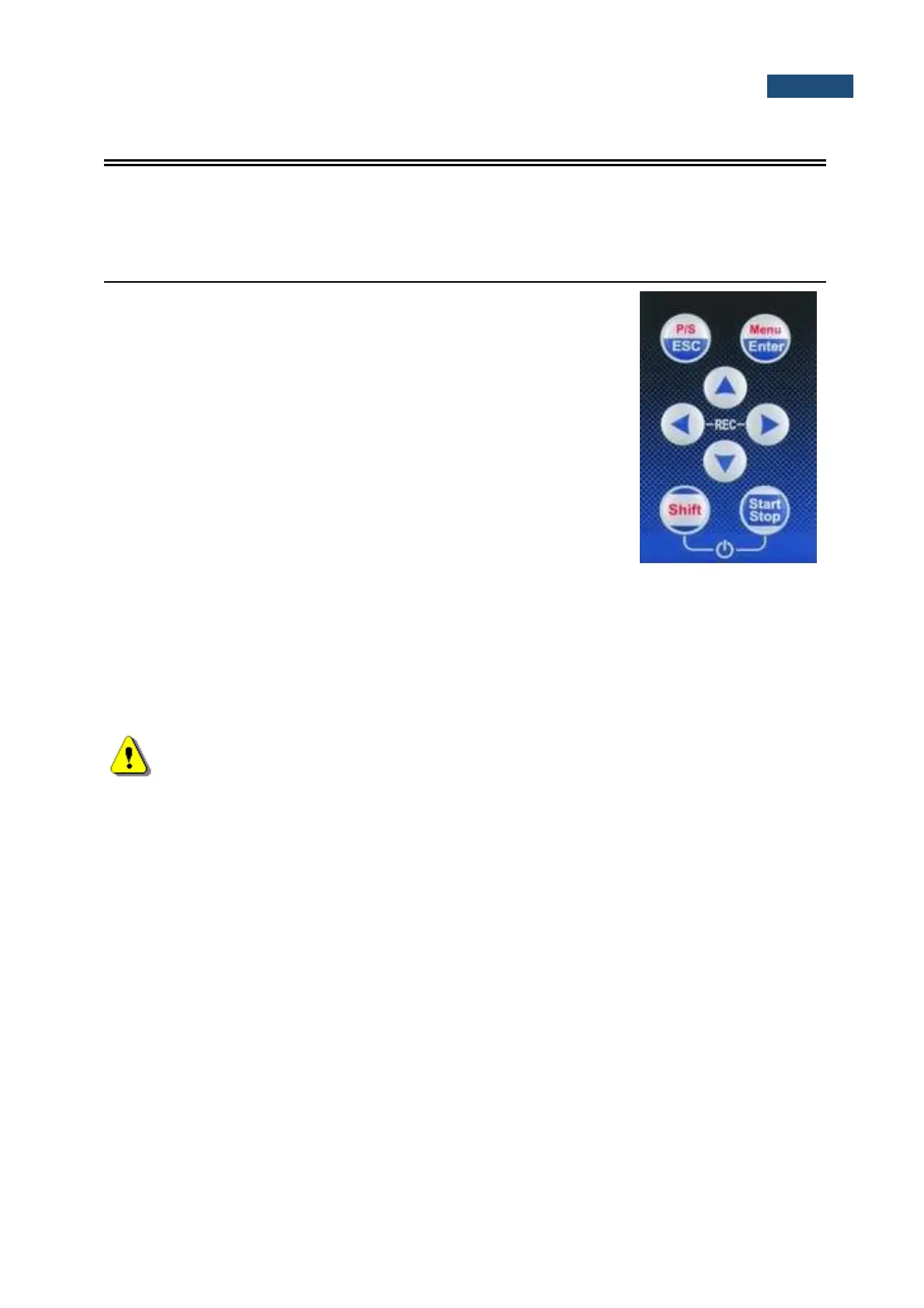
The following control keys are located on the front panel of the
instrument:
• <ESC>, (<P/S>)
• <Enter>, (<Menu>)
• ▲,◄, ►, ▼
• <Shift>
• <Start/Stop>
The action given in (...) brackets denotes the second key function
which is available after pressing it in conjunction (or in sequence)
with the <Shift> key.
The second function of a key (<P/S>, <Menu>) can be used when the <Shift> key is
pressed together with <Enter>, <ESC> or some other keys. This key can be used in
two different modes, which can be configured in the Keyboard list (path: <Menu> /
Instrument / Keyboard):
• like in a computer keyboard, when both <Shift> and the second key must be
pressed simultaneously (Direct mode);
• like in a smartphone keyboard, when the first <Shift> key should be pressed
and released and then the second key pressed (2nd Function mode).
Note: Simultaneous pressing of the <Shift> and <Start/Stop> keys turning the instrument on
or off.
This key allows you to start and stop the measurement process.
This key allows you to open the selected position on the Menu list, to confirm selected
settings or to switch the views of the result presentation modes. Some additional
functions of this key will be described in the following chapters of this manual.
This key (pressed together with the <Shift>) allows you to enter the main Menu
containing seven sections: Function, Measurement, Display, File, Instrument,
Aux. Setup and Report. Each section consists positions, which opens screens with list
of positions or configuration parameters. These sections will be described in detail in
the following chapters of the manual. Double pressing of the <Menu> key opens the list
containing the last earlier opened eight lists of parameters. It often speeds up the control
of the instrument as you have faster access to the frequently used lists of parameters
for easy navigation.
This key closes lists of parameters or other screens and return to the upper list of the
menu. It acts in an opposite way to the <Enter> key. When the window is closed after
pressing the <ESC> key, any changes just made are ignored.
This key allows you to pause or break the measurement process temporarily. If there is
no current running measurement in progress this key opens the Setup Manager menu.
These keys allow you, in particular, to:
• select the column in a multi-column parameter list;



 To Next Page