To start using the instrument the user should turn it on with the <Shift> and <Start/Stop> keys at the
same time.
3.1 BASIS OF THE INSTRUMENT’S CONTROL
The instrument is controlled by means of eight keys on the keypad. Using these keys, one can access
all available functions and change the value of all available parameters. The parameters are placed in a
system of lists and sub-lists shown on the high contrast graphic colour display.
The instrument's menu consists of different type of windows, which include: main menu list, sub-menu
list, option list, parameter list, text editor window, information window and file manager window with file
command list.
Measurement View
The instrument is equipped with the super contrast OLED colour display (96 x 96 pixels), which displays
the measurement results and the configuration menu.
The measurement results can be viewed in different view modes, the set of which depend on the selected
User Interface and Measurement Function.
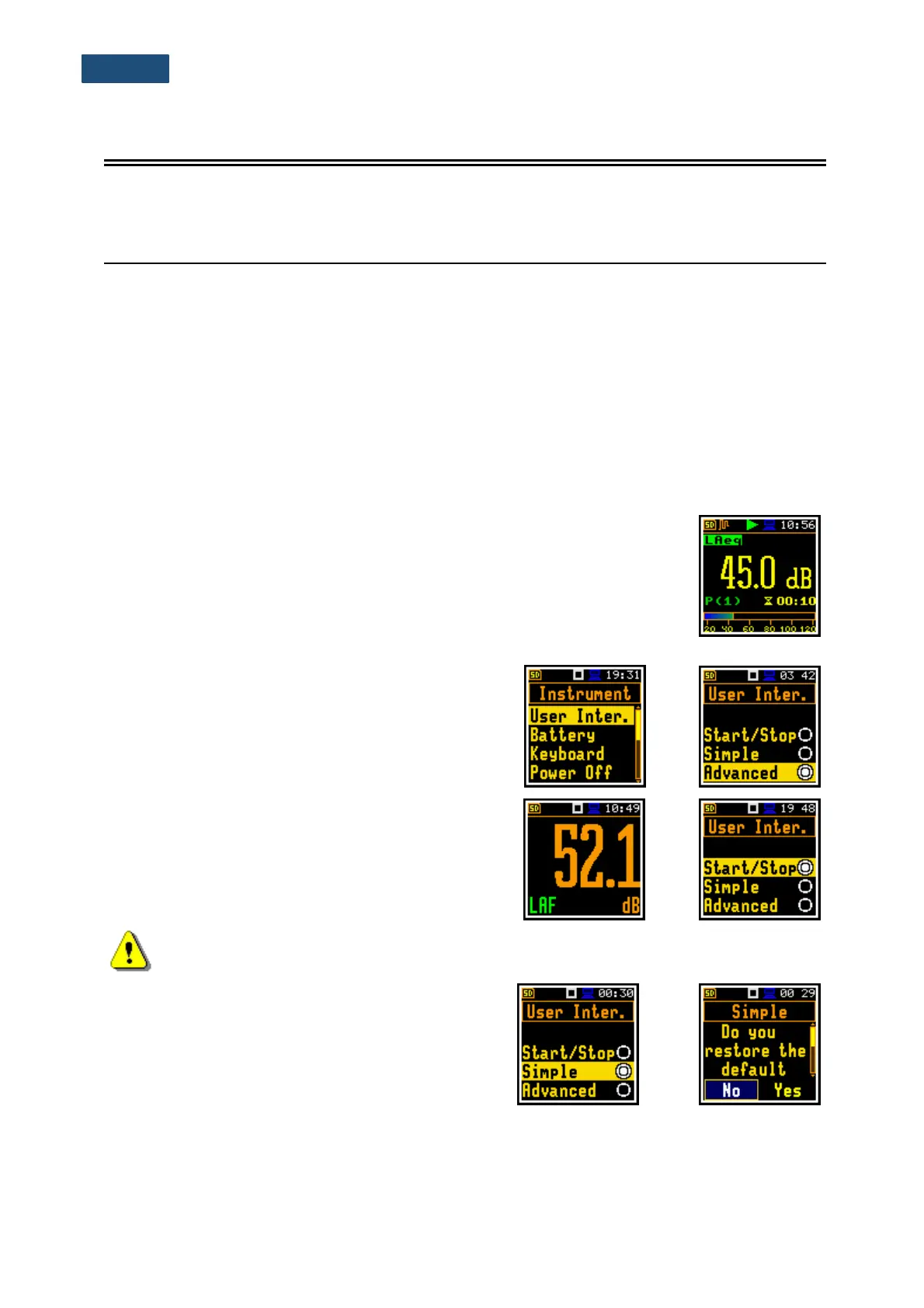
View modes present measurement results as well as additional information by
means of icons regarding:
- instrument status: memory, power, real time, etc.;
- measurement status: measurement elapsed time, measurement start/stop/
pause, trigger, logger etc.;
- measurement parameters: measured result, profile number, file name,
detector type, filter etc.
User interface mode
The user interface may be presented in three modes:
Start/Stop, Simple or Advanced. These modes can be
selected in the User Inter. window of the Instrument
menu. The Simple mode defines basic instrument
settings, while the Advanced mode defines the full
scope of available settings. Many windows can
therefore have different view depending on the selected
operational mode.
The Start/Stop mode limits the menu to only one
User Interface position in the main menu and
measurement windows.
Note: For parameters hidden in the Simple interface mode the instrument will use settings
previously defined in the Advanced mode or default settings.
When the Simple interface mode is being selected after
the Advanced mode the instrument proposes to restore
the default settings by asking the question: Do you
restore the default value of the advanced settings?
In case of No, all hidden in the Simple mode
parameters will have settings defined in the Advanced
mode. In case of Yes, the instrument will set all hidden
parameters to default values.



 To Next Page