9 AUXILIARY SETTINGS – Auxiliary Setup
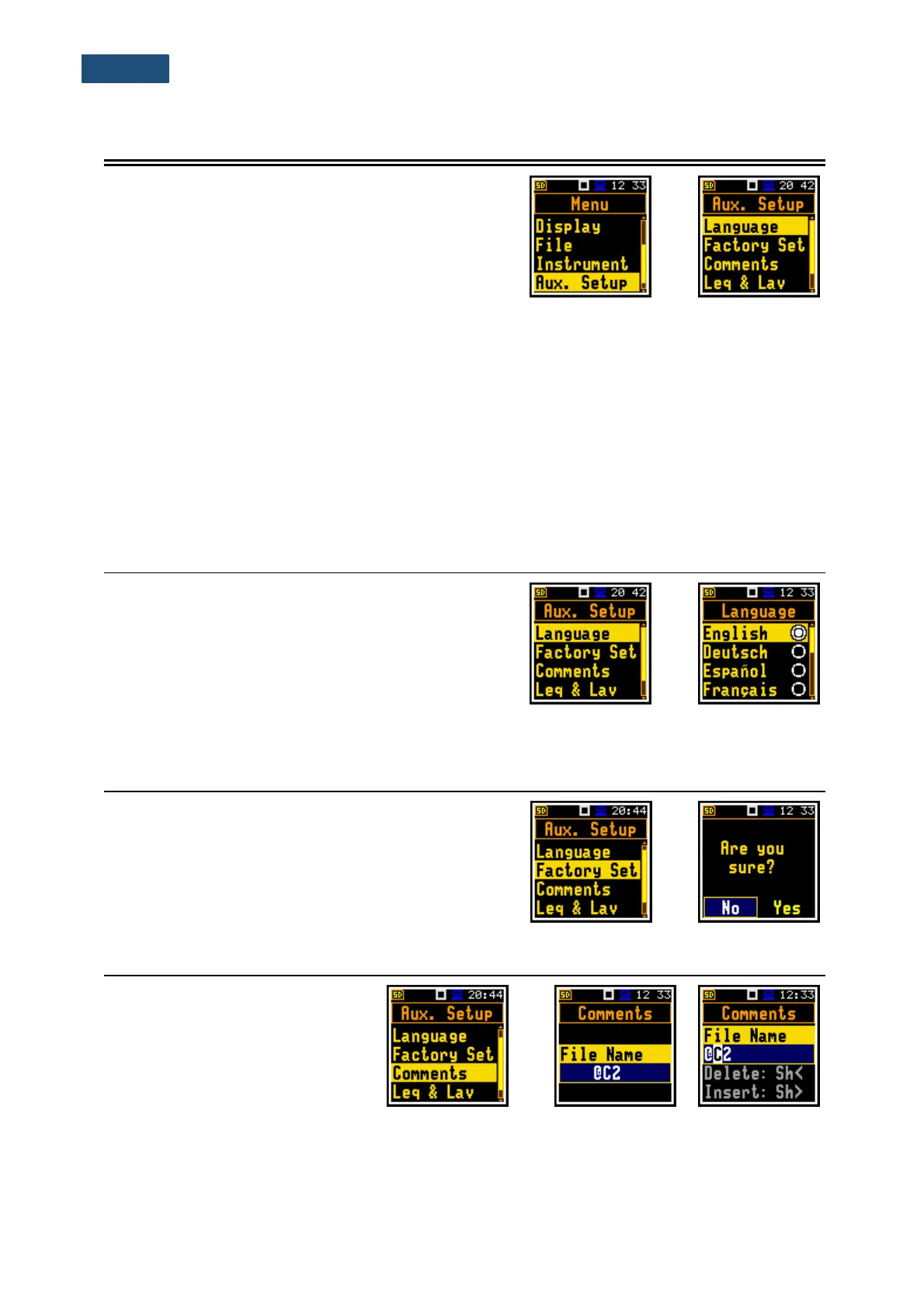
The Auxiliary Setup section provides the user with
additional features that allow, for instance, customize the
device interface to a specific user and are not directly
related to the hardware components of the instrument.
The Auxiliary Setup section contains following positions:
Language allowing to select the language of the user interface.
Factory Set allowing to restore default, factory settings.
Comments allowing to define the file name for recording voice comments. This position is
available only in the case of the Advanced interface mode;
Leq & Lav allowing to set the mode of displaying the Leq and Lav results. This position is
available only in Dosimeter function.
Warnings allowing to enable/disable warnings to be displayed during the normal operation
of the instrument.
9.1 SELECTING THE LANGUAGE OF THE USER INTERFACE – LANGUAGE
The Language position enables selecting the language
of the user interface.
If after turning the instrument on, an unknown language
interface appears on the display, the user can reset the
instrument with three <Shift/Enter/Start> keys pressed
together during the switching on of the device. After this,
the instrument will go back to the default setup with the
English interface.
9.2 RESTORING FACTORY SETTINGS – FACTORY SETTINGS
The Factory Set. position enables restoring default
settings of the instrument.
Factory settings can be install also with three
<Shift/Enter/Start> keys pressed together.
9.3 VOICE COMMENTS – COMMENTS
The Comments position enables
defining the file name for voice
comments recording. This
position is available only in the
Advanced interface mode. You
can record voice comments also
in the Simple interface mode.



 To Next Page