8 CONFIGURING INSTRUMENT PARAMETERS – Instrument
The Instrument section is related mostly with configuring
of hardware components of the instrument.
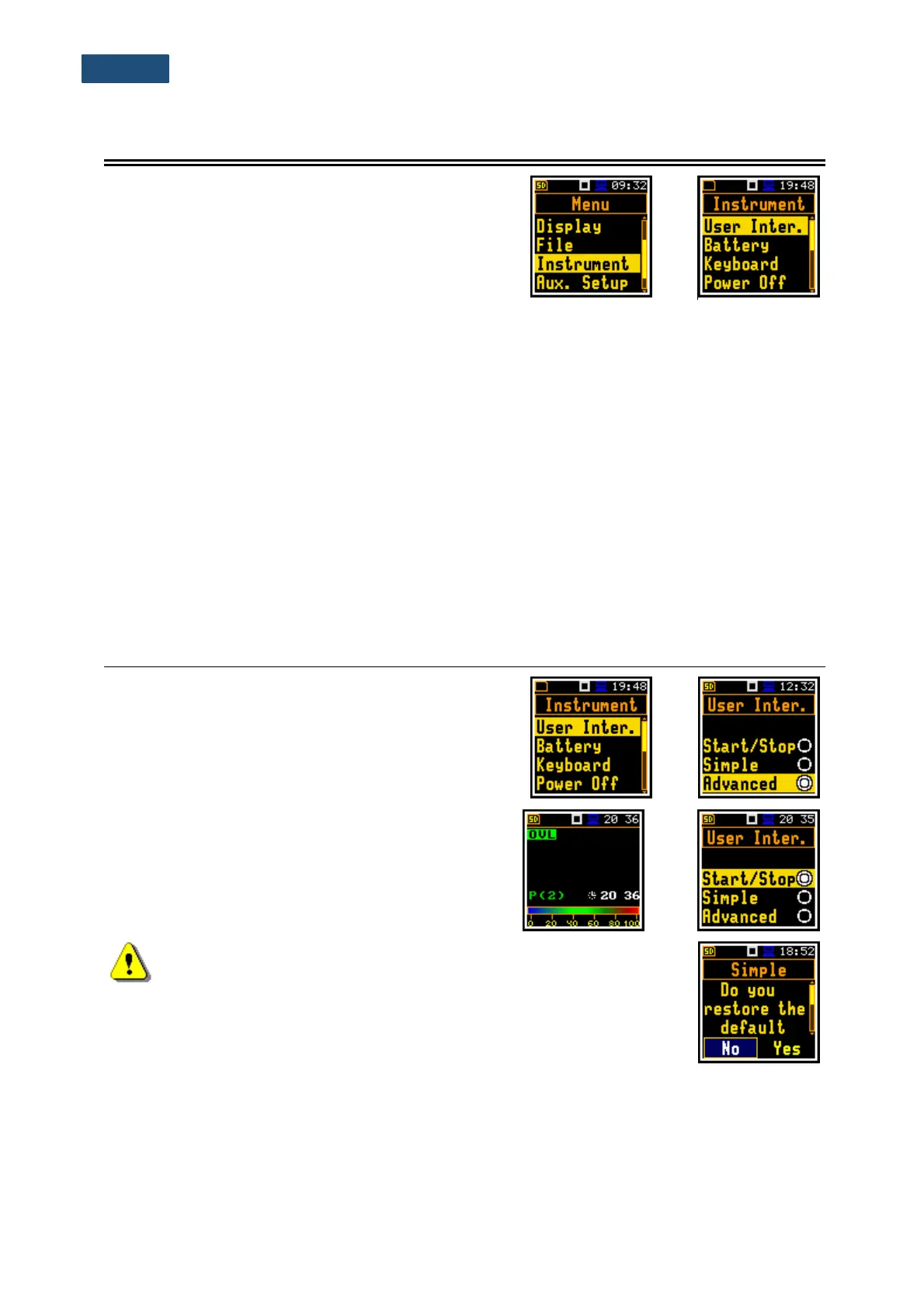
The Instrument section contains following items:
User Inter. allowing to choose the user interface option;
Battery allowing to display information about current power source;
Keyboard allowing to program some keyboard functions;
Power Off allowing to switch off the instrument power in luck of activity;
USB allowing to configure the USB interface. This position is available only in the
Advanced user interface mode;
RS232 allowing to configure the RS232 interface;
Self Vibr. allowing to set the threshold for marker registration of instrument self-vibration.
This position is available only in the Advanced user interface mode;
RTC allowing to set the Real Time Clock;
Unit Label allowing to display instrument properties.
8.1 CHOOSING THE USER INTERFACE MODE – USER INTERFACE
There are three modes of the user interface: Start/Stop,
Simple or Advanced. These modes can be selected in
the User Inter. window. The Simple mode defines basic
instrument settings, while the Advanced mode defines
full scope of settings. Many windows thus have different
views in different interface modes.
The Start/Stop mode limits the user interface to only one
User Interface position in the main Menu and
measurement windows.
Note: When you switch the interface mode from more complex to
simplest there always appear the request “Do you restore the default
value of the advanced settings?” If the answer is “No”, then all settings
that were made in positions not active in simplest mode will stay
unchanged. If answer is “Yes”, then these positions will be changed to
default settings.



 To Next Page