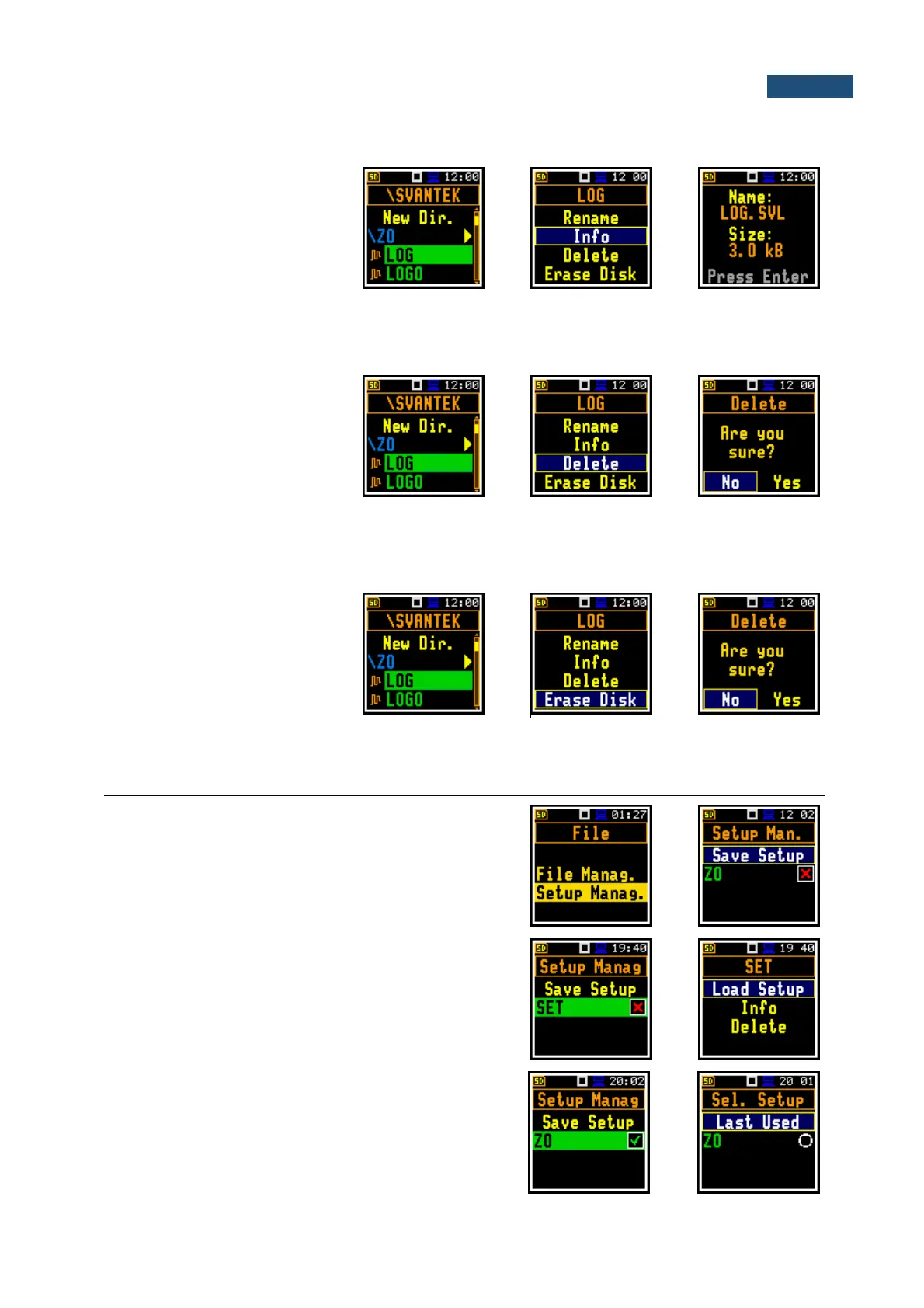
7.1.3 Information about a file/directory – Info
To get information about a
file/directory, select the
file/directory and press the
<Enter> key. Select the Info
position in the command list and
press <Enter>. The instrument
will display the information about
the selected file/directory.
7.1.4 Deleting a file/directory – Delete
To delete a file/directory from the
file/directory list, select the
file/directory to be deleted and
press the <Enter> key. Select
the Delete position in the
command list and press
<Enter>. The instrument will ask
for confirmation of this action
since it cannot be undone.
7.1.5 Erasing memory – Erase Disk
To delete all files or directories
from the SD-card, select any
directory and press <Enter>.
Select the Erase Disk position
in the command list and press
<Enter>. The instrument will ask
for confirmation of this action
since it cannot be undone.
7.2 MANAGING SETUP FILES – SETUP MANAGER
The Setup Manag. enables saving new setup files,
deleting, loading them and displaying file information, as
well as selecting those setup files that will appear in the
setup screen during start-up of the instrument.
All setup files are stored in the default directory SETUP
on the SD-card.
The window with the list of available commands on setup
files is opened after pressing the <Enter> key on the
marked (highlighted) setup file.
If the right-hand box of the setup file is marked, this setup
will be in the list of setups during start-up of the
instrument, so you can choose pre-defined setup in the
beginning of the measurement session.



 To Next Page