The Detector parameter can be set to Linear, Fast or
Slow.
11.3 CONFIGURING 1/1 AND 1/3 OCTAVE SPECTRA VIEWS
The Display section is used for setting various parameters, which are mainly dedicated for control of the
spectrum view. Following positions are used for setting up the presentation of 1/1 Octave and 1/3 Octave
results:
Disp. Modes allowing to switch on the Spectrum display mode;
Disp. Scale allowing to adjust scales of the spectrum plot and switch on/off the grid;
Spect. View allowing to select spectra to be viewed: instantaneous, averaged, maximum or
minimum.
11.3.1 Presentation of 1/1 and 1/3 octave spectra
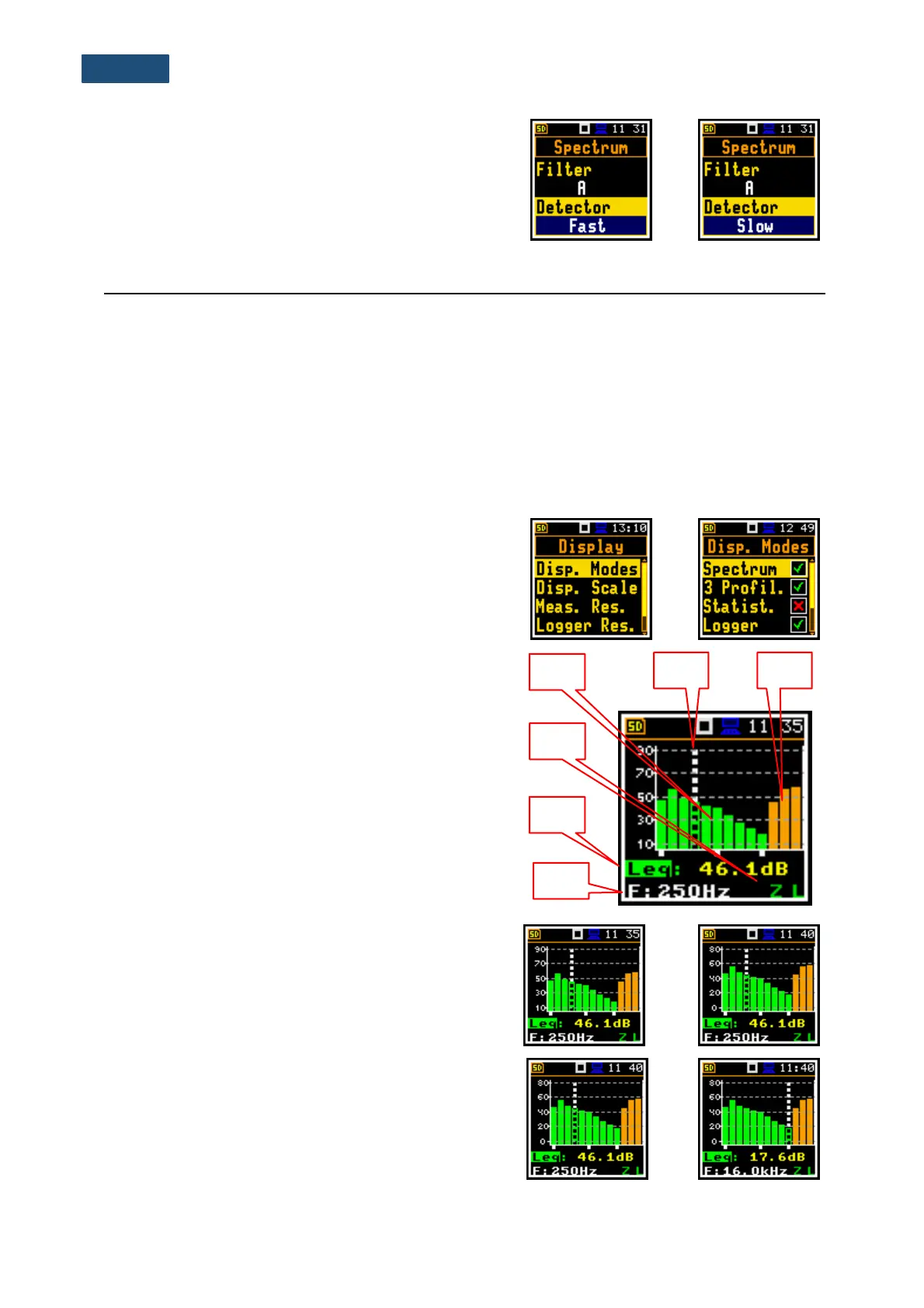
The Spectrum position in the Display Modes list
becomes available for the 1/1 Octave and 1/3 Octave
functions and switches on or off the spectrum view
(Spectrum).
Field descriptions of the Spectrum mode
1. Spectrum plot
2. Type of filter and RMS detector
3. Type of result and its value for the cursor position
4. Central frequency for the cursor position
5. Cursor position
6. Total values
You can shift the Y-axis up or down during the spectrum
presentation by pressing together the <Shift> and the
▲ / ▼ key.
You can change the cursor position with the ◄ / ► key.
The frequency and appropriate dB value are presented in
the line below the plot.



 To Next Page