• value in a matrix, if the cursor is on one of Profile positions, with the ▲ / ▼
key pressed with <Shift>.
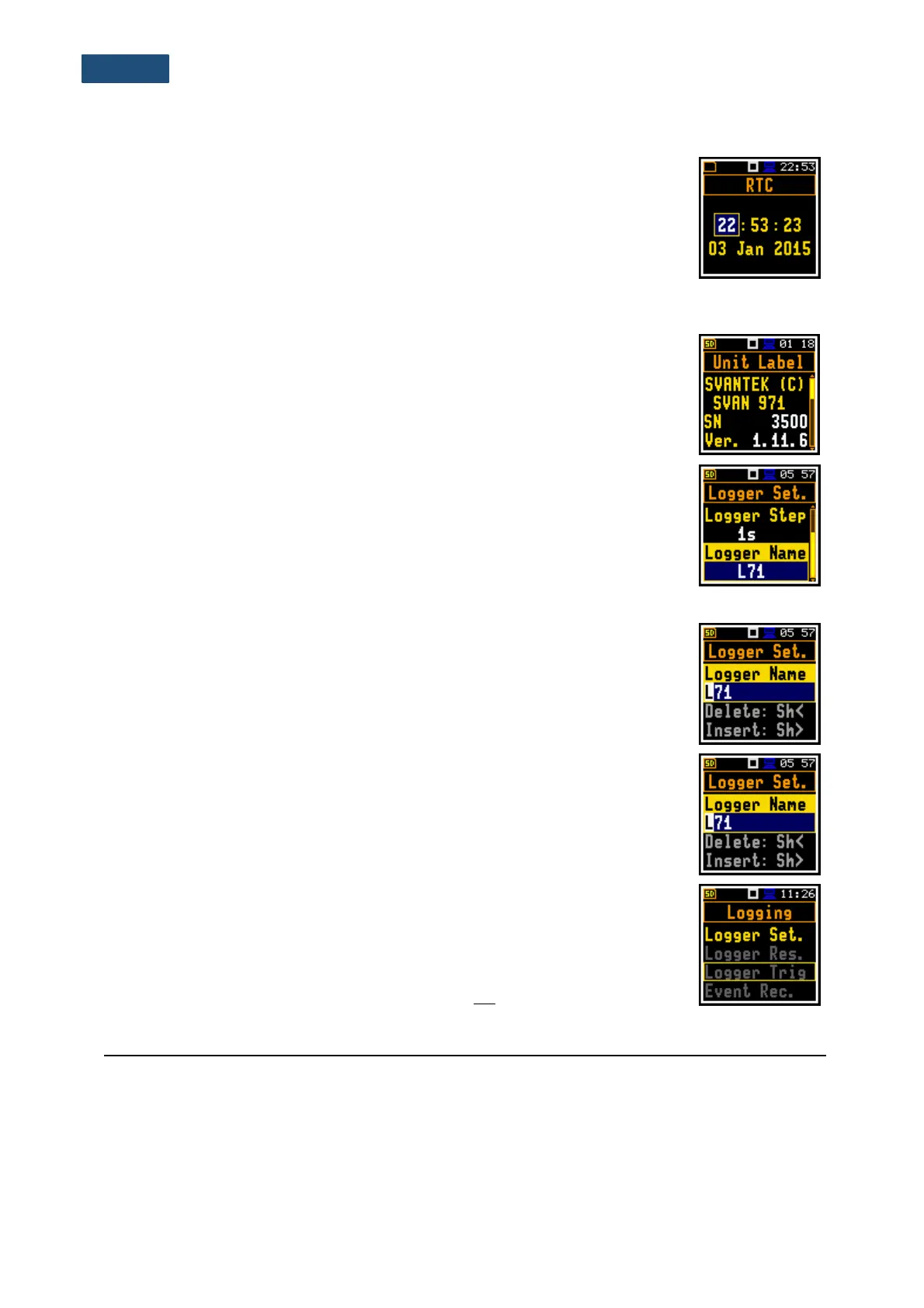
Complex parameters
For complex parameters, consisted of more than one value field like RTC or result
screen, you should select the field with the ◄ / ► / ▲ / ▼ key and then select the
value with the ◄ / ► key pressed together with <Shift>. The selection should be
confirmed by <Enter>.
In all cases the <Enter> key is used for confirmation of changes and for closing the opened list. The list
is closed, ignoring any made changes by pressing the <ESC> key.
Information window
Some windows inform about the state of the instrument, available memory,
standards fulfilled by the unit, etc. To scroll through the window, use the ▲ / ▼
keys. To close such a window, press <ESC>.
Text editor window
There are windows used for text edition (i.e. the name of the file). Such windows
contain help information to guide on how to edit the text. The character which is
displayed inversely may be edited.
• Use the ◄ / ► key to select the position of the character in the edited text.
• Use the ▲ / ▼ key to change the existing character with another ASCII
character. The subsequent digits, underline, upper case letters and space
appear in the inversely displayed position after each press of said key.
• Use the ◄ / ► key pressed together with <Shift> to insert or delete the
position in the edited text.
Help information
In most windows, the last line or two lines contain help information: how to select
or modify the parameter’s value, change the character in the text line etc. For
example, Delete: Shift < means that you can delete the selected position with the
◄ key pressed together with <Shift>.
Inactive parameters
If some functions or parameters are not available, the positions in the menu or
parameter lists linked with this function or parameter become inactive (the
selected line field will be in the frame with black background, not yellow). For
example, if Logger (path: <Menu> / Measurement / Logging / Logger Set.) is
switched off, some other Logging positions become not active!
3.2 POWERING OF THE INSTRUMENT
SVAN 971 can be powered by one of the following sources:
• Four AAA standard size batteries fitted internally. In the case of alkaline type, a new fully charged
set can operate more than 12 h (6.0 V / 1.6 Ah). Instead of the ordinary alkaline cells, four AAA
rechargeable batteries can be used (a separate external charger is required for charging them). In
this case, using the best NiMH type, the operation time can be increased up to 16 h (4.8 V / 2.6 Ah)
• USB interface – 100 mA HUB.



 To Next Page