• select the parameter value in an active position (e.g. filter Z, A or C, Integration
period: 1s, 2s, 3s, … etc.);
• control the cursor in Spectrum, Logger and Statistics modes of result presentation;
• select the position of the character in the text edition screens;
• speed up the changing of numerical values of the parameters when pressed and
held.
The ◄ / ► key pressed in together with <Shift> allow you, in particular, to:
• select the parameter value in an active position (e.g. filter Z, A or C, Integration
period: 1s, 2s, 3s, … etc.);
• shift cursor from the first to the last position and back on the graphical view mode.
These keys allow you, in particular, to:
• select lines in the list;
• select the correct character from the list in the text editing mode;
• change the presentation mode of the results.
The ▲ / ▼ key pressed in conjunction (or in sequence) with the <Shift> allow you, in
particular, to:
• change the current result function in the measurement display mode;
• change the relationship between the Y-axis and X-axis of all plots presented on the
screen;
• program the Real Time Clock (RTC) and delayed run Timer.
The simultaneously pressing the ◄ and ► keys initiates recording of a voice signal as
a comment (see. Paragraph 9.3 “Voice comments”).
2.2 INPUT AND OUTPUT SOCKETS OF THE INSTRUMENT
Top cover of the instrument
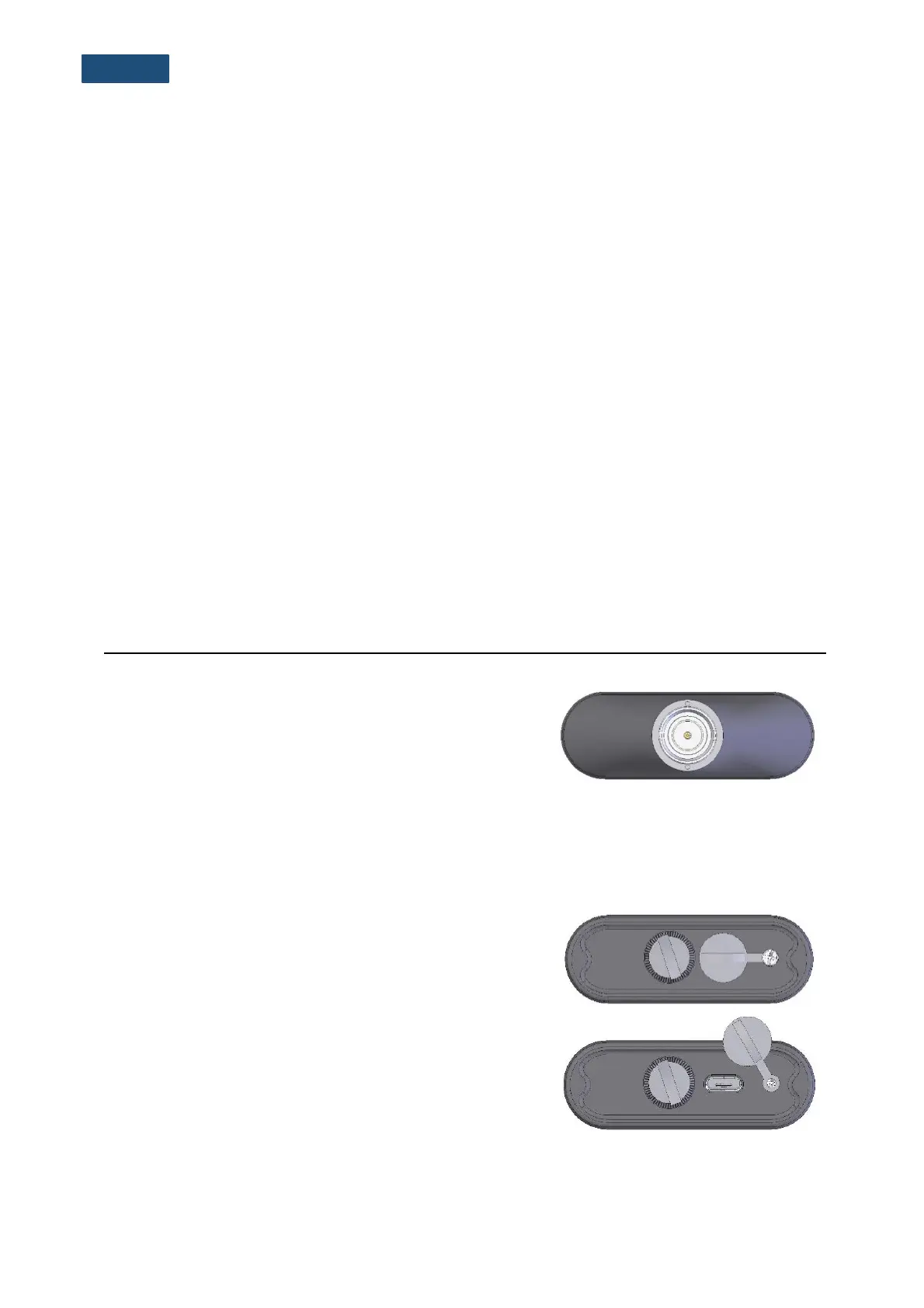
The measurement Input is placed in the centre of the
instrument’s top cover. The SV 18 microphone preamplifier
has a specially designed matching plug with a locking screw
to secure the preamplifier to the meter body. After plugging in
the preamplifier to the measurement input, the screw should
be tightened to light resistance only. Do not over tighten this
connector. It is not necessary to remove this preamplifier from
the top of the instrument unless the meter is in a calibration
laboratory as it is always used close coupled to the meter
body. The full description of the signals connected to the
sockets is given in Appendix C.
Bottom cover of the instrument
In the bottom cover, there is only one socket - USB. This
socket has a special protection cover held in place by a small
captive screw.



 To Next Page