4 MEASUREMENT FUNCTIONS AND CALIBRATION – Function
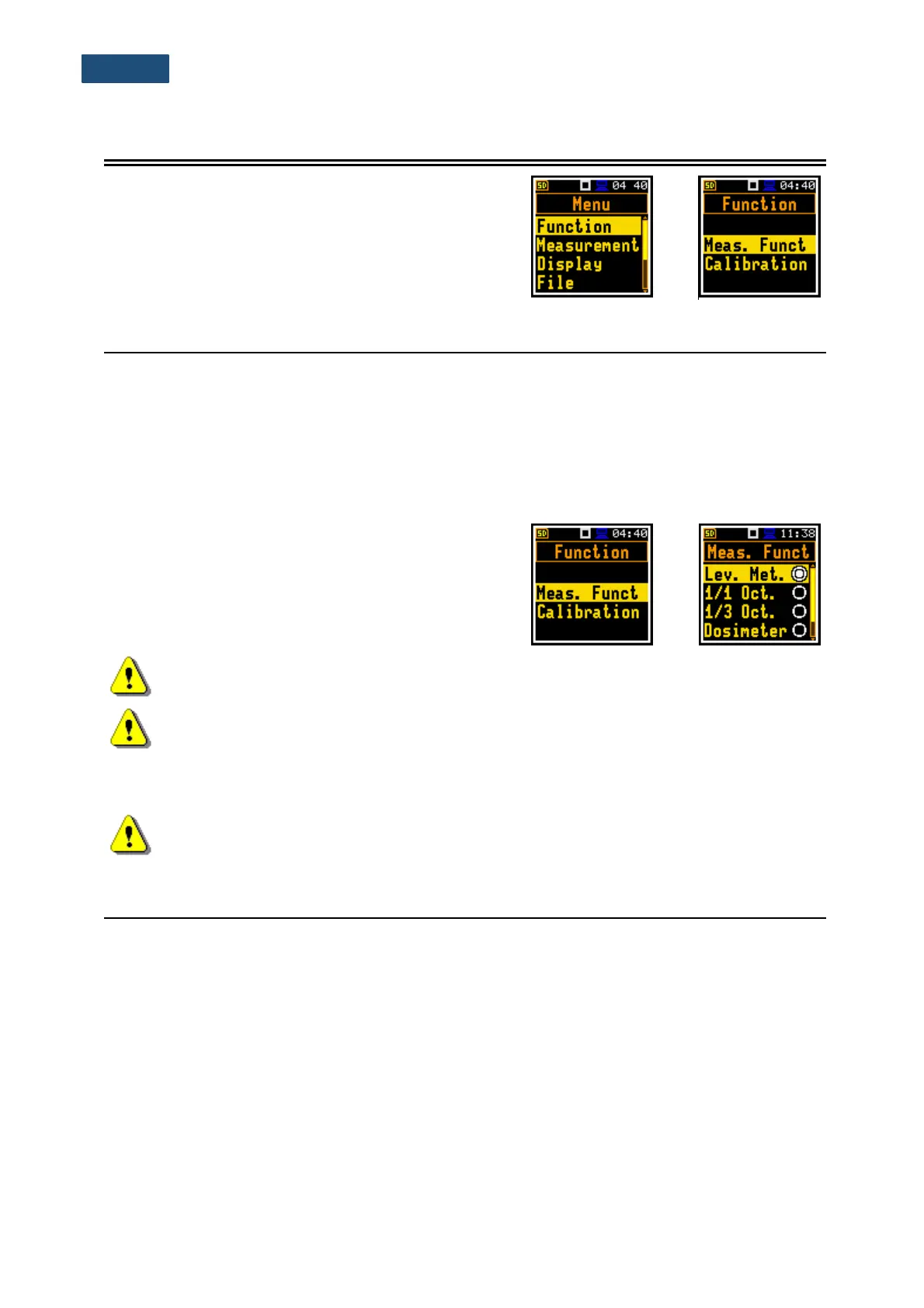
In the Function section, you can select the measurement
function (Meas. Funct) and perform the instrument
calibration (Calibration).
To select the Function section, press the <Menu> key,
select the Function position and press <Enter>.
4.1 MEASUREMENT FUNCTIONS OF THE INSTRUMENT – MEASUREMENT FUNCTION
The main function of the instrument is measurements of the broadband sound pressure level (Lev. Met.).
The Sound Level Meter (SLM) function meets the standard IEC 61672-1:2013 for Class 1 accuracy. The
instrument can also be used for medium to long-term acoustic monitoring using the huge capacity data
logger in which all measurement results can be stored.
You may also use 1/1 and 1/3 real time octave band analysis and dose meter (dosimeter) options. These
options broaden the main Level Meter functionality of the instrument, because 1/1 and 1/3 analysis as
well as dose meter measurements are performed along with all calculations of the broadband Level Meter
results.
To activate a function, open the Meas. Funct list and
select with the ▲ / ▼ key the required function: Lev. Met.,
1/1 Oct., 1/3 Oct., Dosimeter or Run. LEQ.
Note: Type of measurement function is not displayed on the screen, so the user should
remember the currently selected function!
Note: The 1/1 Octave, 1/3 Octave, and Dosimeter functions are optional and should be
unlocked by entering the activation code in the text editor screen, which is opened after first
attempt to select it. Once unlocked, this option will be ready to use permanently.
Optional functions that broaden the applications of the instrument can be easily installed. These optional
functions can be provided initially by the manufacturer or can be purchased later when required.
Note: It is not possible to change the measurement function during a measurement run. In
this case, the instrument displays for about 3 seconds the text: “Measurement in Progress”.
To change the function of the instrument the current measurement must be stopped!
4.2 INSTRUMENT’S CALIBRATION – CALIBRATION
The instrument is factory calibrated with the supplied microphone for the reference environmental
conditions (see Appendix C). The microphone sensitivity is a function of the temperature, ambient
pressure and humidity, and when the absolute sound pressure level value is required, the absolute
calibration of the measurement channel should be performed. To select the calibration function, open the
Calibration list.
Due to automatic calibration option the instrument can perform the sound calibration automatically, when
the calibrator is placed over the microphone (switched on or with the auto run function). The calibrator
level is automatically detected, and the calibration measurement is started automatically. Just press
<Enter> to confirm the calibration results. A sound measurement cannot be in progress while the
automatic calibration is being performed.



 To Next Page