The Logger function enables also additional registration of some results with different step defined by
the Logger Step parameter. Therefore, it is possible to save in parallel two sequences of measured
results – one for Summary Results and another for so called Logger Results.
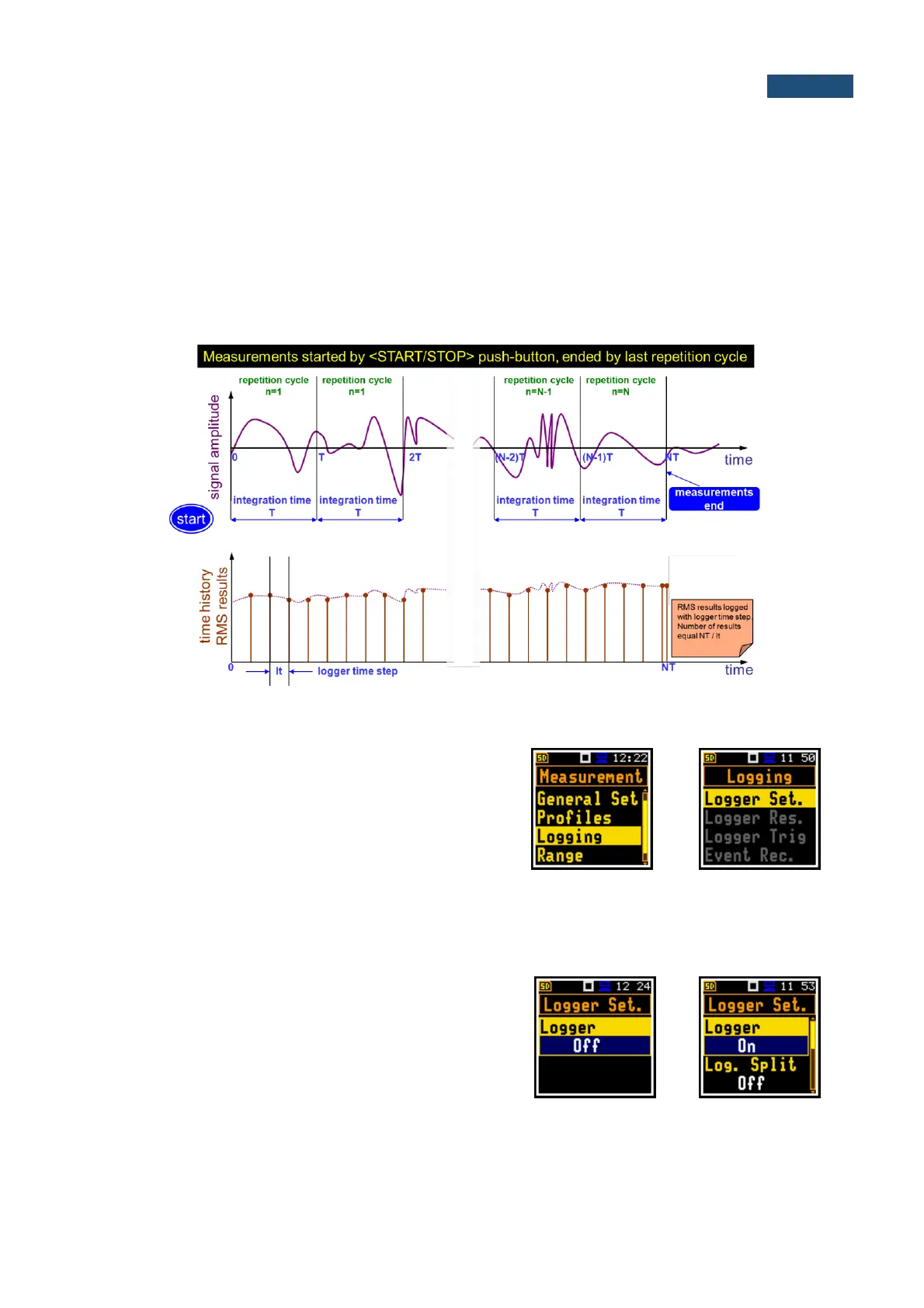
When the Logger is switched on, selected logger results taken from three independent profiles will be
saved simultaneously with time step down to 100ms. The recording of logger results to a file is stopped
after the period, which is equal to Integration Period multiplied by Repetition Cycles or after pressing
the <Start/Stop> key or after stopping the measurement remotely.
Summary Results are saved in the same file with Logger Results. Blocks of summary results are
recorded to the file in the end of every measurement cycle.
The figure below illustrates principles of saving measurement results.
Summary Results and Logger Results saving
The Logging list enables programming of the logging
functions: recording of summary and logger results
(measurement history) and recording of an audio signal
(so called event) to the same file. The Logging list
consists of four positions: Logger Setup,
Logger Results, Logger Trigger and
Event Recording.
In the Simple instrument interface mode, the Logging list
includes only of one position - Logger Set.
5.5.1 Setting up the logger general parameters – Logger Setup
The Logger Set. list enables activating the logging
function (Logger), programming splitting of logger files
(Log. Split), setting the step of data logging (Logger
Step), editing the name of the logger file (Logger Name)
and switching on/off the logging of summary results
(Summary Res).
The Logger position switches On or Off the logging
functionality.



 To Next Page