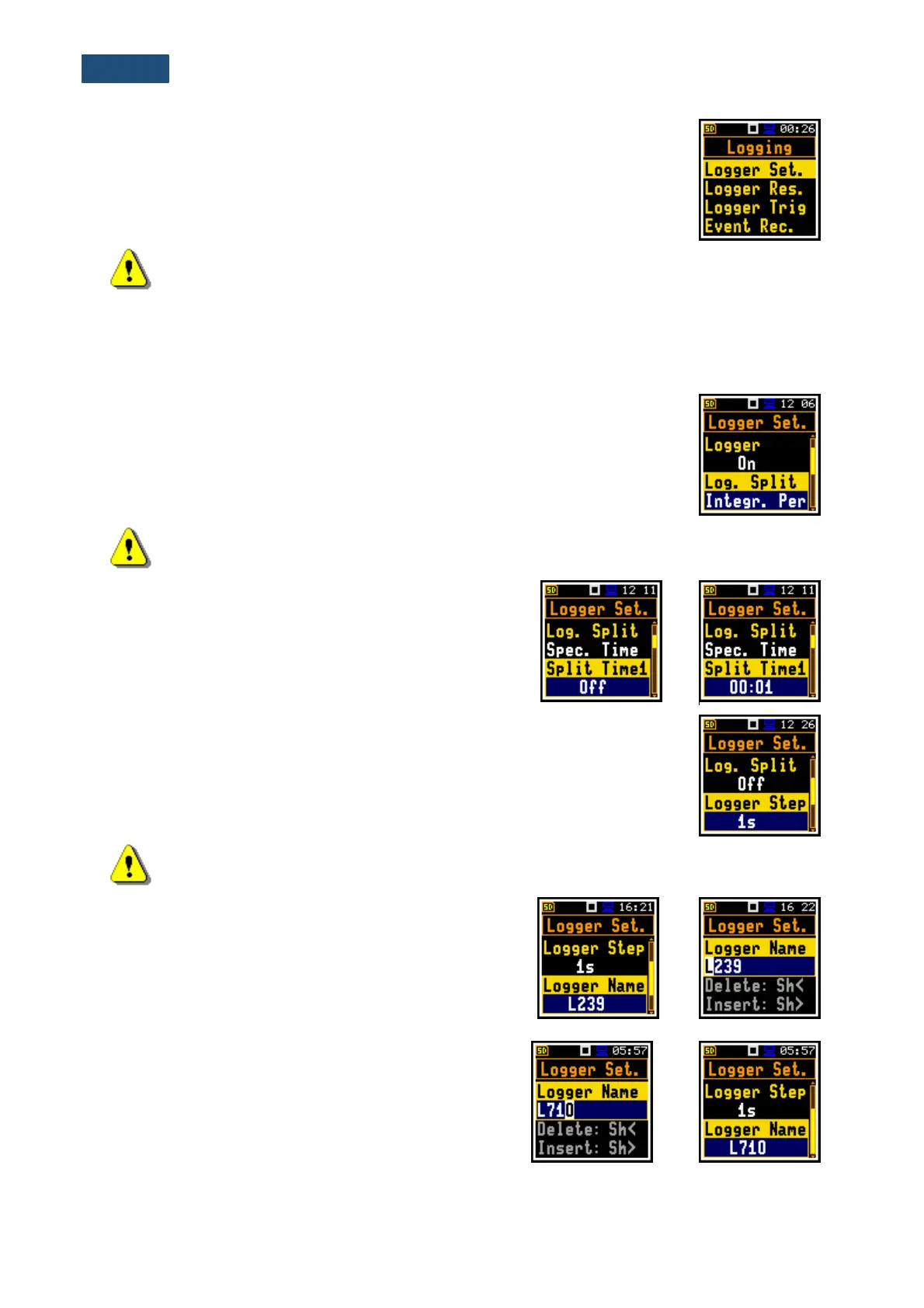
Switching on the Logger (On) activates other positions in the Logging list, which
enable the user to save selected results from the three profiles, spectra with the
defined interval selected in the Logger Step position (Logger Results), program
the Logger Trigger and recording of the time signal (Event Recording).
Note: If Logger is Off, result files are not created, and measurement results (both summary
and logger) are not saved!
Splitting of the logger file
The Log. Split position enables splitting the logger data registration into separate files. If Log. Split
parameter is Off the registration of measurement results will be continuously made in one logger file with
the name defined in the Logger Name position.
In other cases, the registration will be made in separate files and the registration
in the new file will start: after integration period time (Integr. Per), or every quarter
of the RTC (Sync. to 15m), or every half an hour of the RTC (Sync. to 30m), or
every hour of the RTC (Sync. to 1h), or at specified by the user times
(Spec. Time). Whenever the split time is achieved the logger file is closed and
the new file with the increased by one number is opened for subsequent
measurement data.
Note: In the Simple interface mode, the Logger Split parameter is hidden, but the instrument
will use settings previously defined in the Advanced mode or default settings (Off).
If Spec. Time is selected in the Log. Split position, then
six additional positions (Split Time1, Split Time2,
Split Time3, Split Time4, Split Time5 and Split Time6)
appear in the list. The position is switched off if Off was
selected. Pressing the ► key changes the Off to the time
format value. Further use of the ► key enables setting
the desired time of the day when splitting should occur.
The Logger Step defines the step for logger results logging in a file. It can be set
from 100ms to 1h. Its value by default is set to 1s.
In the Simple instrument interface mode, this parameter is hidden, but the
instrument will use previously defined or default value.
Note: In the Simple interface mode, the Logger Step parameter is hidden, but the instrument
will use settings previously defined in the Advanced mode or default settings (1s).
Logger file name
The Logger Name position enables defining the logger
file name, which consists of a prefix and a number. The
default logger file prefix is L. The name can be up to eight
characters long. After pressing the ◄ / ► key, the special
window with text editor function is opened for the file
name editing.
The edited name is accepted and saved after pressing
the <Enter> key. The special warning is displayed in case
the file with the same name already exists in the memory.
The instrument informs with the message “Incorrect File
Name” and waits for the <Enter> key to be pressed.
If the name is new the instrument changes the
Logger Name in the Logger Setup list.



 To Next Page